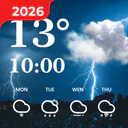
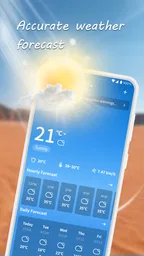
Nice Weather review
 Analysis by Appsdrops
I judge a weather app less by how many numbers it can display than by whether I can make a good decision when I am in a hurry. Nice Weather is a free weather app from Znd Digital, and its appeal is easy to understand: it aims to put useful weather information within quick reach. I would consider it for checking the day before leaving home, but I also think its value depends on whether its presentation works for your eyes, hands, and routine.
Reading a forecast without extra effort
Weather checks often happen in brief, distracted moments: beside the door, between errands, or while deciding whether to carry a coat. In those situations, a forecast needs to be understandable at a glance. Nice Weather’s straightforward identity suits that purpose, though no app can be called accessible for every reader based on a short description alone. I would try it on my own device and see whether the information I need is easy to spot without prolonged scanning.
When you first open a weather app, it helps to look for the practical answer before exploring details: what conditions are expected, and when might they affect your plans? I recommend checking the current outlook and then scanning ahead for the part of the day that matters to you. That simple habit is useful whether you are planning a commute or deciding when to take a walk. It also reveals quickly whether the app’s layout suits your way of reading.
Weather information can become harder to interpret when several values, icons, and time periods compete for attention. If you find yourself repeatedly hunting for the same item in Nice Weather, that is a meaningful drawback, even if the forecast itself is useful. I would not assume that a clean name or a concise presentation automatically makes an app easy to navigate; personal testing matters, especially for people who use larger text, rely on strong contrast, or have difficulty distinguishing visual symbols.
For a useful first impression, compare the app’s display with the way you already check the weather. Can you identify the conditions relevant to your next outing quickly? Does the screen remain comfortable to read in the lighting where you normally use your phone? These are practical questions rather than technical benchmarks, and they help establish whether Nice Weather can serve as a dependable everyday glance or is better kept as a secondary option.
Keeping the interaction manageable
Weather apps are often opened one-handed, sometimes while carrying groceries or standing outside. That makes the size and placement of controls more important than they may seem during a relaxed trial. I suggest testing the basic actions you expect to repeat, such as opening the forecast and moving between the information you use. If those steps require precise taps or awkward hand movement on your device, the friction may outweigh the convenience of a quick check.
People with limited dexterity may prefer an app that keeps common actions simple and avoids unnecessary interaction. I cannot claim that Nice Weather offers particular accessibility controls without seeing them in use, so I would treat your own trial as the deciding factor. Try it with the hand and posture you normally use, rather than only when sitting comfortably. A screen that feels manageable at a desk may be less convenient while walking or holding something.
Sensory needs vary just as much. Some people prefer restrained screens and minimal visual noise; others need larger, clearer cues to distinguish information. A useful test is to open the app in a bright room and then in the conditions where you most often check forecasts. If colors or small symbols carry meaning, make sure you can interpret them without relying on color alone. When an app’s presentation does not work for you, the phone’s own display settings may help, but they cannot fix every layout or interaction problem.
Sound is another consideration for weather information, particularly for people who keep their phones muted or have hearing differences. I would not make a decision based on an assumed alert system. Instead, consider whether the way you intend to use the app depends on notifications or spoken information, and verify that those needs are met on your device. If you only need to open a screen and read a forecast, that dependence may be much smaller.
Using it across changing routines
A realistic use case is a morning departure with an uncertain afternoon. I would check Nice Weather before leaving, note whether conditions could affect the trip home, and make a simple clothing or packing choice. If I were planning outdoor work, I would check again closer to the time rather than treating a morning glance as a guarantee. This is a sensible workflow for any forecast: use it to prepare, then revisit it when timing matters.
For someone who walks or cycles, the app can be part of a quick route decision: check before setting out, then decide whether to bring an extra layer or choose a shorter outing. For a caregiver, a weather check can help with planning time outdoors for someone who may be more sensitive to heat, cold, or rain. In both cases, ease of reading matters because the person checking may be doing so under time pressure. If the forecast is difficult to scan, a familiar alternative may be more useful even if Nice Weather otherwise feels appealing.
Context changes what “easy to use” means. At home, you can pause and examine details; on a crowded platform, you may need a clear answer immediately. Outdoors, glare and wet hands can make small controls harder to use. I recommend trying the app in the setting where you actually expect to rely on it, rather than judging it only in ideal conditions. That test is especially valuable for anyone whose access needs change with fatigue, lighting, or surroundings.
When travelling, a weather app is most useful as one part of preparation, not as the sole authority for a high-stakes decision. Check the destination and the relevant time before committing to an outdoor plan, and leave room to adjust. If a forecast seems unclear or conditions are changing quickly, compare it with another trusted source. That is not a special weakness of Nice Weather; it is a prudent way to use weather information when plans depend on it.
Where it fits among weather apps
The usual alternatives range from basic phone weather screens to services that emphasize maps, radar, alerts, or extensive forecast detail. A built-in weather app may be the better choice if you want something already integrated into your phone and do not want to add another app. A more specialized service may suit you better if you regularly inspect severe-weather layers or need tools for planning around changing conditions. Nice Weather is worth considering if your priority is a direct, everyday check rather than a deep forecasting workspace.
Its public reach suggests that many people have tried it: it has more than five million installs and an average rating of 4.0 from around nineteen thousand ratings. I treat those figures as context, not proof that it will fit every person. Ratings can summarize broad satisfaction, but they cannot tell you whether text is comfortable on your device or whether the interaction suits your hands. The app has also received hundreds of written reviews, which can be useful to browse for recurring concerns relevant to your needs.
Nice Weather is rated for Everyone, and its current version is 1.4.3. It was released on November 26, 2024, and requires Android 7.0 or later. Those details can help with basic compatibility decisions, but they do not answer whether it will work well with your particular settings or assistive tools. If you are choosing it for someone else, I would install it together and let that person try the main screen and routine actions before making it their default.
Because it is free, trying it does not require a purchase, which makes a short personal evaluation practical. I would still keep an eye on how much attention it takes: an app can cost nothing and still demand too much effort if the forecast is hard to locate or the screen is uncomfortable. Znd Digital is the developer, and the app’s 4.0 average gives a quick sense of general reception, but neither fact should replace checking the actual experience on your phone.
What to test before relying on it
I would begin with three focused checks. First, see whether you can find the information you use most without searching through several screens. Second, test the display at your usual text size and in both bright and dim surroundings. Third, try the main interaction one-handed or with the assistive method you rely on. These small trials are more revealing than a long feature checklist because they reflect the situations in which you will actually open a weather app.
Then consider the cost of a wrong or misunderstood forecast for your plans. For choosing a jacket or deciding whether to take a casual walk, a quick overview may be enough. For travel, outdoor work, or a weather-sensitive activity, I would verify conditions closer to the relevant time and consult another source if the outlook is uncertain. This distinction helps prevent an easy-to-use interface from being mistaken for a guarantee.
If you are supporting a family member with low vision or reduced dexterity, ask them to perform the check themselves rather than deciding on their behalf from a glance at the screen. Notice whether they can read the information comfortably, reach the controls, and recover easily if they open the wrong item. For someone with cognitive or sensory sensitivities, a calm, predictable routine may matter more than the number of details available. The right app is the one that supports that person’s real habits, not simply the one with the shortest description.
A practical choice, with a personal test
My overall view is that Nice Weather is a reasonable candidate for everyday weather checks, especially if you want a free app and prefer to start with a simple glance rather than a specialist forecasting toolkit. Its broad adoption and solid average rating make it worth trying, but they do not establish that its layout is accessible to everyone. The most important question is whether you can read and use it comfortably in the places and moments that matter to you.
I would recommend giving it a try if you mainly need help with ordinary decisions: what to wear, whether to carry an umbrella, or when to plan a short outing. I would skip it, or pair it with another service, if you need detailed weather layers, specialized planning tools, or an interaction style that the app does not accommodate on your device. People who depend on particular accessibility options should test those needs directly before relying on it.
In the end, Nice Weather’s best role is as a quick companion for routine planning, provided its presentation fits your own abilities and context. Start with a low-stakes check, test it outdoors and at your preferred display settings, and only then decide whether it deserves a place in your daily routine. That approach gives you a fair read on its convenience without asking a simple weather app to do more than it can.
What we like
- Clear forecasts make it easy to check the weather at a glance.
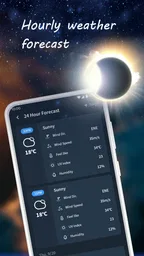
- Hourly details help with planning outings throughout the day.
- A simple layout is approachable for first-time users.
- Local forecasts are useful for everyday planning.
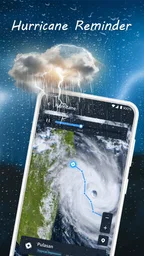
- Weather alerts can help users prepare for changing conditions.
What could be better
- Forecast accuracy can vary by location and weather conditions.
- Some locations may have limited forecast detail.
- Frequent updates may use mobile data.
- Weather information requires an internet connection to stay current.
- Ads may interrupt the experience for some users.




