Transparent clock and weather review
 Analysis by Appsdrops
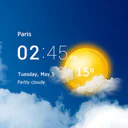
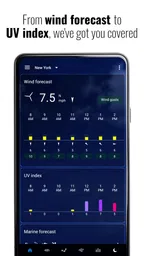
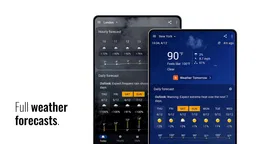
Weather apps are most useful when they fit naturally into the moments you already check your phone: before leaving home, while making plans, or when the sky starts looking uncertain. Transparent clock and weather brings a clock and weather information together, with live tracking, daily forecasts, widgets, and radar for rain and storms. Its focus is practical rather than flashy, and the transparent-clock idea gives the app a clear identity for anyone who wants weather at a glance.
Weather that depends on staying connected
Weather information changes constantly, so a connection is central to the experience of checking current conditions and forecasts. When the app can refresh its information, live tracking and radar can help turn a quick glance into a more informed decision. I find that especially useful when a forecast may affect whether I carry an umbrella, adjust a journey, or rethink an outdoor plan.
That dependence also sets a sensible expectation: weather details are most valuable when they are current. A radar view or daily forecast is not a substitute for looking outside, but it can add context before the weather becomes obvious. The app brings several useful kinds of information into one place, rather than asking me to treat a clock, forecast, and storm view as unrelated tasks.
Connection quality can shape how smoothly any live weather experience feels. If information takes time to refresh, the practical value of checking it immediately is reduced; when updates are available, the combination of tracking and radar is easier to use as part of a regular routine. I would approach it as a convenient companion for changing conditions, not as a promise that every screen will always show an instant update.
Quick checks when plans are changing
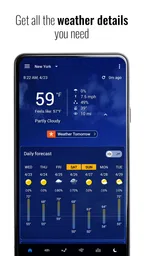
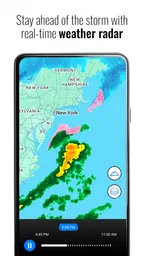
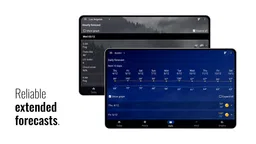
The strongest use case is a quick decision. A daily forecast gives a broader sense of the day, while rain and storm radar can be useful when the timing or movement of unsettled weather matters. That range makes the app appealing to people who want more than a single temperature reading but do not necessarily want a complicated meteorology tool.
I also like the way the app’s core idea keeps everyday information close at hand. A clock is something many people check repeatedly, and pairing it with weather makes the glance more useful. The short description emphasizes a transparent clock, while the broader feature set adds forecasts and weather tracking. Together, those details suggest a straightforward utility built around frequent, brief visits.
At home, on the move, and between plans
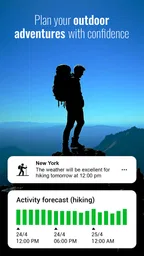
Weather needs change with context. At home, a forecast may help with errands or the timing of a walk. On the move, a compact glance can be more useful than opening several separate tools. When plans are still flexible, radar may help answer a more immediate question: is rain or a storm relevant to what I am about to do?
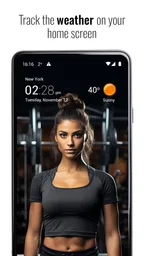
The app’s widgets are a meaningful part of that mobile-friendly approach. They offer a way to keep weather information accessible from the phone’s home screen, rather than relying only on opening the app for every check. That can make the experience feel more immediate, particularly for users who already organize their phone around glanceable tools. The exact usefulness will depend on how each person arranges their device and how often they want weather visible.
On a busy day, I prefer tools that let me get the general picture quickly and explore further only when needed. A clock, daily forecast, and radar serve different levels of attention: the time is a brief glance, the forecast helps with planning, and radar is there for a closer look at rain or storms. That layered use is a good fit for commuting, errands, and casual outdoor plans without making the app’s purpose feel overly specialized.
When updates pause or conditions change
Weather is a moving target, so the experience can feel less dependable when a connection is weak or an update is delayed. This is not unique to this app; live information generally depends on data arriving in a timely way. My advice is to treat a forecast as guidance and to check again when conditions are changing quickly, especially before making an important outdoor decision.
When information does not appear to match what is happening outside, a sensible first step is to refresh the view when a connection is available and compare the forecast with the conditions around you. Radar and daily forecasts answer related but different questions, so one screen may be more useful than another depending on the moment. Looking at the broader forecast can help with planning, while radar is better suited to checking rain and storms in context.
It is also worth keeping expectations realistic about precision. Weather forecasts help users prepare, but the sky can change and local conditions may differ from a general outlook. I see the app as a convenient source of situational awareness rather than a guarantee. That mindset makes the tools more useful: check the information, consider what you can observe, and leave room for conditions to shift.
A practical approach to data-conscious use
Because live tracking and radar rely on updated information, it makes sense to use them when they answer a real question. A quick forecast check before leaving or a radar glance when rain is nearby is more purposeful than repeatedly opening the app without a reason. Widgets can also suit people who prefer weather to be visible at a glance, though each user can decide how prominent that information should be on their phone.
I would keep the app’s role simple: use the clock and forecast for routine planning, and turn to radar when weather is likely to affect the next decision. This approach keeps the experience focused without assuming anything about how the app handles connectivity in the background. It also helps users judge whether they want weather information constantly visible or available only when they open the app.
The app is free to download, with in-app purchases listed from $4.49 to $14.99 per item. That gives users a way to start with the core experience before deciding whether any optional purchase suits them. Its age rating is Everyone, and the app has been available since 2012, giving it a long presence in the weather-app space.
Who may enjoy this weather app
Transparent clock and weather is a natural option for people who want a weather app that combines everyday glanceability with useful forecast tools. The clock-and-weather concept is easy to understand, and the mix of widgets, daily forecasts, live tracking, and rain and storm radar gives it more range than a simple temperature display. If you like checking weather in short bursts throughout the day, that combination may fit your habits.
It is also a strong match for users who want a familiar, practical interface rather than a narrowly focused storm-monitoring tool. The app can serve casual planning needs while still offering radar for moments when precipitation is the main concern. The best experience will come from treating the forecast as a helpful guide and remembering that current information depends on the app being able to receive updates.
Its scale is notable: it has more than 50 million installs, an average rating of 4.2 from around 980,000 ratings, and roughly 36,000 written reviews. Those figures point to a well-established app with a broad audience, though personal preferences about widgets, presentation, and forecast usefulness will still matter more than popularity alone.
The connectivity verdict
For me, the appeal is the balance between quick access and a few deeper weather tools. The clock and widgets suit everyday checking, daily forecasts help with planning, and radar gives rain and storms a more visual context. Connectivity is part of that value: fresh information makes live weather more useful, while a delayed update is a reminder to be cautious and check conditions again when it matters.
The app is not just a clock, and it does not need to be a specialist forecasting workstation to earn a place on a phone. It works best as a practical companion for people who want time and weather close together, with an option to look more closely when conditions are unsettled. If that is what you need, Transparent clock and weather offers a clear, convenient way to keep an eye on the day.
What we like
- Customizable clock widgets offer several styles and sizes.
- Weather forecasts include useful details such as humidity and wind.
- Multiple locations make it easy to track weather in different places.
- Widget options can show upcoming forecast information at a glance.
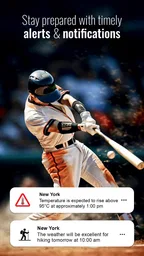
- The app includes alerts for severe weather conditions.
What could be better
- Some widget designs may take time to configure.
- Frequent updates can affect battery life on some devices.
- Forecast accuracy depends on the selected weather provider.
- Some features may require an internet connection.
- Ads may appear in the free version.





