
Windy.com - Weather Forecast review
 Analysis by Appsdrops
I find Windy.com most useful when I need to understand the weather rather than just glance at a temperature. Its maps bring together forecasts for wind, rain, waves and other conditions, so I can explore what may be happening beyond my street. That depth is its appeal, but it also affects who will feel comfortable using it: the app rewards curiosity and patience more than a quick, effortless check.
Reading a weather map takes practice
Windy.com is a free weather app from Windyty SE, and it has a strong following: it holds a 4.7 average from around 830,000 ratings and has been installed over 50 million times. Those figures suggest it works for a broad audience, though popularity does not make its map-led presentation simple for every user.
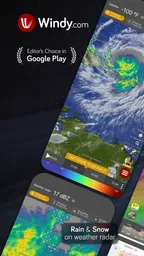
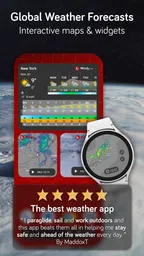
The first impression is visual. Instead of presenting only a compact forecast card, the app invites me to look at conditions across a map. That is valuable when I want to compare places or see how a weather system is moving, but a map can ask more of the reader than a plain list of temperatures and rain chances. I need to interpret colors, geographic shapes and changing conditions together.
For a quick decision, I would start with one question: what do I need to know right now? If I only need to decide whether to take a jacket, a simpler local forecast may get me there faster. If I need to judge whether a windy route, coastal outing or journey between towns is sensible, Windy.com’s layered view gives me a richer way to investigate.
A useful habit is to avoid switching between layers without a purpose. I first choose the condition that matters to my plan, then inspect the area and time period relevant to it. This keeps the map from becoming a wall of interesting but distracting information. The app is at its best when I treat it as a tool for answering a specific question, not as a dashboard I must study all at once.
Navigation works best with a clear goal
The range of weather topics is a real strength, but it creates a learning curve. Someone opening the app for the first time may not immediately know which view answers their question. I would give myself a few minutes to explore calmly before relying on it for a time-sensitive choice, especially if I have not used map-based forecasts before.
One practical approach is to check the same familiar place repeatedly. Comparing the forecast for a location I know helps me connect the map’s visual presentation to conditions I can recognize outside. That is more useful than tapping through every available view at random, and it makes the app less intimidating over time.
The app is rated for Everyone, which makes it broadly suitable by age, but that should not be confused with a guarantee that its interface will be equally easy for every ability or situation. The useful question is whether the map, text and controls fit the way a particular person sees, reads and interacts with a phone.
Visual and motor comfort depend on the moment
Map-based information can be helpful for people who prefer spatial context over a row of numbers. Seeing conditions across a region may make it easier to understand where weather is changing, rather than relying on a single location summary. At the same time, color-heavy maps may be harder to interpret for someone with low vision or difficulty distinguishing colors. I would not assume that every layer is equally readable for every viewer.
Screen size and viewing conditions matter too. On a small phone, a dense map can feel crowded, and bright outdoor light may make subtle visual differences harder to inspect. When I need a dependable answer quickly, I would check the display in a comfortable setting first and avoid making a serious decision from a glance at a map I can barely see.
There is also a motor-control trade-off. Exploring a map often involves precise touch interaction, and someone who finds small targets or repeated gestures tiring may prefer a simpler forecast presentation. I would not recommend making intricate map exploration the only way to get weather information if that kind of interaction is uncomfortable. A basic weather app or a spoken forecast may be a better primary option for that person.
For anyone who can use the map comfortably, a small workflow change can reduce unnecessary interaction: settle on the area before exploring conditions, and avoid repeatedly moving the map while trying to compare unrelated places. This is especially helpful when using the phone one-handed or while standing outside. The app’s richness is more manageable when the physical task stays simple.
Useful at home, less convenient on the move
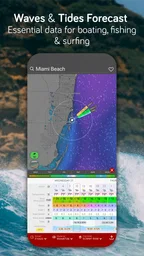
Windy.com makes sense in very different contexts. At home, I can take time to examine a forecast before planning a walk or outdoor task. While travelling, I can compare conditions near the departure point and destination instead of assuming the weather will stay the same throughout the trip. For a coastal plan, wave and ocean information can matter more than the general forecast; for an exposed route, wind may be the detail that changes my decision.
Consider an ordinary weekend plan: I am deciding whether to cycle to meet a friend. A basic forecast might say the day is mostly fine, but a closer look at wind conditions could make an exposed section unpleasant. I would check the route area and the time I expect to be outside, then use that information alongside common sense. That is a better use of the app than treating one attractive map view as a guarantee of what I will encounter.
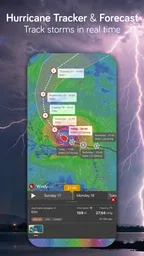
It is also useful for people whose plans depend on changing conditions, such as sailors, surfers, hikers or anyone following storms. The app covers weather radar and satellite imagery as well as wind, waves and hurricane forecasts, giving those users more to investigate than a standard forecast screen. The trade-off is that more layers require more interpretation; they do not automatically make a forecast easier to act on.
For people who need information in a hurry, the context can work against the app. Looking at maps while walking, driving or managing a busy environment is not a good idea. I would check before setting off and make a decision while stopped. If all I want is a quick spoken summary or a simple glance at the next few hours, an assistant or a pared-back forecast app may suit the moment better.
What it offers—and where the friction remains
Compared with the usual weather app, which often prioritizes a local summary and a short forecast, Windy.com leans into exploration. That difference is important: it is not automatically the better choice for every forecast check. Its advantage is the ability to examine conditions spatially and focus on weather that matters to a particular activity. Its cost is a busier experience and a greater need to understand what the visual information means.
The app is free to download, with in-app purchases ranging from $1.49 to $114.99 per item. I would begin with the free experience and decide whether its workflow meets my needs before considering any purchase. The range makes it especially sensible to check the purchase details in the app store rather than assuming every option is intended for casual use.
Version 51.3.2 requires Android 8.0 or later. That makes device compatibility worth checking before relying on it, particularly if someone is using an older phone. The app was released on February 14, 2016, and its long presence in the weather category is reflected in its large audience, but the practical test is still whether its current interface is comfortable on the device in hand.
One limitation I would keep in mind is that a detailed display can create confidence without removing uncertainty. Weather forecasts remain forecasts, and a map should inform a decision rather than replace local judgement. For outdoor plans with meaningful consequences, I would revisit conditions close to the time and use appropriate caution rather than assuming an earlier check settles the matter.
Another barrier is the gap between having information and being able to interpret it. Experienced users may appreciate the range of views; a newcomer may see many choices without knowing which one deserves attention. I recommend learning one relevant workflow at a time—wind for a route, waves for a coastal plan, or radar when checking nearby conditions—rather than expecting to master the whole app in one session.
Who I would recommend it to
I would recommend Windy.com to people who actively plan around weather and want more context than a simple daily summary provides. Outdoor enthusiasts, travellers comparing locations and anyone interested in wind or coastal conditions are likely to get the most from it. It is also worth trying if a map helps you understand information better than a list, provided the visual presentation is comfortable for you.
I would steer someone toward a simpler alternative if they want only a quick temperature and rain check, struggle with dense visual displays, or find map gestures uncomfortable. That is not a criticism of the app so much as a mismatch between its strengths and the person’s needs. A clear, short forecast can be more inclusive in practice when speed, readability or reduced interaction matters most.
My overall view is that Windy.com offers useful depth, but its value depends on how and where you use it. I like it as a weather-planning companion, especially when wind, waves or regional changes could affect a real plan. I would not make it my only option for every situation, and I would encourage new users to explore it at their own pace. For anyone who can comfortably read its maps and wants to make more informed outdoor decisions, it is a capable choice; for a simple answer with minimal effort, a less layered app may be kinder.
What we like
- Interactive weather maps make regional conditions easy to explore.
- Multiple forecast models help users compare possible outcomes.
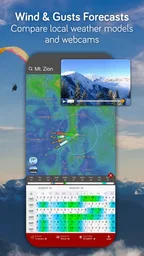
- Detailed wind maps are useful for outdoor planning.
- The radar layer helps track precipitation as it moves.
- Saved locations make checking forecasts for several places convenient.
What could be better
- The range of maps and settings can feel overwhelming at first.
- Some advanced features require a paid subscription.
- Forecast accuracy can vary by location and weather model.
- Weather data may load slowly on a weak internet connection.
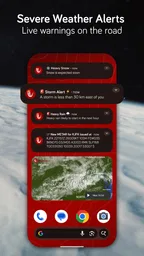
- Frequent alerts can become distracting if not carefully configured.





