
CARFAX - New & Used Cars review
 Analysis by Appsdrops
When I’m looking at a used car, the hardest part is often knowing which questions to ask before I make the trip to see it. CARFAX - New & Used Cars gives that early research a useful starting point: it brings vehicle-history details and nearby car listings into the same app, with price alerts to help me keep an eye on cars I’m considering. That combination is more practical than browsing listings alone, though it should be treated as a screening aid—not a substitute for an inspection or a conversation with the seller.
Vehicle history changes how I browse
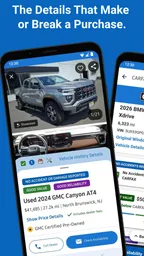
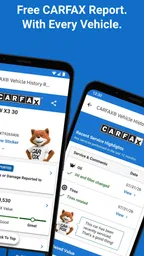
The app’s most useful idea is putting a car’s history beside the shopping process. A listing can look appealing because of its photos, price, or location, but a history report can help me decide whether it deserves more attention. I find that especially valuable when I’m comparing several similar cars: rather than judging each one only by its advertised details, I can use the history information as another reason to investigate or move on.
CARFAX, Inc developed this free app in the auto and vehicles category. It has a 4.7 average from around 36,000 ratings, and more than five million installs. Those figures suggest it is a familiar tool for car shoppers, but what matters in practice is the role it plays: helping me narrow a search before I spend time arranging visits, checking a car in person, or asking a mechanic to look it over.
I would not interpret a vehicle-history report as a complete account of a car’s condition. It can add useful context, but it cannot show me how the car currently drives, whether a repair was done well, or what a hands-on inspection might uncover. The strongest use of CARFAX is reducing uncertainty enough to make a better next move, not declaring a car safe or problem-free.
From a promising listing to a sensible shortlist
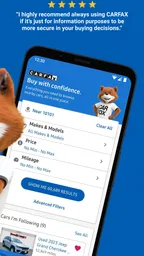
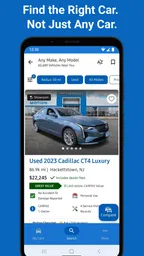
In practice, I’d start by browsing cars near me and noting a few candidates that fit my needs. Then I’d use the available vehicle-history details to decide which listings deserve a closer look. This order matters: it keeps me from getting attached to a polished listing before I’ve considered its background. If one option raises questions, I can compare it with another rather than treating the first attractive price as the only choice.
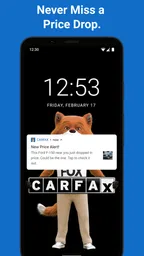
Price alerts are useful when I’m not ready to buy immediately. Instead of repeatedly searching for the same kind of car, I can use alerts to keep track of potential changes and return to a candidate when there is a reason to reassess it. I’d still verify the current asking price and the listing details before making plans; an alert is a prompt to check, not a promise that a particular deal will remain available.
A small but useful habit is to keep a short comparison note outside the browsing session: the car’s advertised details, what I want to ask, and what I learned from its history information. That makes it easier to compare candidates objectively, especially if I’m looking at several cars over a few days. The app helps bring the research together, while my own notes keep me from mixing up one seller’s answers with another’s.
A realistic weekend search
Imagine I need a dependable car for commuting and have a couple of weekends to shop. I find several nearby listings that seem to fit, but I don’t want to spend Saturday driving across town for every one. I can first review the available history details, set aside listings that raise concerns or simply don’t suit my priorities, and focus my calls on the stronger candidates. If I’m still deciding, price alerts give me a reason to revisit the shortlist rather than starting the search from scratch.
Before arranging a viewing, I’d write down specific questions prompted by the information I’ve seen. I’d ask the seller to clarify anything that seems incomplete or worth discussing, then check that the answers match the car and its documents. At the viewing, I’d still inspect the vehicle and arrange an independent mechanical assessment if the purchase warrants it. This workflow saves effort by helping me choose where to spend attention; it doesn’t eliminate the need for due diligence.
That distinction is easy to miss when a report feels authoritative. A clean-looking history should not make me skip a test drive or ignore signs of wear, and a concern in a report should lead to a question rather than an automatic verdict. The practical advantage is better-informed screening: I can spend my limited time on cars that remain plausible after both the listing and its background have been considered.
Where it fits among car-shopping options
The usual alternatives are general classified listings, dealership inventory pages, and separate vehicle-history research. A classifieds app can be convenient for scanning a broad range of sellers, while a dealer’s own listings may make it easier to understand that dealer’s available stock. CARFAX’s appeal is that its vehicle-history focus sits alongside the search for nearby cars, so I don’t have to think of background research as an entirely separate stage.
That doesn’t make it the best single tool for every shopper. If my priority is seeing the widest possible selection, I may want to compare other listing sources as well. If I already know the exact vehicle I want from a particular seller, the seller’s own information may be more direct for availability and transaction questions. I see CARFAX as a useful research companion: it helps me assess candidates, but I would not assume that any one app shows every relevant car or answers every question about a particular listing.
One practical trade-off is that an app-based search can encourage quick judgments. A listing may be incomplete, a detail may need clarification, and a history record cannot replace seeing the actual vehicle. I’d use the app to create a shortlist, not to make the purchase decision from the sofa. For a major expense, a little extra verification is worthwhile even when the listing and report initially look reassuring.
Useful for patient shoppers, less so for instant answers
I think the app is best for people who are comparing used cars and want a more informed first pass before contacting sellers. It suits a shopper who has a few requirements, is willing to compare alternatives, and values knowing more about a vehicle’s background before arranging a viewing. The alerts are particularly handy if the search may take time, while the history details can help bring structure to a search that otherwise becomes a jumble of attractive photos and asking prices.
It is less compelling if I only want a quick list of the cheapest cars, have already settled on a vehicle, or expect an app to guarantee mechanical condition. Someone who prefers to inspect every option immediately may gain less from a staged research workflow. Likewise, a shopper who relies only on a history report risks missing current problems that require a physical check. In those cases, direct seller questions, an in-person inspection, or a mechanic’s assessment matter more than adding another browsing session.
The app is free and rated for Everyone, making it easy to try as part of a car search without treating it as a paid research commitment. It was released on June 29, 2012, and version 6.52.1 requires iOS 11 or later. I’d check that my device meets that requirement before installing, then judge the experience by whether the available listings and history details help with the cars I’m actually considering.
My recommendation
I’d recommend CARFAX - New & Used Cars to a friend who is shopping for a used car and wants a better way to narrow the field before making calls and setting up visits. Its value is not that it makes a difficult purchase effortless; it’s that vehicle-history information and price alerts can make the early stages more deliberate. Used thoughtfully, that can help me spend less time chasing unsuitable listings and more time checking the candidates that remain credible.
My main caution is to keep the report in perspective. I would use it to prepare questions, compare cars, and decide which ones merit a closer look, then confirm important details with the seller and inspect the vehicle itself. If that sounds like the kind of support you want while shopping, CARFAX is a sensible tool to add to your process. If you need a complete assessment or a guaranteed answer about a car’s present condition, no browsing app should be your final check.
What we like
- VIN checks can reveal reported accidents and title issues.
- Saved searches make it easier to track cars that fit your needs.
- Price history helps you spot changes in a vehicle's listing.
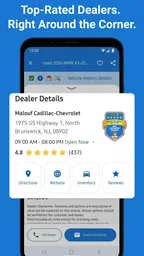
- Dealer listings include contact details for follow-up.
- You can compare local listings from one place.
What could be better
- Vehicle history reports may not include every incident.
- Some listings may be outdated or no longer available.
- The app's value depends on dealers and sellers sharing accurate details.
- Browsing requires an internet connection.
- Listings and features can vary by location.




