



Video Editor & Maker - InShot review
 Analysis by Appsdrops
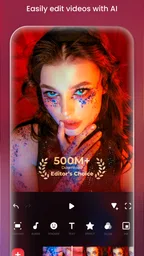
When I need to turn a handful of phone clips into a video that feels put together, I want an editor that gets me from rough footage to a shareable result without making me learn a desktop workflow. Video Editor & Maker - InShot fits that role well. Its strength is the way it brings trimming, visual adjustments, effects, music, and slow motion into one approachable editing space. I would recommend it for everyday projects, especially short social videos, while being clear that convenience is not the same as deep control.
Music-led editing is the idea that holds it together
InShot is a free photography app from InShot Video Editor, though much of its appeal is for people making videos. The key practical idea is that music can be part of the edit rather than an afterthought: a soundtrack helps give a sequence of unrelated clips a shared pace and mood. That matters when the footage itself is ordinary—a walk, a meal, a family gathering—and you want the finished piece to feel intentional.
I find this kind of phone-first workflow most useful when the goal is clarity and momentum, not frame-by-frame perfection. You can make a short montage from several clips, remove the parts that drag, and add music or effects to establish a tone. The app’s store summary also points to slideshows and slow motion, which suit projects where still images or one deliberate change of pace are more useful than elaborate storytelling.
The distinction from a basic gallery editor is that InShot is built around assembling material into a finished video. Compared with a desktop editor, it is easier to approach on a phone and better suited to quick personal work, but it is not where I would choose to manage a complex production with many layers, detailed sound mixing, or demanding color work. The biggest benefit is reducing the distance between an idea and a decent first cut.
What the music-first approach changes
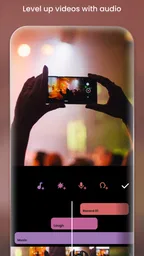
A soundtrack can make weak edits more obvious as well as improve a good one. If a clip runs too long, the rhythm starts to feel slack; if every shot changes too quickly, the sequence can become tiring. I use the music as a pacing guide, then trim around the moments that actually matter rather than letting each clip keep its full length. That simple order of work is a useful habit for anyone editing on a small screen.
It is also worth deciding what the video is for before choosing a track. A personal recap can tolerate a relaxed pace, while a short product or hobby clip may need the action to remain easy to follow. Music should support the footage, not force every scene into the same tempo. InShot makes this style of editing accessible, but the creative decision still belongs to you.
A practical workflow for a short montage
For a weekend recap, I would start by selecting only the clips that tell the story: arriving, the best activity, a small detail, and a closing moment. I would trim pauses and camera movements first, then arrange the remaining shots so the sequence has a beginning and an end. Adding music after that gives me a clearer sense of where a cut feels natural, instead of trying to rescue a pile of unedited footage with effects.
One non-obvious tip is to keep a quiet or visually simple moment in the sequence. If every clip is a highlight, the montage can feel like a rapid stack of unrelated images. A brief establishing shot or a close-up of a detail gives the viewer a breath and makes the more energetic scenes stand out. This is a matter of editorial judgment rather than a special setting, but it is exactly where a straightforward editor can still produce a thoughtful result.
For a slideshow, I would apply the same principle: choose a small set of images with a clear connection, then use the soundtrack to give them a shared mood. A slideshow is not automatically more engaging just because it has music. If the pictures are too similar or the order has no logic, the result still feels flat. Curating first saves time and usually does more for the final video than adding another effect.
Slow motion and effects work best as accents
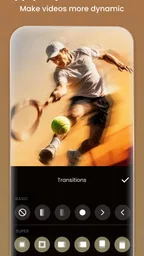
Slow motion can give one moment extra weight—a jump, a splash, or a gesture that happens too quickly in real time. I would use it sparingly, because slowing down several ordinary shots can make a short edit feel padded. The same restraint applies to effects: a visual treatment can help establish a consistent mood, but changing styles from shot to shot distracts from the subject.
A useful workflow is to build a plain cut first and add effects only where they solve a problem or emphasize something. If the footage is already clear, a clean edit may be stronger. If one clip feels visually different from the rest, an adjustment or effect may help it sit more comfortably in the sequence. That approach keeps the edit readable and avoids spending time decorating shots that do not need it.
Where the convenience has limits
The phone format brings its own friction. Choosing precise cut points and reviewing a whole sequence on a small display can take patience, especially when the project has many clips. I would also expect the editing process to feel more constrained than a larger-screen timeline once a project becomes complicated. InShot is a practical choice for concise edits, not a substitute for a full production setup when detailed control is the main requirement.
Music is another area where the editor’s convenience does not remove the need to think. A track can overpower the visual story, and a soundtrack that suits a private family recap may not be appropriate for a public post. I would listen through the finished video before sharing it and make sure the important sounds or speech remain understandable. For a project where dialogue and audio balancing are central, a more specialized editing workflow may be a better fit.
There is also a difference between being free to start and having no costs at all. InShot is free to download, with in-app purchases listed from $0.99 to $199.99 per item. I would treat paid options as something to assess against my actual needs rather than assuming I must buy anything to make a simple edit. The app is rated for Everyone, which makes it approachable for a broad audience, though that does not mean every editing choice is automatically suitable for every viewer or use.
Who should choose it—and who should look elsewhere
I think InShot is a strong fit for someone who regularly wants to make short, polished videos from phone footage without turning editing into a separate hobby. It is especially useful for travel recaps, family moments, hobby clips, and simple slideshows where trimming, pacing, music, and a restrained effect can do most of the work. If you are new to editing, the best way to get a better result is to make a clean cut before experimenting with embellishments.
Someone who needs precise control over multiple video and audio layers, extensive correction, or a workflow built around long-form projects should compare it with a more advanced editor. Likewise, if you only want to crop a single photo or make a tiny change to one clip, a simpler built-in tool may be quicker. InShot occupies the useful middle ground: more purposeful than a basic one-tap treatment, but less suited to intricate production than desktop-focused software.
Its reach is substantial, with over 500 million installs, an average rating of 4.8 from around 25 million ratings, and about 238,000 written reviews. Those figures suggest that many people find the approach accessible, but they do not tell me whether it suits a particular project. I would judge it by the work I actually make: if my edits are short and music-led, its focused phone workflow is appealing; if I keep wishing for deeper timeline control, that is a sign to move up to a more specialized tool.
A sensible choice for everyday video making
The current version is 2.243.1555, it runs on Android 8.0 or later, and it was released on March 5, 2014. Those details make it straightforward to check whether it fits an Android device, while its long-running presence and broad adoption make it an established option in mobile editing. I would still leave room to learn the interface by trying a small, low-stakes project before relying on it for something important.
My recommendation is simple: use InShot when you want to turn phone clips or photos into a compact video with a clear rhythm, and let music guide the pacing rather than cover up weak choices. Start with fewer shots, keep effects restrained, and review the result from beginning to end before sharing. For quick, personal edits made on a phone, that combination of accessibility and creative control makes InShot worth trying.
What we like
- Easy-to-use controls make basic edits approachable for beginners.
- A wide range of aspect ratios suits popular social platforms.
- Built-in music and sound effects add polish without extra tools.
- Keyframe animation allows precise control over moving elements.
- Regular updates add features and improve compatibility.
What could be better
- Free exports may include a watermark.
- Some advanced tools and effects require a paid plan.
- Ads can interrupt editing in the free version.
- Large projects may take time to export on older devices.
- Some music may have usage restrictions outside the app.




