

Reface: Face Swap AI Generator review
 Analysis by Appsdrops
I would describe Reface as a playful photo-editing app built around changing how a face appears in images and videos. It is best approached as a quick creative tool, not as a full photo studio: the fun is in trying a transformation, judging whether it looks convincing, and deciding whether it is worth sharing. If you are new to this kind of editing, the path to a useful first result is simple: begin with a clear, well-lit portrait, try one effect, and compare the result with your original before moving on.
What to expect from Reface
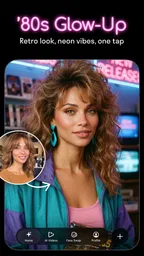
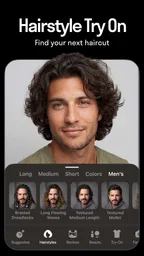
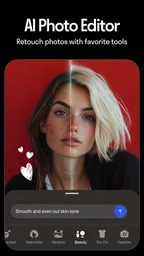
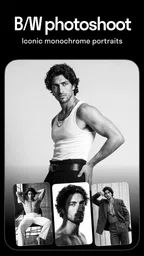
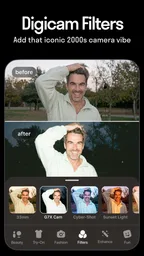
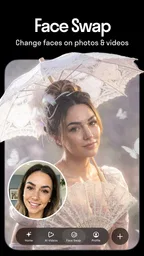
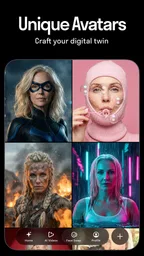
Reface: Face Swap AI Generator is a free photography app from NEOCORTEXT, INC. Its focus is AI-assisted image creation and face effects, including hairstyle changes and filters for photos and videos. The app’s appeal is its immediacy: rather than asking you to learn layers, masks, or detailed retouching, it puts face-focused transformations at the center of the experience.
That focus also sets a useful expectation. Reface is for experimenting with a portrait and making something amusing, surprising, or visually different. It is not the tool I would choose to carefully correct lighting, remove a background, or produce a polished portrait with precise manual control. For those jobs, a conventional editor with adjustment sliders and selection tools is usually more dependable.
The app has an average rating of 3.8 from around 1.8 million ratings, and it has passed 100 million installs. Those figures suggest that it has broad appeal, but popularity does not guarantee that every effect will suit every face or source image. Results can vary, so I would treat each transformation as a creative suggestion rather than a promise of a perfect match.
The current version is 7.5.0, and the app requires Android 10 or later on Android. It is rated Mature 17+, so it may not be suitable for younger users. Although downloading it is free, in-app purchases range from $0.99 to $79.99 per item. I would check the purchase details shown in the app before committing to anything, especially if you only want to try a few edits.
Getting through the first setup
For a first attempt, I recommend choosing a portrait from your camera roll rather than starting with an image that has several faces, dramatic shadows, or a busy background. A front-facing face with eyes and facial features clearly visible gives an effect less visual clutter to work around. This is not a guarantee of a better result, but it is a sensible way to avoid mistaking a difficult source image for a problem with the app.
Once you have opened the app, take a moment to understand the available choices before tapping through quickly. Reface brings together different kinds of face-focused creativity, and a hairstyle change is a different experiment from applying a filter or transforming a face in a video. Start with the option that matches what you actually want to make; it makes the result easier to judge and avoids spending time on effects that do not fit your idea.
If you are unsure which picture to use, make a small test set of two or three portraits with different lighting or angles. Try the same kind of effect on each, then compare the results. This is more informative than repeatedly changing effects on one unsuitable image: you can tell whether the result is limited by the photo or whether that particular style simply is not your taste.
I would also decide in advance whether the goal is a joke for friends, a temporary profile-picture idea, or a more natural-looking change. A playful result can be successful even when it looks obviously edited. If you want something subtle, judge the transition around the face and hair more strictly, and do not assume that an amusing transformation will also work as a realistic portrait.
Finding a first result worth keeping
A good first session should be brief. Pick one clear portrait, choose one type of transformation, and give the result a close look before trying a string of alternatives. Check the face outline, hair edges, and the relationship between the face and the rest of the image. These are the areas where a transformation can feel less natural, even when the central facial features look appealing.
One practical trick is to compare the edited image with the original immediately, rather than relying on memory. Ask yourself whether the result is recognizably the same photo, whether the effect supports the mood you wanted, and whether anything around the face looks distracting. If the edit is funny but awkward, that may be exactly right for a private joke; if you are preparing a profile image, it may be a reason to choose a simpler effect.
For a realistic everyday use, imagine a group chat where a friend asks everyone to share a playful portrait for a birthday. I would select a clean selfie, try a single transformation that fits the joke, and review the finished image before sending it. That keeps the process light and gives me a chance to spot an odd edge or an unflattering change. For a work profile or an important family keepsake, I would use a conventional editor or the original photo instead.
It is also worth considering where you plan to share the result. A bold face effect reads clearly in a casual message, where the point is entertainment. The same image may feel out of place in a professional setting. I find it helpful to make the intended audience part of the editing decision, rather than treating every output as something that should automatically be posted.
Why an effect may look wrong
A common source of confusion is expecting every portrait to respond equally well. Faces turned to the side, partly covered, or caught in strong shadow can be harder material for a face-focused transformation than a clear, front-facing picture. If an edit looks strange, try a different portrait before deciding that the whole app is not for you. That quick comparison can save a lot of unproductive tapping.
Another point to keep in mind is the difference between a filter and a convincing edit. A filter can be enjoyable because it changes the overall look, while a face transformation invites closer attention to how the new appearance fits the image. When the result feels artificial, that does not necessarily mean the source is unusable; it may simply mean the effect is better suited to a comic or exaggerated outcome than to a realistic one.
New users may also confuse the free download with unlimited access to everything. The app is free to install, but it offers in-app purchases, and the listed price range runs from $0.99 to $79.99 per item. If you only want to experiment casually, explore what is available before making a purchase and check the price attached to the specific item. That is a more reliable way to manage expectations than assuming every effect or option is included at no cost.
There is a broader judgement to make with face editing, too: a result that looks entertaining to you may not be something another person wants shared. I would get permission before transforming or posting someone else’s face, particularly when the edit could embarrass them. That simple courtesy matters more than finding the most dramatic effect, and it helps keep the app’s playful use genuinely fun.
Where it fits among photo apps
Compared with the usual general-purpose photography editors, Reface puts less emphasis on manual control and more on face-centered transformations. If you want to adjust exposure, crop carefully, or make several precise corrections, a standard editor is a better match. If your goal is to see how a face might look with a different style or to make a quick visual gag, Reface has a clearer purpose than an editor whose main tools are ordinary corrections.
It also differs from simple filter apps. A basic filter changes the appearance of the image as a whole; Reface is more specifically about the face, so the outcome can feel more personal and more striking. That distinction is its strength, but it is also why source-image choice matters. A general filter can still look fine on a messy photo, while a face-focused effect can make a poor angle or obscured feature more noticeable.
I would skip it if you need predictable, precise retouching, dislike AI-style transformations, or want every feature without checking purchase options. It is also not the right choice when the image has to remain a faithful record of how someone looked. For casual creativity, on the other hand, its narrow focus makes it approachable: you can try an idea without first learning a complicated editing workflow.
What to try after the first edit
Once you have one result you like, the most useful next step is to change only one variable at a time. Keep the same portrait and try a different kind of transformation, or keep the effect and choose another portrait. This makes it easier to understand what is driving the outcome and helps you find a style that suits your image, rather than treating every result as a random surprise.
If you are exploring hairstyle changes, compare the edited look with the original under similar conditions. A dramatic change can be entertaining, but it should not be treated as a dependable preview of a real haircut. For an actual salon decision, use Reface as a playful source of inspiration at most, and rely on a more suitable consultation or editing tool for a serious choice.
For video effects, I would begin with a short, clear clip and inspect the result before sharing it. Movement adds another challenge that a still portrait does not have, so an effect that looks good on one frame may not feel equally convincing throughout the clip. Keeping the first test simple makes it easier to spot whether the effect works for the whole piece, not just its most flattering moment.
Overall, I see Reface as a focused, entertaining option for people who want to experiment with faces rather than build an image from scratch. Its strongest use is a quick transformation for a joke, a creative post, or a low-stakes style experiment. The main trade-offs are variable results, limited appeal if you want detailed manual editing, and purchases that deserve a careful look before you spend. Start with a clear portrait, keep your first test modest, and judge the result against the purpose you had in mind. If that sounds like the kind of photo play you enjoy, it is worth trying; if accuracy and fine control matter more, a conventional photo editor will serve you better.
What we like
- Face swaps are quick to create and easy to share.
- The interface makes core features simple to find.
- A wide selection of templates keeps results varied.
- The app supports both photos and video clips.
- New templates can add fresh options over time.
What could be better
- Many templates and features require a paid subscription.
- Some results may look unnatural with poor lighting.
- Processing can take longer on older devices.
- The free version may include ads or usage limits.
- Uploading face photos raises privacy considerations.





