

Photo Editor - Polish review
 Analysis by Appsdrops
Photo Editor - Polish is an approachable photo-editing app, but its value becomes clearer when I look at how comfortably different people can use it—not just at how many effects it offers. I find it most useful for quick, visual edits: tidying a portrait, building a collage, or giving a casual photo a more deliberate finish. It can make those jobs feel less intimidating than opening a full desktop editor, though a compact touchscreen interface also brings its own challenges.
Finding your way around an edit
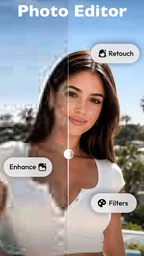
Made by InShot Inc., this photography app puts several familiar jobs in one place, including filters, effects, retouching, collages, and object removal. The range is convenient when I want to move from a basic adjustment to a more playful treatment without switching apps. The trade-off is that a broad toolbox can take a little exploration before I know which control will get the result I want.
The app’s visual approach is a good fit for people who prefer to recognize tools by their purpose rather than learn a complicated editing vocabulary first. If you mainly want to make a picture look nicer for a message or social post, you can begin with a filter or effect and judge the result by eye. That is less demanding than building an edit from technical settings, although it also gives you less guidance about why one adjustment works better than another.
I would not assume that every part of the workflow is equally easy to scan. On a small screen, a choice among effects or retouching tools can mean tapping through options and comparing the image repeatedly. For someone who benefits from uncluttered screens, I’d recommend approaching one task at a time: choose the photo, make the main change, then decide whether it needs anything else. A focused workflow is easier to follow than trying to explore every tool in one sitting.
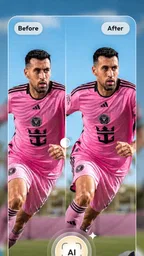
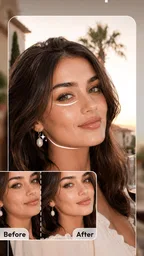
One practical habit is to keep the original photo in mind as a reference. I make a deliberate pause after applying an effect and ask whether the subject still looks natural, especially with portraits. Stronger treatments can be appealing in a preview but less comfortable to look at after a moment. This simple check helps prevent an edit from becoming more intense than intended.
The app is free to download, with in-app purchases ranging from $0.99 to $129.99 per item. That makes it possible to start without paying, while still making it sensible to check what an optional item costs before confirming a purchase. The app is rated for Everyone, but that age label is not a substitute for an adult’s judgment about a child’s screen time, purchases, or the photos they choose to edit.
Touch controls and sensory comfort
Editing on a phone is naturally direct: I can look at a face or object and work on the image right where I see it. For many people, that is more intuitive than learning a mouse-and-keyboard workflow. It can also be useful for someone who finds a visual preview easier to understand than a page of written instructions. I still need a steady enough touch to select the intended control, and small targets can be frustrating for anyone who has difficulty with precise finger movements.
Rather than trying to make several small changes quickly, I find it easier to make one adjustment, inspect the image, and then continue. That pace reduces accidental taps and makes it easier to notice when an effect has gone too far. If fine touch control is a concern, using the app for broader choices—such as selecting a filter or arranging a collage—may feel more manageable than repeatedly targeting a tiny detail in a portrait.
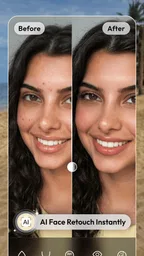
Visual effects are central to the experience, which is helpful if you want to judge changes directly on the photo. The same emphasis may be tiring for someone sensitive to busy visuals or strong image treatments. I’d keep edits restrained, take breaks when comparing many variations, and avoid assuming that a more dramatic result is automatically a better one. Retouching can also change how a person looks, so the choice to use it deserves a little care rather than being treated as a routine finishing step.
A useful, less obvious workflow is to decide on the purpose of an edit before opening the effects. For a family snapshot, I might prioritize a natural-looking result; for a playful collage, I may be happier experimenting. That small distinction helps keep the tool choice aligned with the person who will view the image. It also avoids spending time trying to make one photo serve conflicting purposes.
Editing across everyday situations
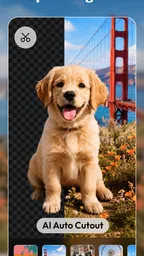
Photo Editor - Polish is particularly handy when I want to finish an image where I took it. Imagine taking a quick portrait at a get-together, noticing an object in the background that distracts from the person, and wanting a more polished version before sharing it. The object-removal tool makes that kind of cleanup part of the app’s appeal. I would still inspect the result closely: removing something from a complicated background can leave an edit that looks less convincing than the original.
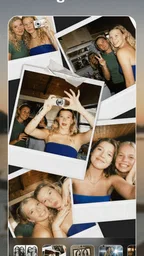
Collages offer a different kind of everyday use. If I have several pictures from the same outing, combining them can tell a small story without making someone swipe through a long run of separate images. The main accessibility advantage is practical: the finished composition can put related moments together in one visual. The drawback is that a busy collage can be harder to read, particularly for someone who has difficulty distinguishing details or focusing on crowded layouts. Choosing fewer, clearer images is often the better choice.
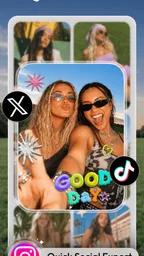
For someone who edits mainly for social sharing, the app’s mix of quick treatments and composition tools can cover common needs without requiring a separate editor for every step. If you are preparing images for a work project, a product catalog, or a careful photographic portfolio, I would be more cautious. The app is oriented toward accessible, on-device creativity; people who need highly controlled, repeatable edits may prefer a more specialized desktop or mobile editor with a workflow designed around precise adjustments.
There is also a useful distinction between a fast improvement and a repair that needs accuracy. A filter can quickly change the overall mood, while retouching or object removal asks me to judge details more closely. When time or visual concentration is limited, I’d finish the broad edit first and only attempt detail work if the picture genuinely needs it. That keeps a simple task from turning into a long session of small corrections.
On Android, the current version is 1.811.267 and the minimum operating-system requirement is 9. The app has been available since April 23, 2018. It has a 4.8 average from around 4.7 million ratings, with over 100 million installs. Those figures suggest it is a widely used option, but they do not tell me whether its touch controls or visual style will suit a particular person; trying a modest edit is a more useful test.
Where access can still feel limited
A visual editor can be helpful without being equally comfortable for every way of interacting. If you rely on spoken guidance, need unusually large controls, or prefer to avoid visually dense screens, I would test the exact tasks you care about before depending on the app. I can’t treat a simple photo preview as proof that every control is easy to identify or operate. The practical question is whether you can reliably select a photo, find the tool, and finish an edit without repeated effort.
Another limitation is that subjective editing can demand sustained visual comparison. Choosing among effects often involves looking back and forth between alternatives, and subtle changes may be hard to judge on a small display. A larger screen or a dedicated editor may be a better fit if you need to inspect fine detail, make consistent changes across many images, or work for a long stretch. For occasional personal edits, the phone-first convenience may matter more than that precision.
Object removal and retouching also deserve realistic expectations. They are attractive tools for correcting distractions, but they should not be treated as a guarantee that every unwanted detail can disappear cleanly. I’d keep the original image, check the edited area at a comfortable viewing size, and undo or simplify the change if it draws more attention than the object did. That is especially important when editing faces, where an aggressive correction can make the result feel less like the person.
The price structure is another point to consider. Starting free lowers the barrier to trying the app, but optional purchases mean families and anyone managing a tight budget should pay attention before buying. If you only need a basic one-off edit, it is worth seeing whether the free experience already does enough. If you routinely need advanced control, comparing the paid options with a specialist editor may help you avoid paying for features you will rarely use.
Who I’d recommend it to
I’d suggest Photo Editor - Polish to someone who wants a friendly way to make personal photos more finished, especially if filters, collages, portrait touch-ups, and quick cleanup sound more useful than a technical editing suite. It is also a sensible starting point for a person who feels put off by professional tools and would rather make choices by looking at the picture. In my view, its strongest inclusive quality is that it brings several approachable kinds of editing together in one place.
I would steer a different user toward another option if accessibility depends on a specific control size, a particular assistive interaction, or a highly predictable, detail-heavy workflow. I’d also look elsewhere if the main goal is batch work or precise image production rather than casual edits. That is not a flaw in every context; it is a reminder that convenience and fine control are different priorities.
Overall, I see this as a useful, low-pressure editor for everyday photos, provided you are comfortable working visually on a phone and willing to check optional purchases before making them. Its broad toolkit can reduce the need to jump between apps, while its touch-based, effect-led approach may be less suitable for people who need exact control or a calmer, more structured editing environment. The best way to judge its fit is to try one real photo task, keep the changes modest, and notice whether the controls feel comfortable for you.
In that sense, Photo Editor - Polish earns its place as an approachable option rather than a universal solution. It can help me turn a casual picture into a shareable one, but I would not recommend it blindly to someone with particular access needs. If its visual workflow suits you, it offers a convenient place to begin; if it creates friction, a simpler editor or a more precise alternative is the better choice.
What we like
- Offers one-tap tools for quick photo touch-ups.
- Includes filters and effects for changing a photo's mood.
- Provides portrait retouching tools for selfies.
- Supports adding text and stickers to images.
- Lets users crop and adjust photos before sharing.
What could be better
- Some editing tools may require a paid upgrade.
- Ads can interrupt the editing experience.
- Advanced edits may take practice to get right.
- Results depend on the quality of the original photo.
- Some effects may look overly processed when used heavily.





