






Photoroom: AI Photo Editor review
 Analysis by Appsdrops
When I need a product image to look polished without spending ages on manual edits, I look for a tool that makes the important steps easy: cleaning up the background, refining the photo, and preparing something suitable for promotion. Photoroom: AI Photo Editor is built around that practical workflow. It focuses on editing and retouching images, removing backgrounds, and turning product photos into video ads, making it especially relevant to sellers, creators, and anyone who wants presentable product imagery on a phone.
What to consider before choosing a photo editor
The right photo editing app depends less on the number of buttons it offers and more on the job you need done. If your main goal is to create expressive portraits or apply elaborate artistic effects, a creative editor centered on those tasks may suit you better. If you regularly prepare pictures of items for listings, catalogs, or promotional content, background removal and a focused product-photo workflow are likely to matter more.
I would also think about how often you edit. Someone touching up a single image now and then may be happiest with a simple, general-purpose editor. A shop owner or side-hustle seller who works with product pictures repeatedly can benefit more from an app designed to make those images ready for presentation. The key question is whether its core tools match the work you actually do, not whether it can replace every editing app on your device.
Another useful criterion is the path from image to finished content. A background-free product photo can be useful on its own, but it may also be one step toward a more complete promotion. Photoroom’s focus extends from removing backgrounds and retouching pictures to making video ads from product photos. That combination makes the app easier to assess as a small content-production tool rather than just a one-purpose cutout utility.
A quick fit check
Choose a focused product editor if clean item photos are a regular part of your work.
Consider a broader creative editor if your priority is artistic experimentation across many kinds of images.
Look at your typical workflow: the best choice is the one that helps you finish the images you actually need to publish.
Built around product imagery
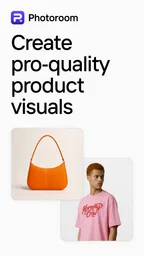
Photoroom’s clearest strength is its emphasis on product photos. Background removal is a particularly useful starting point when an item needs to stand out without distractions. Retouching can then help refine the image, while the video-ad capability offers a route from a still product shot to a more promotional format. I like that these tasks point toward a recognizable outcome: present the item clearly and make the image useful for selling or showcasing it.
That focus can be valuable even if you are not running a large business. People selling pre-owned goods, makers showing their work, and small brands preparing social content all face a similar challenge: a photo needs to look clear and intentional. A tool oriented toward product imagery can make that job feel more direct than opening a general editor and figuring out how to assemble the same process from scratch.
The app is also widely used, with more than 100 million installs and an average rating of 4.7 from around 4 million ratings. Those figures suggest that it has found a broad audience, though they do not guarantee that every editing style or workflow will suit every person. I’d treat them as helpful context, then judge the app by whether its product-focused approach matches my own needs.
Where the app earns its place
For me, background removal is most useful when it solves a specific presentation problem. A cluttered setting can draw attention away from the item, while a cleaner image helps viewers focus on what is being shown. Photoroom puts this task near the center of its purpose, which makes it a natural candidate for people who repeatedly prepare product shots rather than occasionally edit holiday photos.
The retouching tools matter for a similar reason. A cutout alone is not always a finished image; it still needs to look considered and suitable for its intended use. Being able to edit and retouch within the same product gives the workflow a more cohesive feel. I would still approach any automated or streamlined editing as a starting point and inspect the result before publishing, especially when accuracy in how an item appears matters.
The video-ad angle gives the app another point of distinction. Some users only need a clean still image, and they may never use this part of the workflow. For creators who want to turn product photos into promotional video content, however, it expands the role of the app beyond basic image cleanup. That makes Photoroom appealing to people who are trying to create practical marketing assets without treating every image as a separate project in a different tool.
Photoroom: AI Photo Editor is free to download, with in-app purchases available. The listed purchase range runs from $5.99 to $999.99 per item, so I’d review the purchase details in the app store and inside the app before committing to anything. The free entry point makes it straightforward to explore whether the workflow feels right, while the presence of purchases is worth keeping in mind if you plan to depend on it regularly.
When another kind of app may fit better
Photoroom is not automatically the best choice for every photo task. If you mostly want to adjust landscapes, make collages, build elaborate compositions, or experiment with a wide range of artistic looks, a general-purpose editor may align more closely with your habits. That is not a knock against a product-focused app; it is simply a reminder to choose around the output you want rather than the broadest possible feature list.
Likewise, someone who only needs an occasional crop or brightness adjustment may not need a specialized workflow. A basic editor already available on a device could be enough for quick personal pictures. Photoroom makes more sense when its defining jobs—removing backgrounds, retouching images, and preparing product photos for video ads—are tasks you expect to return to.
There is also a difference between a dedicated mobile tool and a larger design environment. If your work depends on coordinating many assets, maintaining a complex brand system, or collaborating across a broad production process, you may prefer a platform built around those wider requirements. Photoroom’s appeal is its clear emphasis on image editing for product presentation, not a promise to cover every stage of professional design.
What switching really involves
Trying a new editor is not just about learning where the buttons are. The more important cost is changing a familiar routine. If your current process already gives you product images you are happy to publish, switching may bring little benefit unless Photoroom makes a recurring task simpler. On the other hand, if background cleanup is a regular bottleneck, testing a tool centered on that job could be worthwhile.
I’d start with a representative image rather than moving an entire workflow at once. Pick a product photo that reflects the kind of work you normally do, edit it, and check whether the result is clear and usable for its intended purpose. Then consider whether you would be comfortable repeating that process for your next batch of images. This practical trial tells you more than choosing an app solely because it has a long feature list or a strong store presence.
It is also sensible to think about where the finished images will go. An image intended for a product listing may need to communicate the item plainly, while an image for a promotion can benefit from a more attention-grabbing treatment. Photoroom’s mix of photo editing and video-ad creation points toward both uses, but your own standards should decide whether the final results fit the platform and audience you have in mind.
The app is listed for everyone and requires Android 10 or later on Android. It was released on December 16, 2020, and its current version is 2026.46.02. Those details can help you check basic compatibility and identify the app, but the more important decision is still whether its product-photo tools fit your everyday editing needs.
My recommendation
I’d recommend Photoroom to anyone who frequently needs clean, polished product pictures and wants a straightforward route from background removal to retouching and promotional video content. Its strongest case is not that it must replace every other editor, but that it concentrates on a useful set of tasks for presenting products. For sellers, makers, and content creators, that focus can make it a practical addition to a mobile editing routine.
If your needs are mostly casual or centered on a different style of photography, compare it with a general editor before settling in. You may prefer a tool built around broader creative controls or simpler everyday adjustments. But when product imagery is the job, Photoroom is an easy app to put on the shortlist: it is free to download, its purpose is clear, and its combination of image cleanup and video-ad creation gives it a compelling role in a small-business or creator workflow.
My bottom line is to try it against a real photo you need to use, then decide whether the process and result make sense for you. For product-focused editing, Photoroom is a strong choice when clean images and promotional content matter more than having an all-purpose creative studio.
What we like
- Background removal makes product photos look clean and ready for listings.
- Batch editing helps process multiple images with less repetitive work.
- Templates provide quick layouts for social posts and promotional graphics.
- AI tools can generate new backgrounds from text prompts.
- Projects sync across devices when signed in.
What could be better
- Some advanced tools and premium templates require a paid subscription.
- AI results may need manual cleanup around hair or intricate edges.
- Export options can vary depending on the selected plan.
- Generated backgrounds may not match the lighting of the original subject.
- Editing quality depends on starting with a clear well-lit photo.





