
MyChart review
 Analysis by Appsdrops
I think MyChart makes the most sense when you already receive care through a health system that uses it. Rather than replacing a clinic’s staff or offering medical care on its own, it gives patients a place to handle parts of an existing care relationship from a phone. That distinction matters: it can make routine tasks easier, but it is not a universal medical record that automatically connects every provider you visit.
MyChart is a free medical app from Epic Systems Corporation, and its broad reach is reflected in more than ten million installs and an average rating of 4.4 from around 290,000 ratings. It is rated for everyone, although its usefulness depends less on age than on whether your healthcare organization supports it and what services that organization has enabled.
What the app is like to use today
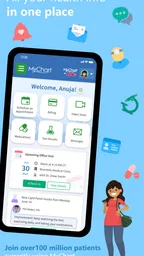
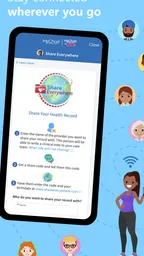
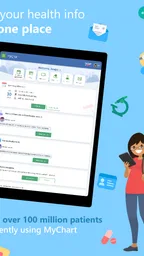
The experience is best understood as a digital front door to participating healthcare providers. Depending on the organization and its setup, a patient may be able to review health information, manage appointments, communicate with a care team, or take care of other practical matters without starting with a phone call. The available experience can differ, so two people using the same app may not see identical options.
That flexibility is both a strength and a source of confusion. If your clinic has enabled the tools you need, having them in one place can reduce the small administrative chores that otherwise interrupt a day. If a feature is not offered by your provider, installing the app will not create it. I would check with the clinic or hospital before making MyChart part of an important routine.
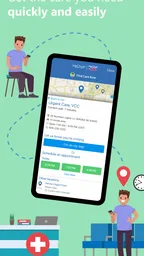
The first useful test is simple: can you connect to the organization where you receive care? If you cannot find the right provider or complete the account setup, the app may not be the right channel for that relationship. If you can sign in, take a little time to explore the sections your organization makes available rather than assuming the home screen shows everything you can do.
For people who have several providers, it is worth checking whether each one participates and whether their records appear under the same account. A health app can feel comprehensive while still representing only part of someone’s care. I would treat what appears in MyChart as the information available through connected organizations, not as proof that every clinician or outside service has contributed to a single complete file.
A realistic day-to-day use
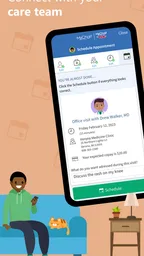
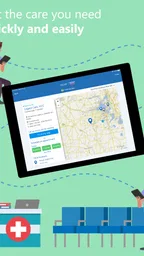
Imagine you have a routine appointment coming up and want to check the details while you are away from home. If your provider has enabled appointment tools, opening MyChart may be more convenient than searching through old messages or calling the office. After the visit, the same account may help you return to information your care team has made available, instead of relying on memory alone.
A practical habit is to review the relevant information before you need it. For example, if you are preparing to discuss a concern, you can look through the parts of your record that are visible to you and make a short list of questions. That makes the app a preparation tool, not a substitute for the appointment. I would still bring up uncertainties directly with the clinician rather than interpreting a chart entry in isolation.
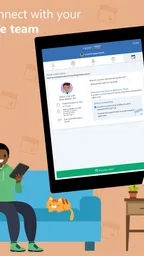
Messaging, where available, is most useful for questions that can wait for a reply and fit the channel’s purpose. It is not the right choice for an emergency or a rapidly worsening problem. Even when sending a message is more convenient than calling, I would not assume it will be read or answered immediately. For urgent symptoms, use an appropriate urgent-care or emergency channel instead.
Where it differs from other healthcare options
Compared with a provider’s ordinary phone line, MyChart can put some routine interactions within reach without a call. Compared with a general health tracker, its value is more closely tied to information and services supplied by participating care organizations than to tracking daily habits across a broad range of devices. And compared with a standalone medical-record organizer, it may offer a more direct connection to a provider’s workflow, but it is not necessarily a complete home for records from every source.
That makes the choice fairly personal. If your main goal is to manage appointments or communicate with a clinic that uses the platform, it may be more relevant than a generic wellness app. If you want a tool that gathers information from all your doctors regardless of their systems, or one that works without a participating provider, a different option may fit better. I would choose based on the care relationship you actually have, not on the assumption that one app can cover every medical need.
What the version history can and cannot tell you
The current Android version is 11.9.3, and the app has been available since October 31, 2011. Those details show that MyChart is an established product rather than a newly introduced service. They do not, by themselves, establish which features changed recently or whether a particular workflow has improved. I would separate that confirmed product history from any expectation about what future updates might bring.
For someone who already uses MyChart, the practical effect of an update is best judged by whether the tasks they rely on remain straightforward. After updating, I would check that I can still sign in and reach the provider-specific areas I use, especially before an appointment or a time-sensitive administrative task. If something looks different, the organization’s own instructions may be more relevant than assuming every change is identical for all users.
The app requires Android 11 or later. That is useful to know before downloading: a person with an older phone may need to use another route to reach their provider, such as the organization’s usual phone or web-based options, if available. For iPhone users, the experience and compatibility should be checked in the relevant app store rather than inferred from the Android version details.
The long-running presence of the app may reassure people who want an established way to interact with a participating provider, but longevity is not a guarantee that every organization has configured it well. The day-to-day experience depends on both the app and the healthcare system behind the account. If a function is missing or confusing, asking the provider’s office how it handles that task can save time compared with repeatedly searching the app.
Friction worth considering before relying on it
The biggest limitation is organizational variation. A feature that is useful for one patient may not appear for another because their provider has enabled a different set of services. This can make recommendations from friends misleading: someone else’s screen is not a reliable guide to what your clinic supports.
There is also a learning curve if you have accounts with more than one organization or are helping a family member manage care. Before relying on an account for someone else, make sure you are using the correct patient profile and have the appropriate access arrangements. A few minutes of careful setup can prevent the confusion of looking at the wrong person’s information or searching the wrong organization’s account.
MyChart is also not a replacement for direct clinical judgment. A record entry can be useful context, but interpreting it without a clinician may lead to unnecessary worry or false reassurance. I would use the app to keep track of what the care team has made available and to prepare clearer questions, not to diagnose myself or make treatment changes on my own.
Privacy deserves ordinary, practical attention too. A medical account is more sensitive than a casual shopping or entertainment login, so I would protect access to the phone and account, particularly on a shared device. If you use a device that other people can unlock, consider whether it is appropriate for viewing health information there and make sure you sign out or secure the screen when you are finished.
Who is likely to benefit most
I would recommend MyChart to someone whose clinic or hospital actively uses it and who wants a convenient way to handle the routine edges of care. It can be especially helpful for people who prefer checking information on a phone, want to avoid calling for every administrative question, or need a familiar place to revisit details their provider has made available.
It may be less useful if your providers do not participate, if you need a single record that reliably includes every outside clinician, or if you are looking for emergency advice. It is also not a strong fit for someone who expects every feature to be present automatically. In those cases, a provider’s direct channels, a separate record-keeping approach, or urgent medical services may be more suitable.
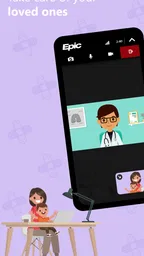
For a family member’s care, I would first establish what access the provider allows and how to switch between the relevant profiles. That is more dependable than sharing a login casually. For a patient who is not comfortable using apps, the traditional ways of contacting the office may remain easier; MyChart should support access to care, not become a new barrier to it.
What I would watch as an existing user
When deciding whether to keep using it, I would focus on a few concrete questions: does my provider maintain the parts of the account I need, can I find appointment information without effort, and is the communication route appropriate for the kind of question I have? Those checks matter more than a list of features that may be available elsewhere but not in your particular account.
I would also pay attention to whether an update changes a familiar task, while avoiding the assumption that a new version means a specific new capability. The version number identifies the current Android release; it is not a promise about what has changed. If a task becomes harder, the best next step is to check the provider’s guidance or contact its office rather than treating the app as the only route.
My overall view is positive, with an important condition: MyChart is most valuable when it matches the way your own healthcare organization works. It is free, established, and potentially convenient for everyday coordination, but its usefulness is not universal. I would install it if my provider supports it and I wanted a more accessible way to handle routine care-related tasks. I would skip it, or use it only as a secondary channel, if I needed a provider-independent record or immediate medical help.
What we like
- View test results and visit summaries in one place
- Request prescription renewals through the app
- Send secure messages to your care team
- Manage appointments without calling the clinic
- Use biometric sign-in on supported devices
What could be better
- Available features depend on your healthcare provider
- Some results may appear before a clinician explains them
- Appointment options can be limited by the clinic
- Account setup may require an activation code
- Notifications can vary across connected health systems