
mySugr - Diabetes Tracker Log review
 Analysis by Appsdrops
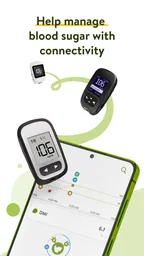
I find mySugr most useful when diabetes tracking has to fit around ordinary household routines rather than take over the day. A reading may happen before breakfast, a meal note later, and a check-in with a partner or caregiver after that. The app gives those details a place to collect, and its option to sync a blood glucose device can reduce the work of entering readings by hand. That makes it a practical medical app for people who want a clearer personal log, though it is not a substitute for clinical advice or a shared family care system.
Keeping a personal log amid shared routines
In a home where people share a kitchen, reminders, or a phone charger, diabetes care can be part of the household rhythm without being everyone’s business. I’d treat mySugr as the individual’s record, not a communal notebook. One person can log their own readings and review patterns, while relatives can help with everyday tasks—such as remembering to bring a meter—without needing access to the person’s account.
That distinction matters. A shared phone can make an app feel convenient, but health information is personal. I would avoid leaving an unlocked account open for other household members to browse, and I would not assume that the app provides family profiles or a caregiver dashboard. If someone else needs to coordinate care, agree on what the user wants to share and use a deliberate method for that conversation rather than treating the tracking app as a family noticeboard.
A realistic routine might be a parent checking a glucose reading before breakfast while a child gets ready for school. If the meter can sync with the app, the value can enter the log without a separate typing step; the user can then add any context they personally find useful. Later, they can look back at the record before discussing it with a clinician. The benefit is continuity: fewer scraps of paper and fewer readings remembered only approximately.
Setup that respects account boundaries
My first practical advice is to set up the app around the person whose readings are being recorded. The developer is mySugr GmbH, and the app is free to install, with optional in-app purchases listed from $2.99 to $39.99 per item. I’d check the purchase choices in the app before relying on any paid capability, especially if a family member is helping with setup or using a device shared with someone else.
Device syncing is a useful starting point, but it should not be treated as magic. Before depending on it for a daily routine, test the connection with a reading and confirm that the value appears in the log as expected. If it does not, keep using the meter’s own display and enter the information manually when appropriate. This small check can prevent a household from assuming that a reading was recorded when it was not.
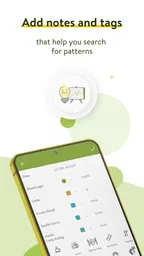
It also helps to decide what belongs in the log. A person may want to record only glucose values, or add notes that make later review more meaningful. I would keep entries concise and consistent: a short note about a meal, activity, or an unusual day is often more useful than a long account that becomes burdensome to maintain. The aim is a record the user can realistically keep, not a perfect diary.
For privacy, I would use the app under the account of the person managing the condition and avoid sharing sign-in details casually. A spouse or adult child can assist with installation or device pairing while the user remains in control of the account. If the phone itself is shared, a separate user profile or a personal device may be a better arrangement, depending on the device’s options. The important point is not to confuse help with shared ownership of health data.
Coordination without turning the log into a group chat
mySugr’s strongest household role is helping one person keep a more organized history that they can use in conversations with others. For example, someone might review entries before an appointment and describe what was happening around a particular reading. That is more concrete than relying on memory alone, but the log still needs the user’s interpretation and, where relevant, professional guidance.
I would not make a family member responsible for checking the app every day unless the user explicitly wants that arrangement and has a reliable way to communicate. A tracking log is not automatically a live alert system. For urgent concerns, people should follow the care plan they already have rather than wait for another person to inspect an app. This is a meaningful limitation for households looking for a dedicated remote-monitoring setup.
There is also a useful trade-off between automatic entry and personal context. Syncing can save repeated typing, but it cannot explain why a number matters on a particular day. A manually added note may be the difference between a bare list of readings and a record that helps the user recognize circumstances worth discussing. I’d use automation for capture where it works, then add only the context that will help later.
Compared with a paper notebook, an app can make it easier to keep entries together and revisit them, particularly when readings are captured from a compatible device. Compared with a general notes app, mySugr is purpose-built for diabetes tracking, so the user does not have to invent a log format from scratch. But someone who already has a clinician-recommended system, or who needs a broader care-team platform, may be better served by sticking with that option rather than maintaining two records.
Age, trust, and who should be in control
The app is rated for Everyone, but that label is not a recommendation that every child should manage diabetes data alone. For a younger user, I’d make the responsible adult’s role clear and keep explanations age-appropriate: what is being recorded, who may see it, and when to ask for help. The app can support a tracking habit, but decisions about treatment and supervision should remain with the people responsible for the child’s care and the clinical team.
For a teenager, privacy and independence may matter as much as convenience. I would agree in advance whether a parent helps with setup, sees the phone, or simply asks the young person to bring their log to an appointment. Avoid turning every entry into a test of compliance; that can make record-keeping feel like surveillance rather than a tool the user owns. The best arrangement is the one the user understands and can sustain.
Adults helping an older relative face a similar balance. It can be useful to assist with pairing a meter or simplifying the daily routine, but the person using the app should remain involved in decisions about their information whenever possible. If the person cannot comfortably manage a phone, a paper backup or a caregiver-led system may be more dependable than expecting the app to solve every coordination problem.
There is a learning curve in any new log, especially when a household is trying to change several routines at once. I would introduce one step at a time: first establish that readings are being captured, then decide whether notes add value. If the process starts creating arguments or repeated interruptions, simplify it. A useful diabetes log should reduce uncertainty for the person using it, not create a new source of pressure.
What the app offers—and where I would look elsewhere
mySugr is a medical app from mySugr GmbH with a 4.5 average from around 145,000 ratings and over 5 million installs. It first appeared in 2013, and version 3.161.0 is the current version. Those figures suggest a widely used, established product, but popularity does not determine whether its approach fits an individual’s care routine.
The main practical advantage is having diabetes-related entries collected in one place, with device syncing available to cut down manual logging. The main friction is that any record is only as useful as its consistency and the user’s ability to interpret it. A value entered automatically still needs to be checked, and a log does not diagnose a problem or recommend a treatment change. I would use it to support conversations and personal organization, not to make medical decisions on its own.
It may not be the right choice for someone who wants a no-phone paper record, someone whose device does not work with the app’s syncing options, or someone who needs a family-facing monitoring service. It may also be unnecessary if an existing diabetes device or care program already gives the user a satisfactory record. Maintaining duplicate logs can lead to mismatched entries, so I’d choose one primary record and keep any secondary notes only when they serve a clear purpose.
Before building a routine around it, I’d check that the user’s phone meets the minimum operating-system requirement of version 12 and confirm that their glucose device can connect as intended. I’d also decide whether the free offering is enough before considering purchases; a household should not assume that paying for an item will provide a particular family or clinical function without checking what that item actually includes.
My household verdict
I’d recommend mySugr to someone who wants a personal diabetes log, appreciates the possibility of device syncing, and is willing to make a simple recording habit part of the day. It can be especially helpful when a household supports one person’s routine but needs to keep that person’s health information under their control. Start with a test reading, keep notes brief, and agree on who—if anyone—will help with setup or review.
I would skip it in favor of a paper log or an existing care-team tool if syncing is unreliable, phone use is unwelcome, or the household needs direct caregiver coordination that a personal tracker does not provide. For the right user, though, it offers a tidy place to build a more dependable record without making the entire family part of the tracking process. That balance—support at home, ownership with the user—is the reason I find it worth considering.
What we like
- Quick logging makes it easier to record glucose readings on the go.
- Meal and medication notes add useful context to each reading.
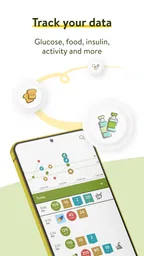
- Clear charts help users spot patterns over time.
- Reminders can support consistent tracking habits.
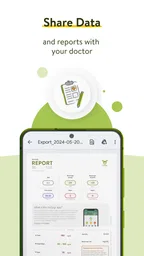
- Data export can help prepare records for healthcare visits.
What could be better
- Some features require a paid subscription.
- Manual entry can become tedious with frequent readings.
- The app does not replace professional medical advice.
- Sync and connected-device options vary by region and device.
- Tracking results depends on entering accurate information.





