


ChatGPT review
 Analysis by Appsdrops
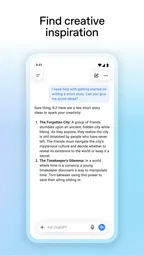
I often reach for ChatGPT when a small task threatens to consume more time than it deserves: turning rough notes into a readable message, finding a starting point for a plan, or making sense of a topic before I decide what to do next. Its value is less about replacing every app on my phone and more about shortening the awkward first stretch between a question and a useful draft. In my experience, it works best as a flexible thinking partner—not as an authority whose answers should be accepted without checking.
Where the time savings begin
ChatGPT is a productivity app from OpenAI, and that description fits its most practical role: it gives you one place to ask questions, shape writing, explore ideas, and work with images. Rather than choosing a dedicated tool before you know what you need, you can describe the job in ordinary language and refine the result in the same conversation.
That flexibility is also what makes it different from a notes app or a conventional search engine. A search engine is usually better when I need to locate a particular source and inspect it directly. A notes app is better for keeping information I have already organized. ChatGPT is useful in the middle: when the task is still fuzzy, I want help outlining it, or I need a first version I can edit.
The app has a 4.8 average from around 66 million ratings, with over a billion installs. Those figures suggest a very broad audience, but they do not tell me whether a particular answer is reliable or suited to a particular person. I judge it by whether it helps me move forward while leaving me in control of the final decision.
A first setup that makes later chats more useful
When I start a conversation, I get better results by giving the app the situation, the intended reader, and the form I want back. “Help me write an email” leaves too much open. “Draft a polite message to my building manager about a leaking tap; keep it brief and ask when someone can take a look” gives the assistant enough direction to produce something I can actually use.
I also treat follow-up prompts as part of the process, not as proof that the first answer failed. Asking it to shorten a draft, remove jargon, or offer two different tones is often quicker than trying to write a perfect request upfront. A useful habit is to specify what must remain unchanged—such as a deadline or key detail—when asking for a rewrite. That makes editing more controlled and helps prevent a polished version from losing the point.
For ongoing work, I keep related questions in the same conversation when the earlier context matters. For example, if I am planning a weekend gathering, I can begin with a rough guest list, then ask for a shopping checklist and a simple schedule based on the same constraints. I start a fresh conversation when the subject changes or when I want to avoid carrying irrelevant context forward.
Small everyday jobs where it earns its place
One realistic use is dealing with a crowded day. I can paste a messy set of personal notes and ask for them to be grouped into errands, calls, and tasks that need more thought. I still decide what takes priority, but I no longer have to spend as long turning an unstructured brain dump into a workable list. For a calendar app or task manager to take over, I would need to enter and manage the final commitments there; ChatGPT is helpful for preparing that structure, not a substitute for a system I rely on to track them.
It can also help with communication when I know what I mean but cannot find the right wording. I might have to decline an invitation, explain a delay, or make a request without sounding abrupt. I ask for a draft, then check whether it still sounds like something I would say. This is a good use of AI writing assistance because I can judge the facts and tone before sending it; it is a poor reason to hand over a sensitive conversation without reviewing every sentence.
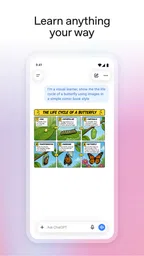
For learning, I use it to get an initial explanation and then ask for a different angle if the first one is too abstract. A concrete example, a simpler definition, or a comparison between two related ideas can make a difficult subject easier to approach. When the answer could affect a significant decision, I use that explanation as a starting point and verify important claims with sources I trust. The app can make information easier to engage with, but a confident response is not the same as independently confirmed evidence.
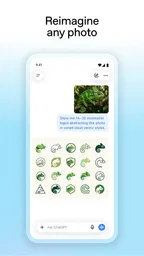
Image generation adds another kind of starting point. It can be handy when I want to explore a visual idea rather than describe it to someone else, such as trying out a mood for a personal project. I would not assume a generated image is a precise rendering of a real object or a final, production-ready design. The useful trade-off is speed for exploration: it can help me see a direction, while careful human review remains necessary for accuracy and finish.
Less switching, but not less judgement
The biggest friction it removes is the blank-page problem. In ordinary workflows, I might move between a search engine for ideas, a writing app for a draft, and a checklist tool to organize the result. Here, I can ask an initial question, request a revision, and turn the outcome into a more actionable format without changing tools. That is especially helpful for short, mixed tasks where setting up a specialized workflow would take longer than the work itself.
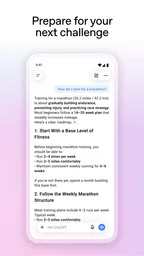
A less obvious benefit is that I can use the conversation to uncover what I have not decided yet. If I ask for a plan and the answer depends on missing details, I can supply those constraints in follow-up messages and see how the suggestions change. I get more value when I treat the exchange as a narrowing process: first explore options, then state limits, then ask for a concise version to act on. That is more dependable than expecting one broad prompt to anticipate everything.
There is a trade-off in that same convenience. A response can sound smooth while misunderstanding a detail, overlooking a constraint, or presenting an uncertain claim too neatly. I check names, dates, calculations, and other consequential details rather than treating fluent wording as evidence. For research that requires traceable sources, a search tool that clearly leads me to original material is often the better first choice.
ChatGPT is free to install, and in-app purchases range from $8 to $500 per item. I would begin with the free option and see whether the app fits my actual routine before spending money. Paid access may be relevant to some users, but the price range alone does not tell me which option is worthwhile for a particular workload, so I would compare the current in-app choices with the features I genuinely need before committing.
Who will benefit, and who may prefer another tool
I recommend trying it if you regularly need a first draft, a plain-language explanation, a brainstorm, or help turning loose thoughts into a plan. It is particularly convenient for people who move between different kinds of small tasks and do not want to learn a new specialist app for each one. OpenAI’s app is rated Teen, so families should consider that age guidance when deciding whether it is appropriate for a young person.
I would look elsewhere if the main requirement is a carefully maintained archive, reliable reminders, or a verifiable research trail. A dedicated calendar or task manager is a better home for obligations that must not be forgotten. A search engine or trusted reference source is better when the main goal is checking original evidence. And if you are handling private, high-stakes material, think carefully before sharing it and use a more suitable process where confidentiality or professional review matters.
The app was released on July 21, 2023, and its current version is 1.2026.293, with a minimum OS requirement of 7.1. Those details make it worth checking device compatibility before installing, especially on an older phone. They do not change the practical test I would use: does it save more time than it takes to check and adapt its output?
My verdict: a fast starting point, not a final answer
After using ChatGPT as an everyday helper, I find its strongest advantage is reducing the effort needed to begin. A short prompt can become a clearer email, a workable outline, or a more approachable explanation, and a few focused follow-ups can make the result fit the job better. That is meaningful time saved when the alternative is staring at an empty page or switching between several tools for a simple task.
My recommendation comes with a clear boundary: use it to draft, organize, and explore, then apply your own judgement before relying on the result. It is not the right replacement for a task manager, a source-checking workflow, or a professional opinion. If you want a versatile assistant for low-stakes everyday work and are comfortable reviewing what it produces, ChatGPT is an easy app to try. If you need guaranteed accuracy or a dependable record of commitments, choose a tool built specifically for that job instead.
What we like
- The interface is easy to navigate for first-time users.
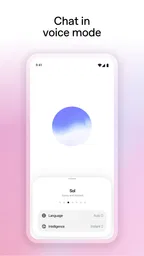
- Voice conversations offer a hands-free way to interact.
- Custom instructions help tailor responses to your preferences.
- Chat history makes it easy to revisit earlier conversations.
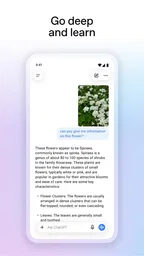
- The app supports image input for visual questions.
What could be better
- Some features require a paid subscription.
- Responses can sound confident even when they are inaccurate.
- Access to certain models and tools may vary by plan.
- Voice and image features need suitable device permissions.
- Availability and features can differ by region.




