

Google Keep - Notes and lists review
 Analysis by Appsdrops
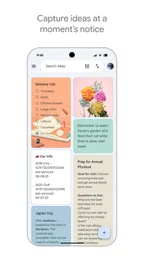
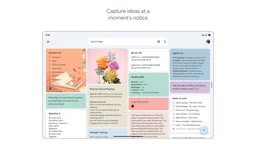
At home, the most useful notes are often the ones someone can add before the thought disappears: the grocery item we ran out of, a question for the landlord, or the name of a paint color. I find Google Keep handy for capturing those small details without turning every household task into a formal project. It is a free productivity app from Google LLC, and its simple notes-and-lists approach makes it easy to start using without a setup ritual.
Keeping household details easy to find
A typical shared-use moment is less polished than a carefully organized planner. One person notices that the laundry detergent is nearly gone, another remembers a measurement for a shelf, and someone else needs to save a recipe idea. Keep gives each thought a quick place to land. A list is useful when the household needs to check items off; a plain note works better for details that should stay together, such as a short packing reminder or a list of questions for a repair visit.
That distinction matters. If I put every task into one long note, it becomes harder to scan and easy to overlook an unfinished item. I would make separate notes for recurring contexts, such as groceries, errands, and home maintenance, then give each a clear title. The payoff is not elaborate project management; it is being able to open the right note and understand it at a glance.
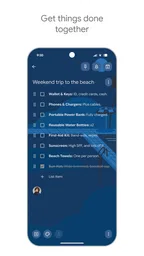
For an ordinary shopping trip, I might keep a grocery list open while walking through the store and mark items as I find them. I would group related items in a sensible order, rather than expecting the app to know the layout of a particular shop. If someone adds an item while I am already shopping, the list can be more useful than a message buried in a conversation, provided we have agreed on which note is the shared one and everyone is looking at the same account or note.
Make a note useful to the next person
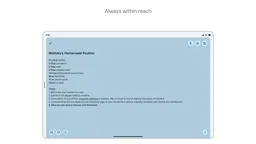
Short notes can still be ambiguous. “Batteries” may mean a particular size, and “call back” may mean nothing a day later. I get better results by adding the detail that prevents a follow-up question: “AA batteries for the remote,” for example, or “ask the plumber about the kitchen tap.” A title such as “Saturday errands” also gives a note more context than a generic label.
One practical habit is to keep a household note focused on action and move background detail elsewhere. A grocery list should not become the place for appliance serial numbers, meal ideas, and a running record of repairs. Splitting those into separate notes reduces clutter and makes it less likely that a time-sensitive item will vanish among unrelated information. It is a small organizational choice, but it often determines whether a shared note helps or frustrates.
Set account boundaries before sharing a device
Keep is not the same thing as a household account or a family dashboard. Before using it on a shared phone or tablet, I would check which account is active and decide whose notes are being viewed. A note-taking app can hold personal reminders as easily as shopping lists, so handing someone an unlocked device may reveal more than intended. A shared screen is convenient, but it does not by itself create a clean separation between each person’s private information.
For a household list, the simplest arrangement is one person creating the note and deliberately sharing that particular note with the intended collaborators, where the app’s sharing options allow it. That is different from sharing an entire account. I would avoid giving everyone the same login just to make a grocery list accessible: it can blur personal boundaries and make it harder to know who is responsible for a change. If the device is used by several people, taking a moment to confirm the active account before opening Keep is a worthwhile routine.
There is also a useful distinction between a shared device and a shared note. A device may be passed around, but that does not mean every note on it should be visible to every person. I would keep sensitive personal reminders out of a note intended for the household, and use a clearly named shared note for common tasks. When a note contains information that should not remain available to other device users, I would not rely on a vague title or assume that everyone knows not to open it.
Coordinate without turning notes into a full task system
For light coordination, a shared list can reduce duplicate effort. If one person is already at the store, they can see what remains and mark completed items, rather than needing a separate exchange for every purchase. It is also useful for a short preparation checklist before guests arrive: supplies to buy, rooms to tidy, and one or two details to remember. These are bounded tasks with an obvious finish, which suits Keep better than a complicated plan with many owners, deadlines, and dependencies.
The trade-off is that a note is not a substitute for a dedicated task manager when accountability matters. A list may show what is written down, but a household still has to agree who will do each job and when. For a multi-week renovation, rotating chores, or a project where missed deadlines have consequences, I would choose a tool built around assignments and progress tracking. Keep works best when the note is the shared memory, not the entire coordination system.
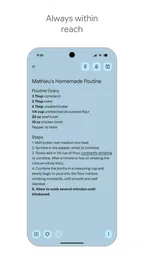
Another useful approach is to use a note as a temporary handoff. Before leaving for an appointment, I could write down the questions to ask and the details to bring home, then later add the answer while it is fresh. For a repair visit, that might mean noting the model information I need to check and the issue I want described. I would keep the note concise, because a long history of every household event makes it harder for the next person to identify what needs attention now.
Age, trust, and realistic expectations
The app has an Everyone content rating, which makes its general audience context straightforward, but an age label is not a substitute for household judgment. A child who can use a shared device may also be able to see notes left open on it. I would decide what is appropriate to keep accessible, explain which list is for everyone, and avoid treating the app as a built-in parental or family-control system. It is a place to write notes; trust and supervision still come from the adults responsible for the device.
For younger users, simple lists can be a gentle way to remember a few routine items, such as what to pack for an activity. The note should use words the child understands and should not depend on them managing a complex system of categories. I would also avoid putting private family information into a note that is shared broadly just because it is convenient. The useful boundary is to share only what the intended readers need for the task.
In a household with different comfort levels around technology, Keep’s light structure is an advantage: someone can read a short list without learning a whole planning method. But that simplicity has limits. If one person edits a shared note and another assumes it is unchanged, coordination can still break down. For anything important, a quick verbal confirmation may be more reliable than assuming everyone has checked the note.
Where it fits among everyday alternatives
Compared with writing a list on paper, Keep is easier to revise and carry between moments, but paper may be better when the device is often unavailable or everyone naturally gathers around a physical checklist. Compared with sending reminders in a group chat, a dedicated note keeps the current list more visible and avoids making someone search through unrelated messages. Chat is still better for a quick question that needs a reply; a note is better for information people may need to revisit.
Against larger productivity apps, Keep feels less demanding. That is a strength for groceries, small reminders, and compact reference notes, but a weakness when the household needs a calendar view, clear task ownership, or a detailed project workflow. I would not choose it as the sole source of truth for a schedule that changes frequently. A calendar or purpose-built task app is more suitable for that job, while Keep can hold the supporting checklist or notes people need along the way.
Its scale suggests that many people have found a place for it in daily routines: it has over a billion installs, around 2.7 million ratings, and an average rating of 4.7. Those figures are useful context, not a guarantee that its pared-back approach will suit every household. It remains a free app, and its broad adoption makes it an easy option to consider if the people you coordinate with already use Google’s services. I would still choose based on the actual household workflow, not popularity alone.
My household verdict
I recommend Google Keep for households that need a low-friction shared memory: a grocery list, a short packing checklist, or a few practical notes that several people can refer to. Its best quality is how little ceremony it asks for. When I want to capture something quickly and find it again without building a whole system, that simplicity feels like a sensible fit.
I would skip it as the main household organizer if you need strict task ownership, a detailed family schedule, or strong separation on a device used by many people. In those situations, a dedicated calendar, task manager, or a paper system may be clearer. Keep is most dependable when the note has a specific purpose, the sharing boundary is deliberate, and everyone knows whether it is a reminder, a checklist, or just background information.
Google LLC released the app on March 20, 2013, and it remains a straightforward productivity choice rather than a specialized family-control tool. My advice is to begin with one shared list, give it an unmistakable name, and agree who can edit it. If that small arrangement saves repeated messages and forgotten items, Keep is doing exactly the kind of household job I would want from it.
What we like
- Notes sync across devices through your Google account.
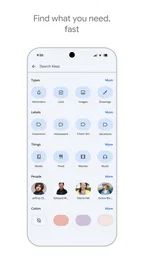
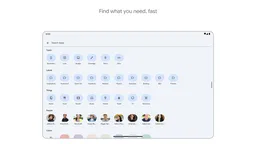
- Labels make it easier to organize notes by topic.
- Voice notes are transcribed into searchable text.
- Reminders can be tied to a time or place.
- Notes can be shared for collaborative editing.
What could be better
- Formatting options are limited compared with full document editors.
- There are no folders for organizing notes into nested groups.
- The web clipper lacks advanced page-saving controls.
- Shared notes offer limited tools for managing collaborators.
- Offline changes may take time to sync across devices.





