


Words of Wonders: Search review
 Analysis by Appsdrops
Choosing a word game can come down to a simple question: do you want a relaxed way to search for words, or a more demanding puzzle that keeps changing its rules? Words of Wonders: Search takes the first route. You get a board of letters and look for hidden words, making it an easy concept to pick up when you have a few spare minutes. I like that the appeal is clear from the outset: the game is about spotting words, not learning a complicated control scheme.
A straightforward word-search experience
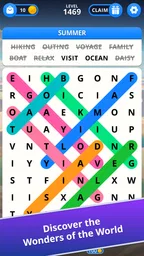
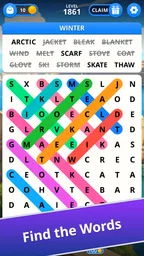
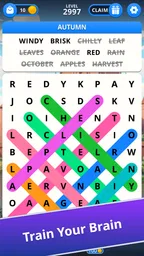
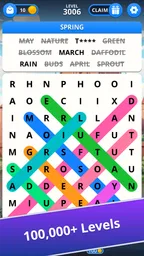
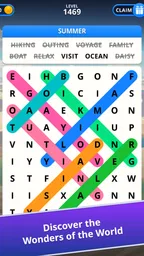
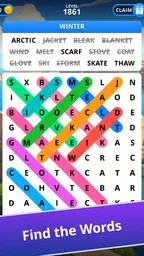
In Words of Wonders: Search, each puzzle gives you letters to inspect and asks you to find the words hidden among them. That familiar format makes the game approachable for casual players, word-game fans, and anyone who enjoys scanning a puzzle until a pattern clicks. You can focus on recognizing possible words rather than working through lengthy instructions.
What to consider before choosing
The main decision is whether a word-search puzzle suits the way you like to play. If you enjoy examining a cluster of letters, testing possible combinations, and getting satisfaction from finding a word you nearly overlooked, this is a natural fit. If you prefer spelling words from a rack, competing directly with another player, or tackling puzzles built around a very different mechanic, another kind of word game may match your taste better.
I also consider how much commitment a game seems to ask of me. The basic idea here is easy to understand, so it works well when I want a quick mental diversion rather than a long session of reading rules or building a strategy. At the same time, a simple format is only enjoyable if you actually like searching for words. Players who find visual scanning repetitive may want a game with more varied types of challenges.
The game is free to download, and it includes in-app purchases priced from $0.99 to $49.99 per item. That makes it sensible to think about your own spending preferences before you start. I’d treat the optional purchases as something to consider only if they feel worthwhile to you, rather than as a reason to choose the game. Its Everyone content rating also makes it a broadly accessible choice for different ages.
Where this game stands out
The strongest point is the low barrier to entry. You see letters, look for hidden words, and get straight to the central activity. That clarity is useful when recommending a game to someone who wants a familiar puzzle rather than an elaborate new system. In my view, a simple word-search format can be a real advantage: it leaves the player’s attention on vocabulary and pattern recognition.
The scale of its audience suggests that the concept has broad appeal. Words of Wonders: Search has more than 10 million installs, while its average rating is 4.9 from around 193,000 ratings. Those figures make it a well-established choice in mobile word games, though a high rating is not a guarantee that every player will enjoy the same style. I’d use them as context, then decide based on whether the basic puzzle sounds fun to you.
It comes from Fugo Games and was released on October 17, 2019. The current version is 4.14.0, and the game requires Android 8.0 or later. For someone checking compatibility, that minimum operating-system requirement is worth confirming against their device before downloading. The game is free, but its purchase options mean the overall experience can involve spending if you choose to buy items.
For search-focused players, the appeal is easy to describe: this is a word puzzle game for finding hidden words, not a broad collection of unrelated activities. That focused identity can make it easier to return to for a short session. I enjoy games that communicate their core idea without fuss, and this one’s premise does exactly that.
When another kind of word game may suit you
Not every word-game fan wants the same challenge. If you prefer making words from a limited set of letters, a word-building game may feel more engaging. If you like clues and carefully considered answers, a crossword-style puzzle could be a better match. If you’re looking for direct competition, a multiplayer word game may offer the social element you want. These are differences in format, not a judgment that one style is universally better.
Words of Wonders: Search makes the most sense when searching itself is the fun. Someone who thrives on finding a word hidden in a board may enjoy the steady, focused rhythm. Someone who needs each level to introduce a very different mechanic might prefer a more varied puzzle collection. I’d make that distinction before installing: think about the kind of attention you want to use, not just whether you generally enjoy words.
There’s also a difference between a game that is easy to learn and one that stays interesting for every player over time. The straightforward premise is inviting, but it naturally centers the experience on the same broad activity: looking for words. If that activity is satisfying for you, the simplicity can be relaxing. If you quickly tire of repeated search puzzles, a game with more varied formats may be a better use of your time.
Switching in and out is uncomplicated
Because the core idea is so familiar, trying the game does not require a big learning investment. You can see quickly whether the letter-board format suits you, then decide whether you want to keep playing or return to another kind of puzzle. That makes it a low-commitment option for curious players who want to sample a new word game without first mastering a complicated ruleset.
The same simplicity matters when comparing it with alternatives. You are not choosing between elaborate systems so much as choosing the puzzle activity you prefer. A hidden-word search rewards careful scanning; a crossword asks you to interpret clues; a word-building game focuses on forming answers from available letters. If you switch, the main adjustment is to a different style of thinking rather than a complicated transition.
For device owners, the practical check is straightforward: make sure your Android device runs version 8.0 or later. The game is also free to download, with optional in-app purchases ranging from $0.99 to $49.99 per item. I’d be comfortable recommending a trial to someone who likes word searches, while reminding them to make their own choices about purchases.
My recommendation
I recommend Words of Wonders: Search to players who want an accessible mobile word game built around finding hidden words in a letter board. Its clear premise, broad age rating, and free download make it easy to consider, while its strong average rating and large install base show that it has attracted plenty of players. Those details support its appeal, but the best reason to try it is still personal: you should enjoy the act of searching for words.
If you’re deciding between this and other word puzzles, choose it when you want a focused, familiar search challenge. Choose a different category if you would rather solve clues, construct words from a set of letters, or play against others. That’s the clearest way to judge whether it fits your habits. For me, its strongest quality is that it gets to the point and makes the central activity immediately understandable.
Overall, this is a sensible pick for casual players and word-search fans who want an easy-to-grasp puzzle on Android. It may not be the right match for someone seeking a wide variety of puzzle mechanics, but it does not need to be: its appeal rests on a clear, familiar idea. If finding words hidden among letters sounds like a pleasant way to spend a break, I’d give it a try and see whether its focused style clicks with you.
What we like
- A clear interface makes it easy to start a puzzle.
- Word lists offer a satisfying sense of progress.
- Hints help when you get stuck on a hidden word.
- Short levels suit quick play sessions.
- The search format offers a change from standard crosswords.
What could be better
- Some words can be difficult to spot in crowded grids.
- Later puzzles may feel repetitive.
- Hints can reduce the challenge of solving unaided.
- Small text may be harder to read on compact screens.
- Progress can feel slow when puzzles become more demanding.







