Word Search - Word Puzzle Game review
 Analysis by Appsdrops
I like word-search games best when they make it easy to settle into a puzzle without turning a short break into a complicated commitment. Word Search - Word Puzzle Game is built around that familiar idea, with a word-focused format that suits a few spare minutes as well as a longer, quieter session. My overall impression is that it is most appealing to people who want a straightforward puzzle to pick up whenever they feel like concentrating on something gentle.
It is a free word game from Bluetile, with optional in-app purchases ranging from $0.99 to $19.99 per item. The game is rated for Everyone, and its current version is 4.9.0. Its scale is notable: it has passed 100 million installs, with an average rating of 4.8 from around 791,000 ratings. Those figures suggest broad appeal, but they don’t guarantee that its style will suit everyone. The useful question is whether a conventional word search is the kind of small mental challenge you actually enjoy returning to.
What the pace feels like in a quick session
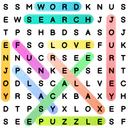
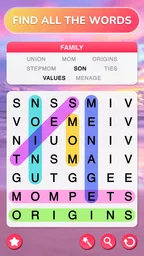
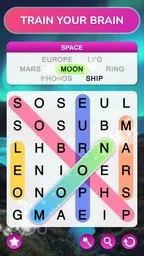
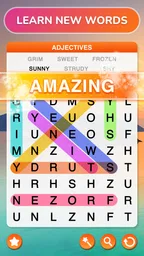
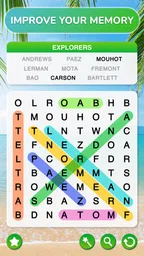
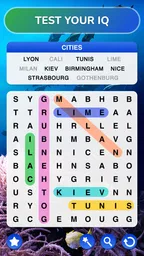
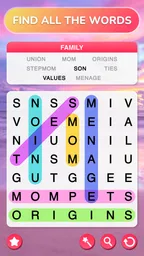
The appeal of a word search is its readable rhythm: scan the letters, spot a familiar word, trace it, then look for the next one. This game’s basic format makes it easy to understand without a lengthy learning period. I’d consider it for a short wait, a quiet moment between tasks, or a low-key wind-down when I want something more active than scrolling but less demanding than a strategy game.
That simplicity also shapes expectations about speed. A puzzle like this is not about rapid reactions or complicated controls; the mental work is visual attention and pattern recognition. The experience should feel most satisfying when you give your eyes a little time to search rather than trying to rush through every grid. If you expect energetic action, frequent surprises, or a strong sense of progression, a word search may feel slow by design. That is a matter of taste, not necessarily a flaw.
For a practical routine, I’d treat it as a small, self-contained activity rather than something that needs a long uninterrupted block. Starting a puzzle during a brief break makes sense if you’re comfortable pausing when life interrupts. If you tend to lose your place easily, it may be better to play when you can finish a session without switching attention back and forth. The central skill is looking carefully, and frequent distractions can make that less relaxing.
Where it fits among word puzzles
Compared with crossword-style games, a word search asks less of your general knowledge and more of your ability to find letter sequences in a grid. You don’t need to solve a clue before you can begin looking; the challenge is locating the target words among the surrounding letters. That makes it an approachable option when you want a vocabulary-themed activity without the stop-start feeling of getting stuck on a clue.
It is also a different kind of practice from word-building games. Those usually ask you to combine letters into new answers, while a search puzzle rewards patient scanning and recognition. If you enjoy spotting patterns in a crowded field, this is a natural fit. If your favorite part of word games is inventing an answer from a limited set of letters, you may find this format less varied and prefer a word-building alternative.
The game’s store summary presents it as a way to relax and exercise the brain while improving vocabulary. I would keep those benefits in perspective: finding words can reinforce familiarity with spelling and letter patterns, but it is not the same as a structured language course. For someone learning a language, it could be a pleasant supplement, not a replacement for lessons, reading, or conversation.
Longer play and the moments that test patience
In a longer session, the main trade-off is that the same basic scanning activity can become repetitive. That familiarity is part of the comfort for many players, but it can also make the game feel less compelling if you need a changing set of mechanics to stay interested. I would choose it for a calm stretch of play, not as my first pick when I’m looking for a game with a dramatic arc or a demanding challenge that continually changes shape.
A useful way to keep a word search from feeling like a visual slog is to scan with a plan. Rather than searching the whole grid at random, look for a distinctive first letter or a rare letter combination in the word you’re trying to find. Then check the nearby directions systematically. This approach reduces aimless eye movement and makes a difficult search feel more deliberate. It is a simple technique, but it can help whether you play for a few minutes or stay with a puzzle longer.
Another trade-off is that screen-based searching can be tiring when you are already fatigued. If your eyes feel strained or you are trying to play in poor lighting, a dense grid may stop being relaxing. I’d take a break rather than push through a puzzle just to finish it. People who prefer tactile activities, printed puzzles, or games that can be enjoyed without sustained visual focus may be happier with a paper word search or an audio-led alternative.
Reliability and resuming a routine
For a casual puzzle game, reliability matters less as a headline feature than as a basic expectation: you want to open it and spend your attention on the puzzle. I can’t responsibly promise a particular load time, battery impact, or recovery behavior across different devices and network conditions. Those can vary with the phone, operating system, available storage, and what else is running. I’d judge the game on your own device during an ordinary session rather than assuming that every handset will behave identically.
If you’re interrupted, the safest habit is to finish a puzzle when convenient rather than relying on any particular save or resume behavior. That advice is useful for many mobile games, especially when you are about to switch apps, take a call, or close the device. If returning to exactly the same point is essential to your routine, try a brief session first and see how the game behaves on your phone before making it part of a daily habit.
Heavy use can expose different kinds of friction than a quick check-in. A long stretch of looking at a grid may be more tiring than the game itself is demanding, while moving between the puzzle and other apps can make it harder to maintain focus. I would avoid treating it as a background activity; the enjoyment comes from paying attention to the letters. Short sessions with a clear stopping point are likely to suit players who want a relaxing break better than marathon play.
Device fit and sensible expectations
The listed minimum operating system is Android 7.0. That gives people with older Android software a concrete compatibility point to check before downloading. On iOS, I would check the app store on the device itself for compatibility rather than assume that Android requirements apply. In either case, keeping the operating system reasonably current and allowing enough free storage are sensible general steps for mobile games, though they do not guarantee a particular level of performance.
I would not choose a phone solely around this game, but screen comfort matters for a grid-based puzzle. A display that is difficult for you to read can make the central activity frustrating, while a comfortable screen makes scanning easier. If you often play outdoors or with reduced brightness, try a short session in those conditions before deciding whether it works for you. This is especially relevant for anyone who expects to use a word-search game as a regular way to unwind.
The game is free to download, while optional purchases are listed between $0.99 and $19.99 per item. That means trying the basic experience does not require an upfront purchase, but it is worth paying attention to purchase prompts if you prefer a strictly no-spend routine. I’d make that decision based on how often you play and whether any paid option is genuinely useful to you, rather than assuming that a purchase is necessary to enjoy a simple puzzle.
Who will enjoy it—and who may prefer something else
I’d recommend giving it a try if you like familiar word puzzles, want a low-pressure way to focus, or enjoy searching for patterns more than answering trivia. It can suit a student looking for a brief spelling-oriented diversion, an adult who wants a calm puzzle during a break, or anyone who likes the steady satisfaction of finding a word in a crowded grid. Its Everyone age rating also makes its intended audience broad, although whether a child enjoys the format depends on their reading ability and patience.
I’d be less likely to recommend it to someone who wants a word game to teach vocabulary in a structured way, provide a deep story, or continually introduce new types of challenge. A crossword may be better if you enjoy interpreting clues; a word-building game may work better if you like forming answers from letter sets. And if visual concentration is tiring for you, an audio or more tactile pastime may be a better choice than scanning a screen.
With a release date of November 14, 2020, and a current version of 4.9.0, it has been around long enough to build a substantial audience. I take its 4.8 average and large number of player ratings as a sign that the straightforward format resonates with many people, not proof that it is ideal for every word-game fan. The best test is whether you enjoy the central loop after a few puzzles: looking carefully, noticing a word, and moving on without pressure.
My performance verdict
My verdict is that this is a sensible choice when you want a familiar, focused word puzzle rather than a high-speed game. Its strongest practical quality is that the premise is easy to grasp, so it can slot into a spare moment without asking you to learn a complicated system. Its main limitation is the same simplicity: extended play may feel repetitive, and visual searching is not a relaxing activity for everyone.
If you want an uncomplicated word-search experience and are comfortable with a steady pace, I think it is worth trying. Start with a short session on your own device, see whether the grid feels comfortable to read, and decide whether the search itself holds your attention. If you want richer variety, clue-solving, or a more structured learning tool, choose a different kind of word game. For a calm, accessible puzzle to return to now and then, Word Search - Word Puzzle Game makes a reasonable pick.
What we like
- A relaxing way to practice spelling and recognize word patterns.
- Simple controls make puzzles easy to play on a phone.
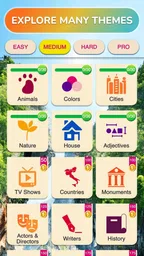
- Multiple difficulty levels suit both beginners and experienced players.
- Short rounds fit well into brief breaks.
- Offline play is useful when an internet connection is unavailable.
What could be better
- Finding hidden words can become repetitive over time.
- Small grids may be harder to read on compact screens.
- Some puzzles may feel too easy for experienced word-game fans.
- Ads may interrupt play depending on the version.
- Hints can reduce the challenge of solving puzzles independently.







