
Word Search Explorer review
 Analysis by Appsdrops
I like word-search games best when I can understand the task at a glance and get straight into scanning the grid. Word Search Explorer is built around that simple appeal: it is a word game from PlaySimple Games, aimed at people who want a calm, visually clear puzzle rather than a complicated set of rules. I found its strongest use case is a short break when I want to focus on something small without needing to plan a long session.
Spotting words is the whole first move
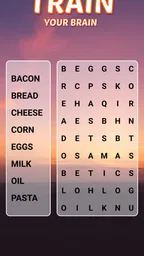
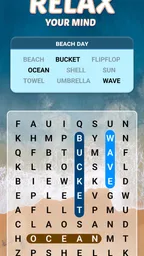
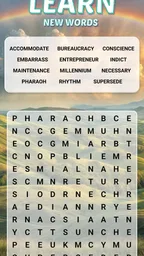
The basic action is familiar: look through a letter grid, find the words you are asked to locate, and mark them. That makes the game easy to pick up even if you have not played a word search in years. There is no new vocabulary of controls to learn before the puzzle makes sense, which is useful when you want a quick mental warm-up or are handing the phone to someone who is less comfortable with games.
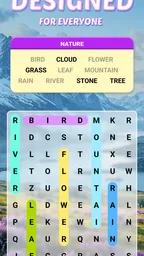
The visual presentation matters especially in a word search, because the central challenge is keeping your place while your eyes move across rows and columns. The game is presented as visually pleasing and designed with seniors in mind; in practical terms, that positioning makes it a reasonable option for players who value readability and a less visually busy experience. I would still suggest trying it on the device and screen you intend to use, since comfortable text size and contrast are personal matters.
My useful starting habit is to scan for unusual letter combinations before reading every row from left to right. A rare letter or distinctive pair can narrow the search quickly, and checking in more than one direction helps avoid overlooking a word that crosses the grid in an unexpected orientation. This is not a special power-up or hidden mechanic; it is simply a more efficient way to approach the kind of puzzle the game offers.
That straightforwardness is also a limitation. If you want a word game built around spelling challenges, clues, story choices, or competitive play, a grid search may feel too narrow. Word Search Explorer is most appealing when the pleasure comes from visually locating words, not from learning a complicated system or chasing a strategic endgame.
A steady rhythm of searching and confirmation
The satisfying part of a word-search puzzle is the small moment when a word suddenly becomes visible among otherwise ordinary letters. You scan, spot a pattern, mark it, then return to the remaining targets. That action-and-feedback rhythm is the heart of the experience here: each found word gives you a clear sense of progress, while the unfinished list keeps your attention moving back to the grid.
For a relaxed session, I would resist rushing through the board. If a word does not reveal itself after a couple of passes, switch to another target rather than staring at the same cluster. The change of focus gives your eyes a fresh route through the letters, and the word you missed may stand out when you come back. This approach is particularly helpful for casual play, where the point is to enjoy the search rather than turn every puzzle into a timed test.
Word searches can also be a nice shared activity. I can imagine playing alongside a family member and taking turns choosing which target to hunt for, or letting one person scan horizontal lines while another checks vertical ones. That makes the game a simple conversation starter without requiring either player to know gaming conventions. For a solo player, the same division of attention works as a practical routine: scan one direction, pause, then check another instead of repeatedly sweeping the whole grid in the same way.
The trade-off is that the feedback is inherently modest. Finding a word feels good, but the basic loop does not offer the varied decisions of a crossword or the evolving tactics of a word-building game. If you need every session to introduce a new kind of challenge, the repeated search pattern may eventually feel familiar. I see that as a matter of preference rather than a flaw: repetition is exactly what makes it easy to return to for a brief, low-pressure puzzle.
Progress that suits small pockets of time
The reward in a word search is partly the completed grid and partly the concentration required to finish it. I find this format works well during a quiet coffee break, while waiting for an appointment, or as a gentle activity before bed. You can focus on one target at a time, so it does not demand the uninterrupted attention that a longer story game might. If you are likely to be interrupted, it is sensible to finish the word you are currently tracing before setting the phone aside, so you do not lose your place in the search.
There is also a useful difference between this and a crossword. A crossword asks you to retrieve or infer answers from clues; a word search gives you the target and asks you to locate it. That can make Word Search Explorer a more approachable choice when you want to exercise visual attention without being tested on trivia or definitions. Compared with word games that ask you to build words from a changing collection of letters, it is less about weighing possible combinations and more about methodical scanning.
The audience is broad: the game is rated for Everyone, and its senior-oriented presentation may suit older players or anyone who prefers a visually approachable puzzle. It can also work for adults who want a simple screen break and for relatives looking for an easy activity to share. I would not assume that the age rating means every player will find the presentation comfortable, though; people with low vision or sensitivity to small on-screen text should check how it looks on their own device before settling in.
One practical tip is to treat a difficult board as a sequence of small searches rather than one large task. Choose a target, scan the grid in a consistent direction, and move on if you are not seeing it. That routine reduces aimless rereading and makes the puzzle feel manageable. If you are playing with someone else, assigning different scan directions can also prevent both people from searching the same lines at once.
Why I might start another round
A completed puzzle gives the session a natural stopping point. That clean finish is part of the appeal: I can play one board and put the phone down without feeling that I have left a long plot or a complicated match unfinished. The reset is the invitation to begin again, not a demand to keep going. When I have another few quiet minutes, a fresh search offers the same recognizable task with a new set of letters to inspect.
This structure is especially convenient for people who want a game that can fit around the day. A short wait can become a quick puzzle; a longer quiet stretch can allow more time to search. The important distinction is that the game’s simple loop may be a comfort for one player and a source of sameness for another. If you enjoy the tactile satisfaction of finding hidden words, that predictability can make it easy to return. If you prefer each round to change the rules or require a new plan, you may be better served by a crossword, a spelling game, or another word puzzle with more varied decisions.
Word Search Explorer is free to download, with optional in-app purchases listed from $0.99 to $49.99 per item. I would approach those purchases as optional extras rather than a reason to start playing: the central appeal is the search itself, and anyone who is cautious about spending should review purchase prompts before confirming them. The game has earned a 4.9 average from around 1.3 million ratings, with about 23,000 written reviews and over 100 million installs. Those figures suggest a large audience, but they do not tell me whether its pace or presentation will suit an individual player.
It was released on November 19, 2021, and the current version is 1.290.0. The listed minimum operating system is 8.0. Those details are handy to check before installing, particularly if you are setting it up on an older device for a relative. PlaySimple Games is the developer, and the game’s simple word-search format is the main reason I would consider recommending it to someone who wants a familiar, easy-to-follow puzzle.
My verdict on the repeat-play loop
I would recommend Word Search Explorer to a friend who enjoys scanning for words, wants an approachable game for short breaks, or is looking for a low-pressure puzzle to share with an older family member. Its best quality is the clear cycle: choose a word, search the letters, get the satisfaction of finding it, finish the board, and decide whether you feel like starting again. That is a small but reliable reason to return.
I would steer away from it if you are looking for deep strategy, clue-solving, a strong narrative, or a steady stream of different mechanics. Its search-first design does not try to be all of those things, and the repetition will be noticeable if word grids are not already enjoyable to you. For the right player, though, the simplicity is the point. If you want a calm word puzzle that lets you begin quickly and stop cleanly, this is an easy one to try.
What we like
- Simple rules make it easy to start playing.
- Word lists help build vocabulary through play.
- Short puzzles fit neatly into quick breaks.
- Searching for words can sharpen visual scanning.
- The familiar format suits a wide range of ages.
What could be better
- Some puzzles may feel repetitive over time.
- Small letters can be hard to read on compact screens.
- Ads may interrupt the flow of play.
- Later levels can require more careful searching.
- The game offers limited variety beyond word searches.







