
Wordle! review
 Analysis by Appsdrops
Wordle! is an easy game to understand but a surprisingly satisfying one to return to: you look for words, make a guess, and use what you learn to guide the next attempt. I like it as a small daily pause rather than a long session. If you enjoy word puzzles but don’t want a complicated setup, its basic appeal is clear from the first round.
This is a free word game from Lion Studios Plus, with optional in-app purchases. The app is rated Everyone, and its audience is broad: casual players, people who like testing their vocabulary, and anyone who wants a short mental break. It has a 4.5 average from around 200,000 ratings, and more than 10 million installs. Those numbers suggest a well-established audience, though they don’t tell you whether its particular puzzle style will suit you.
What to expect from a daily word puzzle
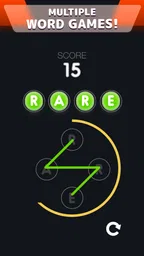
The store’s short description calls it “Wordle!”, while the broader idea is a daily word-search puzzle experience. It is best approached as a focused word game, not as a sprawling collection of modes or a story-driven adventure. The pleasure comes from narrowing possibilities, recognizing useful letter patterns, and getting a word right without turning the session into a project.
That makes it a natural fit for the small gaps in an ordinary day: while waiting for a drink, taking a break between tasks, or settling in for a few minutes before bed. A daily puzzle gives the game a gentle rhythm. You can make it part of a routine without needing to set aside a long block of time, and the word-focused format means you can return to it even when you are not in the mood for fast reactions or elaborate rules.
I would not choose it for a demanding, uninterrupted gaming session. Word puzzles depend on attention, and if you are distracted, the experience can feel more like fumbling than relaxing. It is also not the best match for someone who wants an open-ended word-building sandbox or a large suite of clearly distinct activities. The appeal here is compactness and the challenge of working toward a solution.
Compared with a paper word search, a digital puzzle can make the routine easier to pick up and put down, but it also places the experience inside an app, with its own interface and purchase options. Compared with crossword puzzles, this kind of play puts more emphasis on testing possible words and learning from each attempt than on reading a chain of clues. If you prefer clue-solving, a crossword may hold your attention longer; if you like pattern recognition and concise rounds, Wordle! is the more direct choice.
Getting started without overthinking it
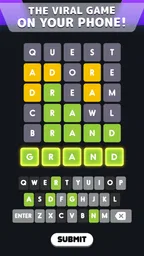
For a first-time player, I recommend opening the game with one simple goal: understand the feedback from a guess before trying to optimize every move. The daily format can make a new player feel that a first attempt has to be clever. It doesn’t. Your opening word is useful if it helps you learn something, even when it is not the answer.
Before you begin, think of a word you can spell confidently and that uses several different letters. This is a practical way to avoid wasting an early attempt on repeated letters before you have any clues. I would not treat this as a strict formula, though. A familiar word can be a better starting point than an awkward one chosen only to cover letters, especially if the game’s feedback is still new to you.
The game is free to download, so there is no purchase decision required just to try it. In-app purchases range from $0.99 to $99.99 per item, which is a wide span. I suggest treating any purchase prompt as a separate decision rather than something needed to enjoy the core word-puzzle idea. Check what an item offers in the app before spending, and do not assume that a higher-priced option is necessary for a casual daily routine.
The current version is 3.1.7, and the minimum operating-system requirement is 7.0. If you are installing on an older device, it is worth checking compatibility in the app store before planning to make it part of your day. The game was released on February 15, 2022, so it is not a brand-new experiment, but the more useful question for a new player is whether the puzzle loop feels comfortable on your device.
Your first satisfying solve
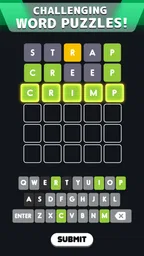
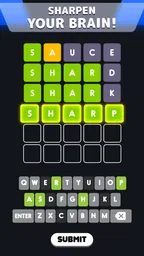
The first meaningful success is not necessarily guessing the answer immediately. It is making a guess, interpreting the result, and changing your next choice for a reason. That shift turns the experience from blind trial and error into deduction. When letters are confirmed or ruled out by the game’s feedback, take a moment to hold those clues in mind rather than rushing to type the first plausible word.
A helpful habit is to pause after each attempt and say, in plain language, what you now know: which letters seem useful, which are unlikely, and what positions still need testing. This small reset matters because it prevents you from repeating a near-identical guess that teaches you little. If you are stuck, list a few possible words mentally before choosing one, then pick the option that tests a useful uncertainty.
There is a trade-off between testing letters and chasing a likely answer. A guess that checks many new letters may provide broad information, while a more answer-like word may make progress if your clues already point in a clear direction. I find it helpful to favor exploration early and more targeted guesses later, while staying flexible. If the puzzle’s feedback leaves several plausible options, another information-rich guess can be wiser than committing too soon.
For a realistic daily routine, imagine opening the app during a short break between errands. Rather than play while crossing a busy street or handling another task, take a minute when you can look at the screen and think. Make a first guess, note the feedback, and either continue while the clues are fresh or close the game and return when you have a quieter moment. The puzzle is more enjoyable when attention—not speed—is doing the work.
New players sometimes judge themselves harshly if they need several attempts. I would avoid that. A word puzzle is partly about vocabulary and partly about choosing informative guesses; being familiar with many words does not automatically make every solution obvious. The useful win is learning how the feedback changes your options. Once you recognize that process, each round feels more deliberate.
Where beginners commonly get confused
The main source of confusion is treating every guess as a bid to win rather than a way to collect clues. That can lead to repeated guesses built around the same assumptions. Instead, after each result, deliberately remove possibilities that no longer fit and reconsider the letters you have not tested. The goal is not to prove your first hunch right; it is to update it.
Another common trap is assuming that a letter that seems promising must belong in the position you first tried. Pay attention to the exact feedback the game gives, and distinguish between knowing a letter is relevant and knowing where it belongs. Keeping those two questions separate makes the puzzle easier to reason through, especially when a familiar word tempts you to settle too quickly.
It is also easy to overuse a favorite opening word. A consistent starter can make rounds feel comfortable, but it may not be the best choice every time, particularly after you have already learned something from earlier attempts. A simple improvement is to use a different word when your first result has ruled out several of the same letters you usually test. That keeps your guesses responsive rather than automatic.
If a puzzle begins to feel frustrating, stop before you start entering random words. A short break can help you see a pattern that was hidden when you were staring at the same letters. If you would rather not leave, make one deliberate guess that tests an unresolved possibility. Either approach is better than treating every available attempt as something you must use immediately.
One thing I appreciate about this kind of game is that it does not require a long tutorial to become approachable. The limitation is that concise rules can still leave newcomers unsure how to improve. The practical answer is to review the information after every guess and make the next one serve a purpose. If you prefer games that explain strategy step by step or offer a more guided learning path, a word-learning app may be a better starting point.
Building a routine that stays enjoyable
Once the basic loop makes sense, the next step is to decide what you want from the game. You can treat it as a quick personal challenge, use it as a vocabulary warm-up, or simply enjoy the small satisfaction of solving a word. I would keep the routine light. Turning a daily puzzle into a test of discipline can make a pleasant break feel like an obligation.
For vocabulary practice, pay attention to words you considered but could not place, and look up unfamiliar words afterward if that interests you. This is a player-created habit rather than a reason to expect the game to teach vocabulary automatically. It works best when curiosity is part of the fun; if you only want a structured lesson with definitions and progress tracking, a dedicated language-learning tool will be more suitable.
You can also use the puzzle as a gentle social prompt by comparing how different people reason through a word, provided you avoid spoiling the answer for someone who has not played yet. One person may choose a broad letter-testing guess, while another favors a likely solution. Discussing why each guess was chosen makes the game more interesting than simply announcing who finished first.
There is no need to turn every round into a personal best. Some days you will see the pattern quickly; on others, several words may seem equally plausible. That variation is part of the challenge, but it also marks a boundary: if you find word puzzles stressful or dislike uncertainty, a more straightforward casual game may be a better fit. Wordle! asks you to tolerate not knowing for a little while.
The game’s audience is substantial, and it has around 16,000 written reviews in addition to its ratings. That gives a new player a sense that many others have tried it, but the decision should still come down to your taste. A large player base cannot make a puzzle enjoyable if you prefer action, visual exploration, or games where each session introduces a different kind of task.
Who I would recommend it to
I would recommend Wordle! to a friend who wants a low-commitment word challenge and enjoys making deductions from limited clues. It is especially well suited to someone who likes a repeatable daily activity and is happy to spend a few attentive minutes on one puzzle. The Everyone age rating also makes its general audience clear, though younger players may still benefit from playing with someone who can help explain unfamiliar words.
I would suggest a different option to anyone looking for long-form progression, rich narrative, or a broad collection of word-game formats. It may also disappoint players who expect every guess to produce an obvious next move. Sometimes the clues leave several choices open, and the fun comes from deciding which uncertainty to investigate—not from being told exactly what to do.
My overall view is that Wordle! works best when you approach it calmly: choose a useful first word, read the feedback carefully, and make each following guess answer a question. It is a free, accessible way to add a small word challenge to an ordinary day, with optional purchases that deserve a deliberate look before you buy. If that compact rhythm sounds appealing, it is worth trying; if you want a deeper or more varied word-game experience, you will probably be happier elsewhere.
What we like
- Daily puzzles give players a fresh goal without requiring long play sessions.
- The simple rules make it easy for newcomers to start playing.
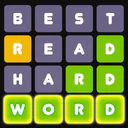
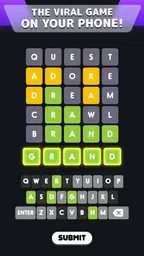
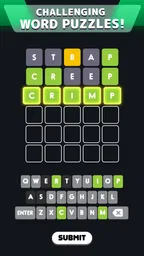
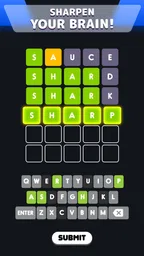
- Color feedback helps narrow down possible answers after each guess.
- Sharing results can spark friendly competition without revealing the word.
- The game encourages vocabulary practice and logical deduction.
What could be better
- A wrong guess can quickly limit the remaining chances to solve the puzzle.
- Some answers may feel obscure to players with smaller vocabularies.
- The one-puzzle-per-day format may not satisfy players seeking unlimited rounds.
- Repeated letters can make clues harder to interpret at first.
- Players who miss a day may find the daily streak difficult to maintain.







