

Word Search Sea: Offline Games review
 Analysis by Appsdrops
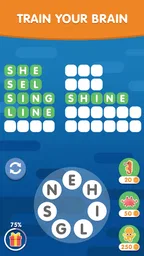
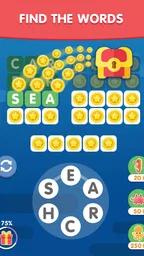
I like word-search games best when they ask for just enough attention to make a quiet moment feel satisfying, without turning it into a project. Word Search Sea: Offline Games is built around that simple appeal: scan a letter puzzle, spot the words, and keep going at your own pace. It suits a short break, a commute without reliable internet, or a relaxed evening when I want something more engaging than scrolling but less demanding than a full-on game.
A simple puzzle routine that works offline
The core routine is easy to understand: look across a grid of letters, identify the words you are meant to find, and trace them through the puzzle. The pleasure comes from switching between broad scanning and careful inspection. I start by looking for distinctive letter combinations, then narrow my attention to likely starting points rather than rereading the whole grid at random. That approach makes each puzzle feel less like a test of eyesight and more like a small exercise in pattern recognition.
The offline focus is particularly useful in ordinary situations. I could open the game while waiting for an appointment, on a train with patchy reception, or during a lunch break when I want to keep my phone’s activity simple. It is also a reasonable choice for a shared device or a trip where I would rather not depend on a connection just to play a word puzzle. The appeal is not dramatic; it is the dependable feeling that a small game can fit into spare time.
As a word-search game from Malpa Games, it stays within a familiar puzzle format rather than asking me to learn a complicated set of rules. That makes it approachable for adults who want a calm mental warm-up, as well as for people who already know the genre and simply want another place to play. The age rating is Everyone, so the general presentation is suitable for a broad audience, though the straightforward format is likely to appeal most to players who enjoy letters and visual searching.
How I approach a puzzle without wasting time
My most useful habit is to avoid searching for every word in the same way. I first pick out the longest or most unusual-looking word on the list, because its distinctive sequence is easier to recognize than a short, common word. Then I scan for its first letter and check nearby directions. After finding a couple of words, I use the remaining open-looking areas as a rough guide for what deserves attention next. This is a practical method, not a special feature: it helps me stay systematic even when the grid starts to look busy.
Another small improvement is to change the scale of attention. A quick sweep across rows and columns can reveal obvious matches, but diagonal patterns are easier to miss if I only read straight lines. When a word seems to disappear, I pause and deliberately inspect the possible directions rather than repeatedly following the same visual route. That simple reset is often more effective than tapping around quickly.
I also find it helpful to treat a puzzle as a short session rather than a race. If I am interrupted, I can return with fresh eyes and begin again by checking the remaining words against the letters I have not yet considered. Word searches reward patience, but they do not demand the sustained concentration of a complex strategy game. That balance is a big part of why this format works well for brief breaks.
Settings and habits to check before settling in
Before building a regular routine around any mobile puzzle, I check the game’s available settings and controls on my own device. In a letter-grid game, comfort matters: a display that is easy to read and controls that respond predictably can make the difference between a relaxing session and unnecessary frustration. I would take a moment to explore the options that are actually present in the installed version, rather than assume that every word-search game offers the same adjustments.
That caution matters because a game’s interface can vary with device size and software version. If the letters feel cramped, I avoid trying to solve the whole grid at speed; I slow down and focus on one section at a time. If tracing a word feels awkward, I make a deliberate, steady gesture instead of swiping hurriedly. These habits do not rely on an undocumented shortcut, and they are useful whether I am playing on a compact phone or a larger screen.
The game is free to download, with optional in-app purchases ranging from $0.99 to $47.99 per item. I would decide in advance whether I am happy to play within the free experience or willing to spend on extras, and check any purchase prompt carefully before confirming it. That is especially sensible if a child may use the device. The important practical point is that “free” does not mean every optional item is included at no cost.
For an offline session, I also make sure the game is installed and opened before I am somewhere with no connection. The title is designed for offline word puzzles, which is exactly the sort of convenience I value when travelling, but preparing ahead avoids relying on a last-minute download or setup. Once it is ready, a few minutes of play can fit neatly into a familiar routine: open the game, complete a puzzle or make progress, then put the phone away instead of letting the break stretch indefinitely.
Faster pattern recognition, not frantic tapping
Experienced word-search players often get faster by being more selective, not by moving their fingers more quickly. I look for rare letters and unusual pairs first, since they reduce the number of plausible places to inspect. If a target contains a letter that appears only occasionally in the visible grid, that letter can act as an anchor. I then check whether the neighboring letters form the start of the word in a straight or diagonal line. This is a useful technique for this kind of puzzle, but it remains a player strategy rather than a claim about a special in-game hint system.
A second useful pattern is to work through word lengths. Longer targets have fewer possible starting positions and are often easier to distinguish, while short words can blend into the grid or appear as accidental letter sequences. I usually leave the shortest words until later, when the larger finds have helped me orient myself. If I get stuck, I reverse the method: choose a short target, locate its least common letter, and inspect only the neighboring lines that could complete it.
There is a trade-off to this focused approach. It can make a puzzle feel efficient, but it may also turn a relaxed game into a checklist if I obsess over speed. I prefer using these patterns when I am stuck or want a sharper mental exercise, then returning to casual scanning when I simply want to unwind. The game’s familiar format supports both moods without requiring a change in how I think about the basic task.
Compared with a crossword, this is less about interpreting clues or recalling facts and more about visual search. Compared with a word-guessing game, there is less pressure to invent an answer from scratch: the challenge is to find the target among the letters. That makes it a better fit when I want a low-friction puzzle, but a weaker choice if I am looking for rich wordplay, a story, competitive rounds, or a deeper progression system. People who enjoy the vocabulary and clue-solving side of word games may find crosswords more rewarding.
Where the format can feel limited
The same simplicity that makes this game easy to pick up also limits its range. Once I understand the basic search pattern, the main challenge is still locating words in a letter grid. Players who need frequent changes in mechanics may find that repetitive, especially during long sessions. I would choose it for a handful of puzzles in spare moments, not as a substitute for a varied adventure game or a word game built around changing kinds of challenges.
Visual searching can also be tiring. If I am already dealing with eye strain, playing in poor lighting or trying to rush through a puzzle makes the experience less comfortable. I take a break when the letters start to blur together rather than assuming that more concentration will solve the problem. This is a small but genuine limitation of the genre: the central task depends on sustained attention to a grid, so it will not be relaxing for everyone.
Offline play is a clear advantage, but it does not automatically make the game the best choice for every trip or every player. Someone who wants a puzzle that can be played with almost no visual focus might prefer an audio-oriented game. A player who wants social competition may prefer a multiplayer word challenge, while someone who likes a clear sequence of increasingly different tasks may enjoy a broader puzzle collection. I would pick this one when the goal is specifically a quiet letter-search session.
It has a substantial audience: the game has an average rating of 4.9 from around 650,000 ratings, and has passed 10 million installs. Those figures suggest that the straightforward format has broad appeal, but they cannot tell me whether its pace or interface will suit a particular person. I would use them as context, then make the decision based on whether I actually enjoy scanning letter grids and whether offline access matters to me.
What to expect from its age and updates
The game was released on May 17, 2017, and its current version is 5.24.01. It supports Android 9 and later, so checking the operating-system requirement before installing is worthwhile if I am considering an older device. I would also keep expectations grounded: a current version number tells me which release is identified for the game, but it does not by itself explain how the experience will look or feel on every phone.
Its focus on word puzzles makes it easy to recommend to someone who wants an uncomplicated offline option, but I would not recommend it as a general-purpose learning tool without knowing what kind of learning they expect. Finding words can keep attention active and reinforce visual familiarity with spelling, yet the main activity is searching rather than lessons, definitions, or structured vocabulary practice. For those goals, an educational language app would be a better match.
At the same time, the accessible rules make it suitable for casual play across different experience levels. A newcomer can understand what to do without studying a manual, while a regular word-search fan can apply scanning habits and make each session more deliberate. The useful middle ground is that I do not need to be a puzzle expert to enjoy it, but I can still improve how efficiently I search.
My verdict for a regular word-search player
Word Search Sea: Offline Games is a good fit for anyone who wants a familiar letter puzzle that can occupy a short stretch of downtime without depending on an internet connection. I especially like the practical use case: keeping it ready for travel, waiting rooms, or a quiet break, then using a repeatable search routine instead of staring randomly at the grid. Its strongest quality is not complexity; it is how easily the basic activity fits into everyday life.
I would recommend it to adults who enjoy visual word puzzles, people who want a low-pressure game, and players looking for something they can use offline. I would steer away from it if you need competitive play, varied mechanics, clue-heavy vocabulary challenges, or a game that avoids prolonged screen-based searching. The optional purchases are another reason to review prompts carefully, even though the game itself is free to get.
For me, the best way to enjoy it is in modest sessions: start with the longest or most distinctive target, scan methodically, and take a break when the grid stops feeling comfortable. Malpa Games has made a word-search game whose appeal lies in that uncomplicated rhythm. If that is what you want from a mobile game, this is an easy one to keep on hand; if you want a deeper or more varied puzzle experience, I would look elsewhere.
What we like
- Offline play makes it suitable for travel without a data connection.
- Simple controls make puzzles easy to start.
- Word searches offer a relaxing way to pass short breaks.
- Multiple puzzles provide variety for casual play.
- The game can help exercise visual scanning and vocabulary skills.
What could be better
- Finding words may become repetitive over longer sessions.
- Small text can be difficult to read on compact screens.
- Puzzle difficulty may feel uneven for experienced players.
- Hints can reduce the challenge of solving puzzles unaided.
- Ads may interrupt play depending on the version.







