

Word Search Hotel review
 Analysis by Appsdrops
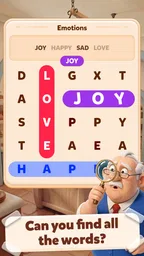
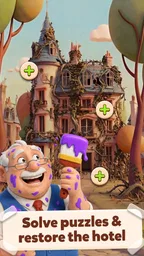
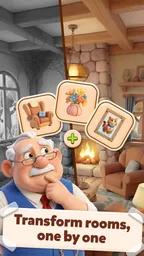
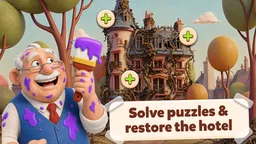
Word Search Hotel has an appealing idea at its core: pair the familiar pleasure of finding words in a letter grid with the longer-term goal of restoring a hotel. I like that combination because it gives a quick puzzle a sense of direction. You are not only clearing a board; the word-search play sits inside a makeover theme that can make returning feel more inviting. Whether that balance works for you depends on what you want from a word game: a relaxed activity with a bit of progress attached, or a more demanding puzzle focused entirely on vocabulary.
Why the puzzle-and-makeover pairing works
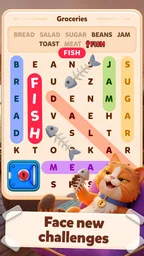
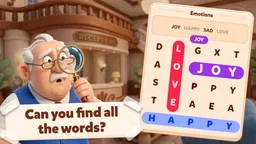
As a word search game, its appeal is easy to understand. The basic task asks you to scan a field of letters and pick out words, a format that is approachable even if you do not think of yourself as a puzzle expert. The hotel setting gives that straightforward activity a warmer frame than a bare sequence of grids. Lotum two GmbH is the developer, and the game’s central hook is the connection between solving puzzles and improving a charming hotel.
That connection is also the most useful way to judge the design. A word search can feel repetitive when every board is simply another isolated exercise. Here, the makeover provides a broader reason to keep playing, so the game may suit someone who enjoys small goals and visible thematic progress. I would approach it as a casual routine rather than a serious vocabulary course: the enjoyment is in searching, spotting patterns and moving through the hotel theme, not in expecting deep word instruction.
The setup is particularly easy to fit into spare moments. I can picture playing a little during a quiet break, then putting the game aside without needing to remember a complicated storyline or strategy. That makes it a natural option for short sessions, though the hotel progression may also encourage you to stay for one more puzzle. If you tend to lose track of time in games built around incremental goals, it is worth deciding in advance how long you want to play.
What makes it more than a plain letter grid
The strongest design choice is that the word search has a clear purpose beyond completing itself. A hotel makeover gives the puzzle loop a setting and a broader objective, which can make a familiar format feel more personal. It also changes the mood: instead of treating each board like a test, you can enjoy the idea that puzzle-solving contributes to a place you are gradually improving.
That framing offers a practical tip for getting the most from the game. If you enjoy the decorating premise, treat the hotel as the thread connecting your sessions rather than rushing through puzzles just to finish them. If you mainly want a word challenge, focus on the letter search and see the makeover as a pleasant extra. Knowing which part you value helps avoid disappointment if the other side of the game is not what you hoped it would be.
It is also a good fit for players who want a low-barrier activity to share a room with other everyday tasks. A word search does not demand the same kind of uninterrupted attention as a fast action game, so I can imagine playing while winding down at home or waiting for an appointment. That does not mean every situation is ideal: reading a grid still takes concentration, and a noisy or hurried moment can make the simple task less relaxing than it sounds.
The game is free to download, with in-app purchases listed from $0.99 to $99.99 per item. I would keep that range in mind before settling into a long play habit, especially if you are choosing it for a younger player or setting up a device with spending controls. The free entry point makes it easy to try the concept, but it is sensible to treat purchases as optional and decide on boundaries before playing.
Where the experience may not suit everyone
The main limitation is inherent in the format: word searches rely on scanning and recognition, so players who want varied mechanics may find the central activity samey over time. The hotel makeover adds context, but it does not change the fact that the core task is finding words in a grid. If your ideal word game involves constructing words, competing against a clock, or solving layered clues, a different subgenre will likely hold your attention better.
There is another trade-off in the pairing. Someone drawn primarily to interior design or management may expect the hotel side to be the main activity, while the puzzles are the actual foundation of the experience. Conversely, a dedicated puzzle fan may prefer a minimalist word-search app that puts all its attention on the boards and avoids a separate progression theme. I see the makeover as a reason to try this particular game, not a guarantee that it will satisfy someone who wants a full decorating simulator.
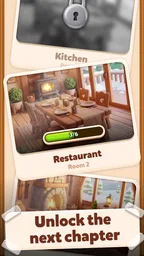
Because the game is built around progression, it is also worth noticing your own response to reward loops. If you enjoy a gentle sense of completion, the hotel theme can make finishing puzzles feel more satisfying. If you prefer to open a game, solve one board and leave with no ongoing objective, the extra goal may feel like clutter. In that case, a simple standalone word search is probably the cleaner choice.
For an everyday example, imagine having ten quiet minutes before leaving home. This is the sort of game I would consider for that gap if I wanted something calm and easy to resume later. I would not choose it for a commute where I need to watch my surroundings, or for a moment when I cannot give the letter grid enough attention. The right use case is a short, settled pause—not a substitute for an audio activity or a game that can be played without looking at the screen.
Who should give it a try
I would recommend it to casual puzzle players who like familiar word searches and appreciate having a themed goal attached. It may also appeal to people who are new to mobile word games because the basic premise is immediately understandable. The Everyone age rating makes it suitable for a broad audience, while the hotel setting gives the puzzles a softer, more welcoming tone than a competitive word challenge might.
It is less suited to players who want a highly demanding vocabulary workout, a social contest, or a game with lots of different puzzle types. I would also steer away from it if you know that purchase prompts or optional spending can make a free-to-play game uncomfortable for you. The sensible approach is to try the free game, keep any spending limits in place, and decide based on whether the basic puzzle-and-hotel loop is enjoyable on its own.
On Android, the listed minimum operating-system requirement is 7.1, and the current version is 1.48.0. The game has passed 100,000 installs, with an average rating of 5.0 from around 3,900 ratings and 287 written reviews. Those figures suggest that it has attracted an audience, but I would still use your own preferences as the deciding factor: a high average cannot tell you whether you personally enjoy repeating word-search puzzles or want the hotel theme to be more than a backdrop.
The release date is March 26, 2026, so anyone checking compatibility or looking for a recently released option may find that detail useful. More important than its age, though, is the way it asks you to spend your attention. This is a slow, visual puzzle experience, and the hotel makeover gives it a sense of continuity. It is not the right pick when you want rapid action or a challenging, varied brainteaser session.
My verdict on the hotel makeover
My overall view is positive, with a clear caveat: the hotel theme makes a familiar word-search loop more inviting, but the puzzles still need to be enough for you. I would suggest Word Search Hotel to someone who wants calm, approachable word play with a larger makeover goal in the background. I would not recommend it as a first choice for players seeking complex word mechanics or a dedicated decorating game.
If you are unsure, the most useful test is simple: try a short session and pay attention to which part you look forward to—the next letter grid or the hotel’s gradual transformation. If both appeal, the combination has a good chance of making this a pleasant little routine. If only one does, a more focused alternative in that category may be a better match. For the right player, this is a friendly way to turn spare minutes into puzzle time with a destination in mind.
What we like
- A relaxing word-search format suits short play sessions.
- Hotel themes give the puzzles a pleasant sense of progression.
- Finding words can help build vocabulary and spelling skills.
- The rules are simple for newcomers to understand.
- Puzzles offer a low-pressure alternative to fast-paced games.
What could be better
- Some puzzles may feel repetitive after extended play.
- Finding less familiar words can be frustrating.
- Progress may depend on completing many individual puzzles.
- The game may feel too easy for experienced word-search fans.
- Small screens can make letter grids harder to scan.







