Toca Boca Jr: Fun Kids Games review
 Analysis by Appsdrops
I see Toca Boca Jr: Fun Kids Games as a child-led play space rather than a game with a finish line. Its appeal is that young children can explore and make things at their own pace, without needing to chase a score or beat another player. That makes it a different kind of recommendation from a traditional educational game: it can support playful discovery, but parents should not expect a structured course with clear lessons and progress milestones.
Open-ended play, with a parent’s eye on the purchase
Made by Play Piknik, Toca Boca Jr is an educational game aimed at children from two to eight. It is free to download, with in-app purchases listed from $7.99 to $79.99 per item. That range matters more to a family’s decision than the word “free” on its own: I would check the purchase options in the app store and set expectations with a child before handing over a device. The game is rated Everyone, but that does not mean every purchase choice will suit every household.
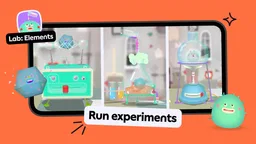
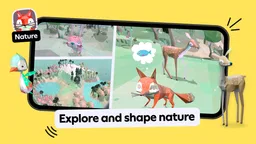
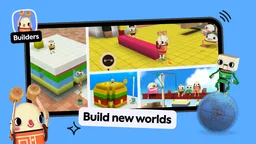
The basic idea is refreshingly low-pressure. Rather than pushing children through a conventional sequence of questions, it invites them to create, explore and play. For a preschooler who likes to tap, try things, and invent a little story around what they see, this can be more inviting than a worksheet-style app. Older children may enjoy that freedom too, though some will want clearer goals or a stronger sense of challenge.
In everyday use, I can imagine opening it during a quiet stretch at home: a child has finished a snack, a parent needs a few minutes to prepare dinner, and there is time for supervised play. The best fit is a short, flexible session where exploration is the point. I would not treat it as a substitute for outdoor play, conversation, or a planned learning activity; its strength is giving a child a digital space to play independently while an adult remains nearby.
What the free entry point means in practice
The free price lowers the barrier to trying the game, but the purchase range is wide enough that I would approach it as a family decision, not an automatic extension of play. Before a child starts, I would explain whether paid content is off limits, and make sure the device’s purchase controls match that rule. This is a practical safeguard for any child-facing app with in-app purchases, especially when children are still learning the difference between pretend play and spending real money.
I would also avoid judging value solely by the largest listed purchase. A household may be content with the free experience, while another may consider a paid option worthwhile if a child returns to the app often. The useful question is not whether the game is “worth it” in the abstract, but whether its particular play style holds your child’s attention and whether you are comfortable with the available spending choices.
The game has an average rating of 3.3 from around 1.7 million ratings, alongside roughly 64,000 written reviews. Those figures suggest a widely used app with mixed reactions, not a guaranteed hit for every child. I would use that as a reminder to try the free entry point personally before deciding whether to spend, rather than assuming popularity means it will fit your family.
Progress without a race
One of the more important trade-offs is that open-ended play can feel liberating to one child and aimless to another. If your child enjoys choosing what to do next, inventing scenarios, and revisiting familiar activities, a lack of a strict route can be a benefit. If they often ask “What do I do now?” or prefer levels, badges, and visible goals, a more structured learning game may be a better match.
I would not measure success here by how quickly a child advances. A useful way to make a session feel purposeful is to give a gentle prompt before opening the app: “Can you make up a story?” or “Show me something you discovered.” That keeps the child in control while giving a parent an easy way to connect play with language, imagination, or turn-taking. The prompt is a family routine, not a feature I would expect the app to enforce.
Another practical tip is to let the child explore first, then ask them to explain what they are doing. This can reveal whether they are genuinely engaged or simply tapping through options. It also helps a parent decide when to step in: a child who is happily narrating their choices may need little guidance, while one who is stuck may benefit from a simple suggestion rather than an adult taking over the device.
Because the experience is not framed as a race, it is easier to keep play calm than with games built around competing for scores. That can be useful during a waiting period or a quiet afternoon, when a child needs something engaging but not especially intense. Still, I would set a stopping point in advance. Open-ended play can make it harder to find a natural “level complete” moment, so a timer or a clear transition such as “one more activity, then dinner” can help.
Fairness and the absence of a leaderboard problem
For families concerned about competitive pressure, the central appeal is that this is not presented as a contest between children. There is no reason to choose it for rankings or head-to-head competition; its stated focus is individual creation and exploration. That makes fairness less about who wins and more about whether every child has a comfortable chance to engage at their own pace.
That said, fairness still has a spending dimension. A free-to-start experience with paid items can create awkward moments if one child has access to purchases and another does not, or if a child expects every visible option to be included. I would make the household rule explicit and consistent. If siblings share a device, it is worth explaining that the app may offer paid choices and that an adult decides whether any are bought.
For a classroom or group setting, I would be more cautious. A teacher or caregiver may need equal access across devices and a predictable activity for everyone, while this game’s open-ended format is better suited to individual exploration. A classroom app with a defined lesson path could be more practical when the goal is to teach the same skill to a group and check what each child has learned.
How it compares with structured learning games
Compared with letter, number, or puzzle apps that guide children through discrete tasks, Toca Boca Jr leans toward imaginative play. That is not a weakness by itself; it simply serves a different purpose. If you want a child to practise a particular skill in a clear sequence, a curriculum-led alternative may make progress easier to observe. If you want room for spontaneous play, this one is more naturally suited to that mood.
It also differs from passive video entertainment. The child is invited to make choices and interact, which gives a parent more openings to ask questions or join in. But it is still screen time, and I would not assume that every minute of tapping automatically becomes learning. The value depends on the child’s engagement and the way the family uses it: a brief shared conversation around play can make the experience more meaningful than leaving a device on as background distraction.
The audience is broad, spanning early toddlers through children approaching eight, so age alone will not predict whether it clicks. A two-year-old may need an adult close by to help navigate, while an older child may want more complexity than an open-ended play app offers. I would watch how the child responds during a trial session and judge by attention, frustration, and whether they return to play without prompting.
What I would check before relying on it
The game has been available since May 25, 2015, and its current version is 4.6.0. It requires operating system version 9 or later. It has passed the 100 million install mark, which shows broad reach, but reach does not tell me whether the experience suits a particular child or device. I would check compatibility before downloading, especially if the family is using an older device.
Some practical details that parents often want to settle—such as exactly what content is available without payment, how each purchase changes the experience, and what settings are available for a particular household—should be checked in the app and its store page before making a decision. I would not infer those specifics from the free download price or from the game’s age rating. That approach avoids promising a level of access or control that may not match what a family sees on its own device.
The same caution applies to using it as a learning tool. The educational category signals its broad purpose, but I would not treat the app as a formal teaching plan or assume that it tracks mastery of skills. If you need evidence of a child’s reading, counting, or school readiness, choose an app designed around that specific goal and use this one as a separate source of play.
Who I would recommend it to
I would suggest giving it a try if your child enjoys imaginative, self-directed play and you are comfortable setting clear boundaries around purchases and screen time. It is particularly promising for a child who likes to explore without being told there is one correct next move. The free download gives families a way to assess that fit before deciding whether any paid option makes sense.
I would skip it, or at least look elsewhere first, if you want a tightly guided educational program, a competitive game with clear achievements, or a predictable activity that teaches one specific skill. It may also be a poor choice if your child becomes upset when paid options appear, or if managing in-app purchases would create more friction than the play is worth.
Overall, I see Toca Boca Jr as a flexible play choice, not a complete learning solution. Its broad reach—over 100 million installs—shows that many families have tried it, while its 3.3 average rating is a useful reminder that open-ended design will not suit everyone. I would start with the free version, supervise the first session, and decide based on how your child actually plays. If they invent, explore, and leave the device in a good mood, it may earn a place in your family’s rotation; if they need clearer goals or become focused on purchases, a more structured alternative is likely the better fit.
What we like
- A wide range of activities gives young children plenty to explore.
- Simple touch controls are easy for little hands to use.
- Open-ended play encourages imagination without strict goals.
- Bright visuals and playful sounds keep activities engaging.
- Designed for young children with no competitive pressure.
What could be better
- Many activities require a paid subscription to access.
- Some games may feel repetitive after extended play.
- The app can take up substantial storage space.
- An internet connection may be needed for downloads and updates.
- Parents may need to manage subscription settings and purchases.







