




Coloring Games: Color & Paint review
 Analysis by Appsdrops
What I like most about Coloring Games: Color & Paint is the way it turns a simple coloring activity into a low-pressure chance for a child to explore colors and drawing. It is an educational game from RV AppStudios, but the appeal is not that it feels like a lesson. A child can sit down, choose a picture or drawing activity, and get started without needing to know much beforehand. In my view, that easy entry is its strongest practical quality: it makes creative play approachable even when a child is restless or unsure what to do.
The game is free and rated for Everyone, which makes it easy to consider for a family device or a short activity at home. It has a 4.4 average from around 122,000 ratings and has passed 100 million installs. Those figures suggest broad appeal, though they don’t tell me whether a particular child will enjoy the style. The better question is whether your child likes coloring on a screen and can stay engaged with open-ended creative play.
Why coloring is the central strength
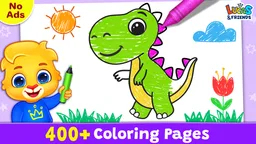
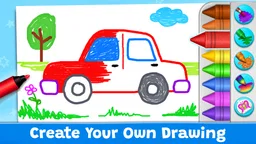
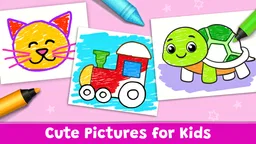
Coloring is familiar, but on a phone or tablet it has a useful advantage: a child can experiment without needing paper, crayons, or a tidy workspace. Here, coloring sits alongside painting, neon drawing, and educational games, giving the experience a broader creative feel than a single digital coloring page. I would describe it as a small activity space for making marks and exploring color, rather than a structured course with a fixed sequence of lessons.
That distinction matters when choosing an app. A child who wants a clear task and an obvious finish may appreciate having pictures to work on. A child who enjoys trying colors and drawing freely may be more interested in the drawing side. In either case, the value is in making a creative activity easy to begin. It does not require an adult to prepare materials or explain a complicated set of rules before play can start.
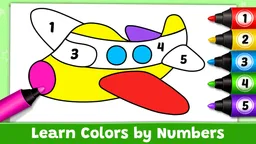
The educational angle works best when treated as an invitation to notice and talk about colors, not as a promise that the game will teach a full curriculum. I can imagine a parent asking, “Which shade do you want to use here?” or encouraging a child to compare two colors while they paint. That kind of conversation can turn a few minutes of tapping into a shared activity. The app supplies the creative prompt; a grown-up can add the richer learning moment.
What the format feels like in everyday use
A useful way to introduce it is to let the child choose one activity, then give them room to explore rather than directing every decision. If they are coloring a picture, an adult can ask them to pick a color for one part and explain their choice. If they move toward drawing, the same idea can become a quick invitation to make a pattern or picture. The point is not to judge the result; it is to keep the activity playful and manageable.
For younger children, I would sit nearby the first time and see how they respond to the on-screen controls. Even when an app is designed for kids, navigating a touch interface can be part of the challenge. A little guidance at the start can prevent frustration, especially if a child taps away from the activity or is not sure what to do next. Once they understand the basic rhythm, they may be happier exploring independently for a while.
One practical tip is to keep the first session short and specific. Rather than handing over a device with no context, suggest one small goal, such as choosing colors for a picture or making a quick drawing before a meal. This gives the child a natural stopping point and helps avoid the common problem of a creative app becoming an unplanned, open-ended screen session. It also makes it easier for a parent to tell whether this kind of play suits the child.
A realistic place for it in a family routine
I can see this working well during a quiet stretch at home: perhaps while dinner is being prepared, after homework, or when a child wants something to do indoors on a rainy afternoon. The caregiver can set up the device, suggest a coloring or drawing activity, and check in after a few minutes. It is less about occupying a child for a long block of time and more about offering a ready-made creative option without getting out supplies.
It may also be handy when carrying paper and art materials is inconvenient. A tablet can offer a familiar place to color while waiting at home or during a pause in the day. Still, I would not treat it as a substitute for every kind of art. Physical crayons let children feel pressure, texture, and the movement of a real tool across paper. Digital play has its own convenience, but children benefit from varied ways to make things.
For a parent deciding whether to install it, the key question is not simply whether the child likes art. It is whether they enjoy creating on a touchscreen. Some children are delighted by being able to change colors quickly; others prefer a sheet of paper they can hold, turn, and display. I would try the app as one option in a mix of activities, not as a replacement for hands-on drawing.
Where it differs from a basic coloring app
Compared with a straightforward digital coloring book, the combination of coloring, painting, neon drawing, and educational games gives children more than one way to approach the screen. That variety can help if a child finishes one picture and is ready for a different kind of creative activity. It also means the experience is not only about filling outlined spaces; the drawing option can appeal to children who want more freedom.
There is a tradeoff, though. A dedicated coloring app may be a better fit for a child who wants a very focused collection of pages and little else to explore. A traditional art app may suit an older child looking for more control over their tools and finished work. Coloring Games: Color & Paint occupies a more child-oriented middle ground: it presents creative activities in an accessible package, but it should not be mistaken for a professional drawing tool or a deep art-learning program.
That comparison is useful because “educational” can mean very different things in children’s apps. Here, I would look for value in the act of choosing, experimenting, and making something, rather than expecting detailed instruction or measurable progress. If your priority is formal lessons, a dedicated learning resource is likely to serve you better. If your priority is a simple creative activity with an educational flavor, this is a more natural match.
Tradeoffs parents should consider
The main limitation is that screen-based coloring cannot reproduce the sensory side of art. Children do not handle crayons, paper, or paint in the same way, and the convenience of a touchscreen may not satisfy a child who enjoys the physical process most. I would balance digital sessions with offline materials whenever possible, particularly for children who are eager to cut, fold, paint, or build as well as draw.
Another consideration is how much freedom your child wants. A child who thrives on a clear prompt may find coloring pictures inviting, while one who wants to invent everything from scratch may prefer a blank-page drawing tool. The presence of several activity styles helps broaden the appeal, but it does not guarantee that every child will find their favorite way to create. Watching what they choose is more informative than assuming the educational label makes it universally engaging.
As with any children’s app, I recommend that parents try it first and stay involved enough to understand how their child moves through it. This is especially helpful if the child is very young or tends to switch activities quickly. A shared first session can show whether the controls feel comfortable and whether the activities hold attention. It also gives you a chance to set expectations about when the device is available and when it is time to put it away.
The game is free, so it is easy to test without making a purchase decision first. I would still make the download part of a broader screen-time choice rather than treating “free” as a reason to leave a child with a device indefinitely. A short, intentional session is more likely to preserve the creative feel than letting the app become background entertainment.
Who is most likely to enjoy it
I think Coloring Games: Color & Paint is best suited to young children who enjoy choosing colors, filling pictures, or making simple digital drawings. It can also work for a caregiver who wants a low-preparation activity to share with a child. RV AppStudios has made a game that is easy to understand at a glance, and that matters when the goal is to let a child begin creating without a long explanation.
It may be less suitable for older kids who want detailed art tools, more control over how their work is made, or a structured course that teaches specific techniques. It is also not the best choice for a child who strongly prefers physical art materials. In those situations, a more advanced drawing app or a box of crayons and paper may be more satisfying. Choosing a different option does not mean this game falls short; it means the child’s preferred kind of creativity is different.
Overall, I see the game’s value in making color-based creative play easy to start and easy to fit into an ordinary day. Its mix of coloring, painting, neon drawing, and educational activities gives a child a few paths to explore, while its simple premise keeps the experience approachable. If you want a free, child-friendly screen activity to complement real-world art, I would give it a try. If you need deep instruction or a full-featured drawing studio, I would look elsewhere.
What we like
- Simple controls make coloring easy for young children.
- A wide range of pictures gives kids plenty of choices.
- Coloring can be done without artistic experience.
- The app offers a relaxing activity for quiet moments.
- Completed pictures can encourage creative expression.
What could be better
- Some pictures and features may require payment.
- Frequent ads can interrupt the coloring experience.
- The app may collect usage data or device information.
- Small screen details can be difficult to color precisely.
- Children may need help navigating menus and settings.







