





Baby Panda World-Learning Game review
 Analysis by Appsdrops
The appeal of Baby Panda World is easy to understand: it gives young children a collection of playful activities to dip into, rather than asking them to master one long game. I think that variety can make it a handy choice for a short, supervised play break, especially when a child wants to switch between games, cartoons, and songs. The trade-off is that a broad collection can feel less focused than a single activity built around one skill or story.
Getting started without turning play into a task
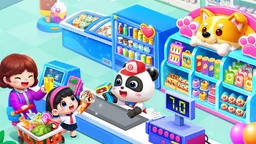
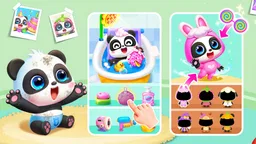
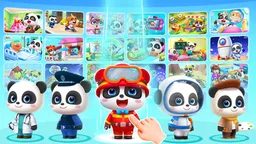
This educational game is made by BabyBus, a developer known for children’s apps. It is aimed at ages three and up, and the age rating is Everyone. The central idea is a child-friendly world with more than 200 games, cartoons, and songs, with offline play available. That range is the main reason to consider it: a parent can offer a few different kinds of entertainment in one place instead of opening a separate app for every short activity.
On first use, I would keep the setup simple. Install the game, open it with your child nearby, and spend a few minutes seeing how they move around the available choices. That small introduction matters more than handing over the device and expecting them to navigate everything alone. For a preschooler, choosing what to play may be part of the fun, but a large menu can also become the first point of friction.
If a game or video does not start as expected, I would check the basics before assuming the activity is broken: make sure the app has finished loading, confirm the device is responsive, and try leaving the activity and opening it again. For offline use, prepare the app while the device is connected, then test the specific content you intend to use before relying on it away from home. The offline option is useful, but it is still sensible to check your planned activity in advance rather than discovering a problem during a journey.
A useful first-session tip is to let the child explore a small selection, then remember which choices held their attention. That gives you a practical shortlist for later without trying to explain the whole collection at once. It also helps distinguish a genuine loading issue from a child simply changing their mind or tapping into another activity.
Why a large collection can be both a strength and a snag
The breadth is appealing when a child’s mood changes quickly. A song may suit a brief pause, while a game can occupy a longer stretch of attention. Cartoons offer another kind of screen activity, so the app is not limited to one play pattern. In my view, this variety makes Baby Panda World more flexible than a single-purpose learning game, but it can also make it harder for a parent to choose a particular activity quickly.
That is why I would treat it as a shared library, not as a curriculum that automatically guides a child through a planned sequence. If you want practice with one specific topic or a clearly structured lesson, a focused educational app may be the better fit. This collection is more suitable when you want a child to browse among playful options, with an adult nearby to help steer the choice.
Parents may also wonder whether they need an internet connection every time. The app supports offline play, which is a meaningful advantage for travel or places where connectivity is unreliable. I would still prepare beforehand: open the app and check the intended activity while online, then try it in the setting where you expect to use it. That avoids treating “offline play” as a guarantee that every possible item will be ready without any prior setup.
Making it work for a real day out
For a realistic use case, imagine waiting at a café or sitting through a long trip. I would open the app before the child gets restless, choose a suitable activity together, and keep the device ready for a short play break. The variety gives you alternatives if one kind of content does not appeal, while offline availability can help when the connection is poor. A little preparation is more reliable than trying to troubleshoot while a child is already impatient.
If an activity stalls, I would use a calm recovery routine: return to the main area, choose a different item, and see whether that one opens. If the whole app seems unresponsive, close it and reopen it, then check whether the device itself is operating normally. This is general troubleshooting rather than a promise that every issue has the same cause. Avoid repeated rapid tapping; it can make it harder to tell whether the app is responding.
Another useful approach is to make the choice part of the transition. Before putting the phone or tablet away, tell the child that they can choose one more song or game. This can make stopping less abrupt than ending a session without warning. It is not a special feature of the app, but the mix of activities makes that kind of small, clear boundary easier to use than it might be with a single game that has no natural change of pace.
For parents who want to keep screen time purposeful, I would sit with the child occasionally and ask them to describe what they are doing, rather than assuming that every activity is teaching the same thing. The educational label is a helpful starting point, but children engage with games, cartoons, and songs differently. Watching a child use the app is the best way to see whether the content suits their age, attention, and interests.
When a problem may come from outside the game
Not every delay or interruption points to Baby Panda World. A device that is low on available storage, running slowly, or struggling with another open app can affect how any game behaves. If the app repeatedly fails to open, I would first restart the device and make sure its operating system meets the game’s minimum requirement of version 7.0. The current version is 8.39.40.10, so keeping the app updated through the app store is a sensible basic check.
Connectivity can matter during setup or when preparing content for offline use. If something is unavailable, check the connection and try again later before concluding that the whole collection is inaccessible. On the other hand, if other apps and the device are working normally but this one continues to have the same problem, it may be worth closing and reopening it or checking for an update. These steps are deliberately simple: they help narrow down common causes without pretending to diagnose a specific fault.
There is also a practical purchase consideration. The game is free to download, but it includes in-app purchases ranging from $0.49 to $41.99 per item. I would look through the app’s purchase controls before handing the device to a child, and keep any buying decisions in an adult’s hands. The free entry point is convenient, but “free” does not mean every possible item or option is necessarily included at no cost.
Storage and device performance are worth considering before a long trip, too. A large collection can be attractive, but a child may not need access to every kind of activity at once. Keep the device in good working order, close apps that are clearly slowing it down, and test the game before leaving. If the device is shared, agreeing on when it is available and what the child may open can prevent interruptions that have nothing to do with the game itself.
How it compares with more focused alternatives
Compared with a single-purpose preschool learning app, Baby Panda World offers more variety in one place, including games, cartoons, and songs. That makes it a stronger choice for families looking for a flexible bundle of child-oriented entertainment. A focused alternative may be better for parents who want a narrow topic, a consistent lesson path, or less browsing between activities. Neither approach is automatically better; it depends on whether your priority is choice or structure.
It also differs from simply putting on a cartoon. A collection that includes games gives a child a chance to interact, while songs and cartoons provide more passive options. That mix can be useful when a child’s energy level changes, but it asks the parent to pay attention to what is being selected. If you want an experience that stays on one activity without repeated choices, a single game or video may be easier to manage.
The game has an average rating of 4.4 from around 461,000 ratings, and it has passed 100 million installs. Those figures suggest that it has reached many families, but they cannot tell you whether a particular child will enjoy its style or whether its variety suits your household. I would treat them as context, not as a substitute for trying a short, supervised session.
My practical verdict for families
I would recommend Baby Panda World to parents of preschoolers who want a varied, child-oriented collection for occasional play, especially if offline access could be useful. Its free download makes it easy to try, and its mixture of activity types gives you more flexibility than a narrowly focused game. The strongest results are likely when an adult helps a child choose, prepares the app before travel, and sets clear expectations about purchases and stopping.
I would skip it if your main goal is a carefully sequenced learning program, if you prefer one activity at a time, or if a broad menu is likely to overwhelm your child. In those cases, a more focused educational game may be easier to use. The game is rated for Everyone, but that does not remove the value of checking that the content and device experience feel right for your own child.
Overall, I see this as a convenient collection rather than a replacement for focused learning or shared play. The practical wins are choice and offline use; the main trade-offs are the need to guide a young user through a broad range of options and to handle in-app purchases thoughtfully. If that balance fits your family, it is a reasonable app to try for short, supervised breaks.
What we like
- Kid-friendly activities introduce basic ideas through play.
- Bright visuals make the games appealing to young children.
- Simple touch controls are easy for beginners to use.
- A range of activities can help keep play varied.
- Suitable for short play sessions with a parent nearby.
What could be better
- Some content may require an internet connection.
- In-app purchases may be available for additional content.
- Young children may need help navigating between activities.
- Frequent screen use may not suit every family's routine.
- Learning activities may feel too simple for older children.







