


Offline Games No WiFi internet review
 Analysis by Appsdrops
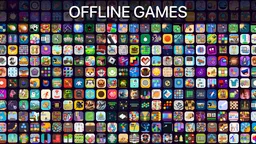
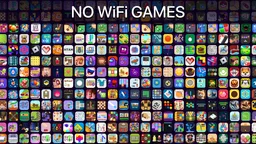
Offline Games No WiFi internet is best understood as a pocket collection rather than one game with a single long-term goal. I’d recommend it to someone who wants a quick puzzle, card, block, or arcade distraction without needing a connection. The appeal is variety and convenience: when I have a few spare minutes, I can choose a different kind of small challenge instead of committing to one large game.
That breadth also shapes the experience. This is a casual game from Fun Offline Games, and its 4.7 average across around 705,000 ratings suggests it has found a large audience. It is free to install, with optional in-app purchases, so you can try the collection before deciding whether spending anything makes sense for you. The important first step is to treat it as a bundle of short diversions, not as a deep, carefully balanced campaign.
What to expect from a collection of quick games
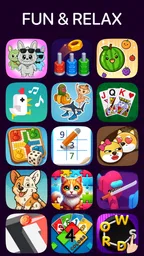
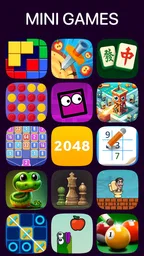
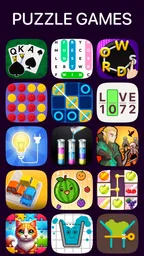
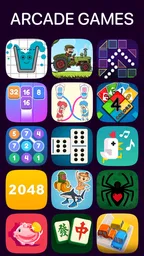
The name sets a practical expectation: this is meant for play when an internet connection is unavailable or inconvenient. Its collection brings together familiar styles—puzzles, cards, blocks, and arcade games—so the main decision is usually what sort of mental effort you want right now. A puzzle can suit a quieter moment; an arcade-style distraction may be better when you want something more immediate.
That mix is useful, but it has a trade-off. A collection can offer more choice than a single casual game, yet each individual activity may feel less substantial than a dedicated title built around one mode. If you want a deep story, competitive online matches, or a single game that rewards long-term mastery, this is probably not the right fit. I see its strength in low-pressure variety, not in replacing every game on your phone.
The simplest way to approach it is to choose one activity based on the time and attention you have. For a short wait, pick something whose basic rules you already know. When you have longer, try a different style and see whether it holds your interest. This small habit prevents the collection’s breadth from becoming a distraction in itself.
It is also worth knowing that “offline” describes the central use case, not a promise that every surrounding app function must work without a connection. I would install it while connected, open it once, and check that the games I want are available before relying on it during travel. That is a sensible preparation step for any offline-first entertainment app, especially if you plan to use it somewhere with unreliable reception.
Getting started without overthinking the choice
After installing, I would begin by opening the game and browsing the available activities rather than trying to decide in advance which one is “best.” The collection is most useful when you match the activity to your mood. If you are tired, a familiar card or puzzle format may be easier to settle into than an arcade challenge that asks for quick reactions.
For a first session, set yourself a small goal: complete one round, solve one puzzle, or simply learn the controls of one activity. That gives you a clear stopping point and a fair sense of whether the style suits you. It also avoids a common trap with collections: hopping through every option for a few seconds, then leaving without finding anything enjoyable.
I would not treat the first game you open as a verdict on the whole app. A collection lives or falls by the fit between a particular mode and a particular moment. If one activity feels too demanding, switch to a different type rather than assuming the entire app is unsuitable. Conversely, if you find a mode you like, spend a little time with it before moving on; familiarity often makes a casual game more satisfying.
One useful first-session workflow is to notice which games feel comfortable one-handed and which need more focused attention. That distinction matters when you are playing on a bus, waiting in a queue, or relaxing at home. I would save the more attention-demanding option for a stable setting and keep an easier choice in mind for interruptions. This is not about chasing a score; it is about making the collection fit real gaps in your day.
Finding a first satisfying win
The first meaningful success does not need to be a high score. It can simply be understanding a game’s basic rhythm and completing a round without feeling lost. Start with a familiar format, read or observe the on-screen instructions, and make one deliberate attempt. If you finish a session knowing what you would do differently next time, you have already learned enough to decide whether that activity is worth returning to.
For example, imagine you have a few minutes before an appointment and do not want to scroll through social feeds. Open the collection, choose a puzzle or card activity that looks familiar, and play until you reach a natural pause. If you are called away, the session has still served its purpose; you have used a brief interval without needing to coordinate with other players or follow a long storyline.
A second practical use is keeping a small selection in mind for different situations. A calm puzzle can be your choice when you want to concentrate, while an arcade-style game can suit a moment when you want quicker input. The point is not that every mode will fit every setting, but that having alternatives reduces the chance of being stuck with a game that feels wrong for your energy level.
For travel, test your preferred activities before you lose reception. Open them while connected, make sure you understand how to start, then try again with your connection unavailable if you want reassurance. That simple check is more useful than assuming that an app’s offline focus means every screen behaves identically in every circumstance. It helps you avoid discovering a confusing first step when you are already bored and disconnected.
Common points of confusion and practical trade-offs
The first confusion is expecting a single, unified game progression. Because this is a collection, your enjoyment may depend more on selecting the right activity than on advancing through one central campaign. If you prefer a clear story, persistent character growth, or a focused skill ladder, a dedicated game is likely to provide a more coherent experience.
Another point to keep in mind is that free to install does not mean every optional purchase is part of the basic experience. In-app purchases range from $0.99 to $5.49 per item. I would first try the activities that interest you and decide whether the free experience is enough before considering a purchase. If you are setting the game up for a child, it is sensible to discuss purchases and device settings in advance rather than relying on the word “free” to settle that question.
The game is rated Everyone 10+, which makes the intended age guidance worth checking if a younger child will use the device. That rating is not a substitute for deciding whether the particular activities suit the person playing. I would take a moment to look through the collection together, especially if you want to avoid an activity that feels too fast, too difficult, or simply uninteresting to them.
There is also a real choice between this kind of bundle and installing separate casual games. A single-purpose puzzle app can be a better fit if you want a polished routine around one mechanic and do not want to browse. A card game made for online opponents is a better choice if playing with other people is the main attraction. This collection makes more sense when your priority is having several offline-friendly styles available in one place.
Because there are many possible activities, a little restraint can improve the experience. Rather than opening everything at once, pick two or three styles that suit your usual situations and return to them. This is a practical way to make the app feel like a dependable fallback instead of an endless menu. If none of those choices holds your attention after a fair try, that is a good sign that a focused alternative will suit you better.
Who will enjoy it, and who should look elsewhere
I think it is particularly suited to people who want low-stakes entertainment during short breaks, need something to do away from reliable internet, or like switching between familiar casual formats. It can also be handy for someone who does not want to maintain a separate app for every small diversion. The collection’s value is in having options ready for different moods, not in asking you to become an expert at all of them.
I would steer away from it if your ideal game depends on online competition, social features, a continuous narrative, or a highly developed version of one specific puzzle or card format. Likewise, players who dislike browsing through a selection may prefer to install one carefully chosen title. This is an honest limitation of the bundle approach: variety is convenient, but it can mean no individual option becomes the perfect fit.
The game has been available since August 1, 2020, and its current version is 3.59. It has more than 100 million installs, which helps explain why it is an established option in casual play, though popularity alone does not guarantee that its particular mix will suit you. I would make the decision based on your habits: if you often want a quick offline distraction, trying it is reasonable; if you already have a favorite game that meets that need, there may be little reason to switch.
My recommendation after a first session
My advice is to install Offline Games No WiFi internet when you want a flexible backup for quiet moments, then test it in the situation where you expect to use it. Choose one familiar activity, complete a short session, and check that your preferred option is ready before going offline. That is a concrete, low-effort way to find out whether this collection earns a place on your phone.
With a free download and a broad casual focus, it is easy to sample, but I would keep expectations measured: it is a handy shelf of small games rather than one standout experience. Fun Offline Games has made a practical choice for people who value variety and connection-free play. If that describes you, I would give it a try; if you want depth, online company, or a single finely tuned game, choose a more specialized alternative instead.
For me, the best reason to keep it is simple: when a spare moment appears, I can pick a style that matches it without making a bigger commitment. The best way to get a good first impression is to choose one activity, learn its rhythm, and see whether you naturally want another round. If you do, the collection is doing its job; if not, you have learned quickly that a different kind of game is a better use of your time.
What we like
- Works without an internet connection once installed.
- Offers several games in one app.
- Useful for travel or places with poor connectivity.
- Lets players switch between different game styles.
- Can provide entertainment without mobile data use.
What could be better
- Some games may feel repetitive over time.
- The app may include advertisements.
- Game variety may be limited compared with online titles.
- Some features may require an internet connection.
- Performance can vary across older devices.







