


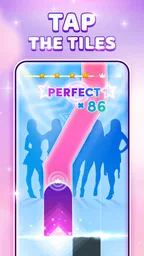
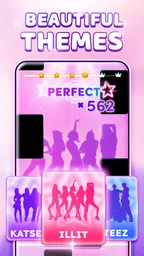
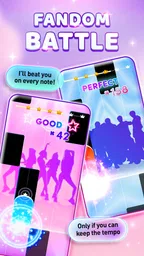

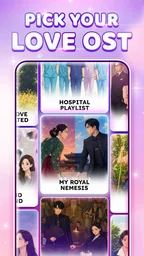

Kpop Piano Beats - Music Game review
 Analysis by Appsdrops
Kpop Piano Beats is best approached as a quick rhythm game, not as a piano lesson or a deep music library. I like the simple appeal: follow the notes on screen, keep time, and try to improve your score. Its K-pop focus gives that familiar tapping format a more specific identity, while the straightforward play style makes it easy to pick up for a short break. The trade-off is that players looking for musical freedom, detailed instruction, or a carefully controlled song collection may want something else.
What the rhythm-first format gets right
The central pleasure is the link between listening and reacting. Rather than asking me to learn keyboard technique, the game turns a piece of music into a sequence of taps. That makes it approachable even if I have never played an instrument, and it gives experienced rhythm-game players an immediate, familiar challenge: stay attentive, follow the pattern, and avoid letting the beat get away from you.
That distinction matters. A piano-learning app usually rewards slow practice, accuracy, and gradual understanding of notes. This game is aimed at keeping a playable rhythm and collecting score. I would choose it when I want an active, music-themed distraction, not when I want to learn to read sheet music or build skills I can transfer directly to a real keyboard.
The K-pop emphasis also gives the experience a clearer mood than a general-purpose piano tapper. If that style is already part of your listening habits, the theme can make a familiar mechanic feel more inviting. If you are indifferent to K-pop, the core tapping idea may still work, but the theme is less likely to be a reason to return.
In an ordinary day, I can imagine opening it while waiting for a friend or taking a short break between tasks. It suits a moment when I have enough attention to follow a beat but do not want to commit to a long session. Because the play premise is easy to grasp, it is also the kind of game I could hand to someone who enjoys music games but does not want a tutorial-heavy start.
Why a simple game can still reward attention
Tap games are easy to underestimate: the controls may be simple, but keeping a steady rhythm while watching the screen takes concentration. My practical advice is to begin with a relaxed grip and focus on the timing rather than trying to tap as fast as possible. That is a useful distinction in any rhythm game, and it helps prevent frantic inputs from becoming the main event.
Another useful habit is to treat a score as feedback, not as a verdict on musical ability. A missed sequence may reflect a momentary lapse in focus or unfamiliarity with a pattern; it does not mean the player has a poor sense of music. If I were trying to improve, I would replay with one small goal in mind—such as staying composed through a tricky passage—instead of chasing a perfect run immediately.
The game’s broad reach is notable: it has more than ten million installs and an average rating of 4.7 from around 494,000 ratings. Those figures suggest that the accessible rhythm-game idea has found a substantial audience, though popularity alone does not tell me whether its style will suit an individual player. The more useful question is whether you enjoy reacting to music through taps rather than choosing songs to play freely.
It is made by Sonata Studio: Piano Rhythm, and the current version is 5.10.0. The game is free to download, with optional in-app purchases priced from $0.99 to $2.99 per item. That means it is reasonable to try without paying upfront, but I would still approach purchases deliberately: decide whether the free experience is enjoyable before spending, and do not assume a purchase is necessary to get the basic idea of the game.
Where expectations need to stay realistic
The biggest limitation is built into the format: tapping along is not the same as playing a piano. The game can offer a musical challenge, but anyone hoping to practise chords, learn note names, or develop two-handed keyboard technique should look for an instrument-learning app instead. That is not a flaw in a rhythm game; it is simply a different purpose, and the difference is important before downloading.
There is also a ceiling to how much variety this kind of interaction can provide. When the main activity is following notes and pursuing a score, players who tire quickly of repeating a familiar action may find the experience less compelling over time. I would not recommend it as a substitute for a broad music game collection or for someone who needs a deep creative tool. Its strength is immediacy, and that strength can become a limitation if you want more modes of expression.
Another point to consider is that a score-focused session can make the screen feel more important than the music. If I am playing casually, I can enjoy the rhythm and let a less-than-perfect result go. If I am trying to maximise a score, I may become so focused on the next tap that I stop listening closely. Players who want music to remain a background pleasure may prefer a playlist; players who like active concentration are more likely to enjoy this setup.
The app is rated Everyone 10+, so it is not presented as an all-ages title for the very youngest children. Parents choosing a music game should consider that age guidance alongside the child’s comfort with fast visual interaction and optional in-app purchases. The free starting point helps make a trial possible, but it is still sensible to use the device’s purchase controls if a child will play unsupervised.
Who will get the most from it
I would recommend it first to K-pop listeners who enjoy turning music into a small test of timing. It also makes sense for casual rhythm-game fans who want something direct rather than a game built around a complicated progression system. If your ideal session is a few focused attempts, a score to beat, and a quick return to whatever you were doing, this is a natural fit.
It is less suitable for players who want to select music as a passive listening experience, build a personal playlist, or practise an actual instrument. It may also be a poor match if you dislike tapping games or find rapid screen-based reactions tiring. In those cases, a music player, a music-making app, or a piano tutor will answer the need more directly than another score-chasing game.
Compared with the usual alternatives in the music-game category, this sits on the accessible end of the spectrum. A more elaborate rhythm title may offer a wider range of input styles or a more demanding learning curve, while a piano simulator focuses on the feeling of playing keys. This game’s appeal is narrower and clearer: it makes a K-pop-themed rhythm challenge easy to start. I see that focus as a plus for the right person, not proof that it is the best choice for every music fan.
On Android, the stated minimum operating-system requirement is version 7.0, which gives the game a broad device baseline. The important practical question is less about technical sophistication than whether you enjoy playing by watching and reacting. If you are uncertain, trying the free version is a sensible way to judge the timing and overall feel before deciding whether to keep it or spend on an optional item.
A clear recommendation, with one condition
Kpop Piano Beats works best when I accept it for what it is: a compact, K-pop-oriented rhythm game built around attentive tapping and score chasing. It does not need to be a piano course or a complete music platform to be worthwhile. Its accessible premise, sizeable audience, and free entry make it an easy option to test if the theme and play style already appeal to you.
My recommendation is strongest for people who want brief, active sessions and enjoy matching their attention to a musical beat. I would skip it if I wanted genuine keyboard practice, a more varied creative experience, or music that asks nothing of me. For the right player, the simplicity is the point; for everyone else, it may feel like a small idea stretched across more play than they want. That makes it an easy game to try, but one worth choosing for its specific rhythm-game appeal rather than its piano label alone.
What we like
- Simple tap controls make it easy for newcomers to start playing.
- Short songs suit quick sessions during breaks.
- Rhythm challenges can help sharpen timing and focus.
- The piano-style gameplay gives familiar tracks a fresh feel.
- Progressive difficulty offers a reason to keep practicing.
What could be better
- Fast note sequences may feel demanding for beginners.
- Missed taps can interrupt a song and frustrate players.
- Repeated tracks may make long sessions feel less varied.
- Precision can be harder on smaller phone screens.
- Some features may require an internet connection.







