






Piano Game: Classic Music Song review
 Analysis by Appsdrops
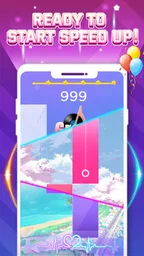
I can see the appeal of Piano Game: Classic Music Song in a shared household: it offers a quick music-themed game that someone can pick up for a short break, then hand over to the next person. I’d treat it as a casual rhythm diversion rather than a piano lesson. Its central attraction is the challenge of matching a musical sequence with timely taps, so the fun comes from attention and rhythm, not from learning how to play an instrument.
Good for a quick turn, not a shared account
On a family tablet or a phone passed between friends, this kind of game works best when each person takes a brief turn and the group agrees on whose turn it is. That simple arrangement matters: a shared device can make a game feel communal, but it does not automatically mean that progress, preferences, or purchases are separated by player. I would avoid assuming that every person gets an independent profile. If separate progress matters, check how the game behaves on the actual device before making it part of a regular household routine.
The practical shared-use advantage is that the activity is easy to understand from watching someone else play. A person can see the rhythm challenge, try a round, and decide quickly whether it suits them. That makes it easier to introduce than a game with a long tutorial or complicated controls. It also means turns can stay informal: one person plays while others listen or watch, then the device changes hands.
There is a trade-off, though. Rhythm challenges are personal in a way that a turn-based board game is not. A player who wants uninterrupted practice may find it frustrating if someone else is waiting to use the device, while a person who prefers quiet activities may not enjoy the musical focus. I’d agree on a sensible turn length before passing the phone around, especially if several people are taking part.
Set expectations before handing over the device
The game is free to download, with in-app purchases listed at $0.99 to $3.99 per item. In a shared-device setting, I would explain that distinction before a child or guest starts playing: free access does not mean every optional purchase is free. Keep purchases under the device owner’s supervision and use the device’s own purchase safeguards where appropriate. That is useful household housekeeping, not a claim that the game includes special family controls.
For the same reason, decide whose device account is being used. A shared phone can blur the line between one person’s game activity and another person’s, particularly when the device itself is already signed in to someone’s app-store account. I would not let younger players make purchase decisions on a device that belongs to another household member. A quick conversation about asking first can prevent awkward surprises later.
If you are setting the game up for a child, I’d also make the first session a supervised one. That gives you a chance to see how the game feels in practice, how it fits into your device rules, and whether its music-focused play is a good match. The age label is Everyone, but that does not replace a parent’s judgment about screen time, sound, or the way a shared device is used.
Taking turns without turning it into a contest
One useful way to coordinate play is to treat each turn as a short challenge rather than a demand to beat someone else’s result. In my experience, this keeps the mood friendly when one player has quicker reactions or more familiarity with rhythm games. Let each person try at their own pace, and make the goal enjoying the pattern rather than proving who is best.
It also helps to choose a moment when the player can focus. A rhythm game is a poor fit for a distracted queue, a noisy conversation, or a situation where someone needs to keep listening for their name. If a player keeps missing cues because attention is split, that is not necessarily a sign that the game is too difficult; the setting may simply be wrong for this kind of play. I’d save it for a short break when the player can give the screen and sound their attention.
For a household with different tastes, make the handoff optional. One person may enjoy the timing challenge, while another would rather listen to music without needing to tap along. The game’s musical framing is a reason to try it, not a guarantee that every music fan will like it. A rhythm game asks for active responses; a streaming playlist or a conventional music app is a better choice when the goal is simply to hear songs.
What kind of music game experience to expect
Dream Tiles Piano Game Studio is the developer, and the game sits in the music category. Its premise is approachable: respond to music through a piano-themed rhythm game. That makes it easy to understand, but it should not be confused with a keyboard simulator or structured instrument course. I would not choose it to learn note reading, build technique, or practice a real piano piece. For those goals, a dedicated teaching app or a physical keyboard with lessons would be a more suitable option.
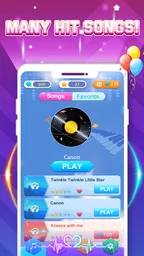
Compared with other casual rhythm games, its piano identity gives the experience a clear musical theme, while the basic appeal remains familiar: listen, react, and try to keep up. That simplicity is a strength when I want something immediate, but it may also limit the appeal for players seeking deep customization, a music-making sandbox, or a long-form progression system. I would approach it as a lightweight game for spare moments, not as a substitute for a broader music library or a serious rhythm-game setup.
A practical tip for shared play is to use headphones when the household needs quiet, provided that the player can still hear people who need their attention. If headphones are not appropriate, keep the volume considerate and take turns somewhere that the music will not interrupt others. That small bit of planning can matter more than the game itself in a busy home, where one person’s quick session can otherwise become everyone else’s background noise.
Age context and a sensible first session
The game is rated Everyone, which makes it broadly accessible by age classification. I’d still think about the individual child and the household context. A younger player may need help understanding that the game is an activity with a stopping point, while an older player may simply want a quick reaction challenge. The rating is a useful starting point, not a promise that every child will respond to the same content or play habits in the same way.
My first-session routine would be straightforward: let the player try it while an adult is nearby, check whether the musical pace feels enjoyable rather than stressful, and make clear that purchases require permission. If the game is being used on a family device, agree whether everyone shares that device’s game activity or whether it is reserved for one person. These boundaries are especially helpful when a child borrows a parent’s phone, because the device may contain accounts and settings that were not intended for independent use.
It is also worth considering whether the player likes repeated timing challenges. Someone who enjoys improving through practice may find the format satisfying, while someone who wants to explore songs freely may feel constrained by having to respond to the game. I would not push it as a family activity if only one person is interested; taking turns should feel like an invitation, not an obligation.
Popularity, cost, and what they mean for a household
Piano Game: Classic Music Song has a 4.0 average from around 329,000 ratings, with more than 2,600 written reviews and over 100 million installs. That scale suggests it has reached a broad audience, but popularity alone does not tell me whether its rhythm style will suit a particular player. I’d use it as a reason to give the game a fair try, not as proof that everyone in the family will enjoy it.
It was released on March 26, 2020, and the current version is 3.3.6. The listed minimum operating-system requirement is Android 6.0. Before installing on an older device, I’d check that the device meets that requirement and has enough room for another game. The game is free to install, but the listed optional purchases are another reason to establish household rules before handing the device to someone else.
Because it is designed as a game rather than an instrument tutor, it makes the most sense when the goal is a little interactive entertainment. If someone in the home is already committed to learning piano, I’d pair that ambition with lessons or a practice tool instead of expecting this game to teach musical fundamentals. If the goal is a low-commitment rhythm activity, however, the piano theme and immediate play style are a more natural match.
My household verdict
I’d recommend Piano Game: Classic Music Song for households that want a simple music-based game to try in short, supervised turns. It is especially suitable for someone who enjoys reacting to rhythm and does not need a deep lesson plan or a complex game structure. Its free entry point makes it easy to test, while the in-app purchase range means it is worth setting a clear ask-before-buying rule.
I would skip it for a household looking for separate player accounts, a guaranteed shared-progress setup, formal piano instruction, or passive music listening. I would also avoid presenting it as a universal family game: different ages and personalities can respond very differently to timing-focused play. For a shared phone, agree on turns, keep purchases with the device owner, and give each player room to decide whether the rhythm challenge is actually fun for them. With those expectations, it can be a pleasant, compact diversion rather than a source of household friction.
What we like
- Simple touch controls make notes easy to follow.
- Short songs suit quick play sessions.
- The format can help improve timing and finger coordination.
- A wide song selection offers variety.
- Offline play is useful when internet access is unavailable.
What could be better
- Some songs or features may require in-app purchases.
- Frequent ads can interrupt play.
- Fast note sequences may frustrate beginners.
- Touchscreen controls may feel imprecise on smaller phones.
- The game may request permissions that are not needed for basic play.







