


Piano Star review
 Analysis by Appsdrops
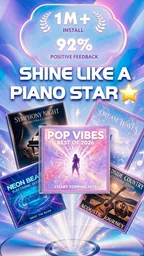
I like rhythm games that make me feel involved in the music rather than simply listening to it, and Piano Star is built around that idea. It turns familiar pop and classic songs into a piano-themed game, inviting me to follow the music and tap along. The appeal is easy to grasp: songs provide the focus, while timing gives each play session a hands-on rhythm. Piano Star makes playing along with music its central draw, which gives it a clear identity in the music-game category.
Playing along is the main attraction
The store’s invitation to “Be a Magic Pianist” captures the game’s mood: this is a casual music experience with a piano-inspired presentation, not a piano lesson. I’d come to it for a light, song-led challenge and the satisfaction of keeping pace, rather than for detailed musical instruction. That distinction matters. Someone hoping to learn sheet music or proper piano technique should look elsewhere; someone who wants to engage with pop and classic songs through a game has a more suitable reason to try it.
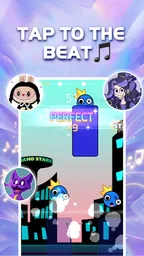
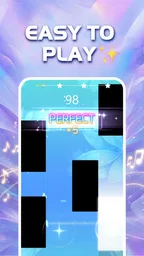
In practice, the core idea is straightforward. Music gives the session its shape, and the player’s attention is on responding to what is happening on screen in time with the song. That focus can make even a short session feel active: instead of letting a track play in the background, I’m listening for the rhythm and concentrating on my next move. The familiar piano framing helps keep the experience approachable, even if a player has never touched a keyboard.
The strongest part of the concept is how directly it connects the music to the player’s attention. A rhythm game works best when listening and responding feel like parts of the same activity. Piano Star’s pitch is easy to understand from the outset, so there is little need to learn a complicated premise before deciding whether it suits your taste. If you enjoy music-led mobile games, the basic appeal is apparent right away.
What the rhythm-game format feels like
I see Piano Star as a game for quick bursts of concentration. A song provides a natural beginning and end, which makes the format easy to fit into a spare moment. The challenge is less about settling in for a long, elaborate session and more about tuning in, following the beat, and seeing how well I can stay engaged with the track. That makes the music itself a big part of the experience: songs I enjoy are more likely to make me want another round.
The piano theme also gives the game a recognizable musical identity. It suggests an instrument without asking players to arrive with instrumental experience. That can be welcoming for casual players who like the idea of making music but would rather begin with taps than lessons. At the same time, the distinction between playing a rhythm game and learning piano is worth keeping in mind. Piano Star is aimed at entertainment and musical interaction, not at replacing a teacher or a practice routine.
There is a small but meaningful change in how I listen when the game asks me to participate. I’m no longer paying attention only to a song’s melody or mood; I’m also alert to its timing. That active listening is the feature’s real effect in use. It gives the familiar idea of listening to music a playful objective, and it can make a casual session feel more involving than simply opening a playlist.
A natural fit for short sessions
The game’s clearest best-case scenario is a quick break when I want something musical that still holds my attention. It can also suit someone who enjoys rhythm games but wants a piano-centered theme, or a casual player who is curious about tapping along to songs without making a serious commitment to learning an instrument. Because the premise is easy to explain, it is also the kind of game I could recommend to a friend who wants a straightforward music game rather than a deep simulation.
It may be especially appealing if you already enjoy both pop and classic music. The store describes the song focus in those broad terms, giving the game a wider musical starting point than a concept tied to just one style. Still, personal taste will shape how much the format clicks. When the songs themselves are a major reason to play, the experience naturally depends on whether the available musical selection feels enjoyable to you.
For a relaxed moment, I’d approach it with a simple expectation: listen, respond, and enjoy the rhythm. If I wanted a long-form game with a complex story or a realistic instrument simulator, this would not be my first pick. Its appeal lies in the direct connection between music and play, not in trying to do everything a music app or piano-learning tool might do.
Where the tradeoffs show
The same focused design that makes Piano Star easy to understand also sets its limits. Players who want extensive musical controls, a realistic keyboard experience, or structured instruction may find a song-based rhythm game too light. It offers a way to interact with music, but that is not the same as building piano skills. I would treat it as a game first and a musical diversion second, rather than expecting it to serve as a serious learning resource.
Its dependence on songs is another natural consideration. A music game can feel engaging when its tracks suit the player, but less compelling when they do not. The pop-and-classic framing provides a broad direction, not a guarantee that every player will connect with every song. If your enjoyment of rhythm games depends heavily on a particular artist, genre, or carefully curated playlist, it makes sense to approach the game with that preference in mind.
There is also the usual distinction between a free download and optional purchases. Piano Star is free to play, with in-app purchases priced from $0.99 to $19.99 per item. That gives players a way to start without an upfront purchase, while making it sensible to check purchase choices before spending. I would not treat optional purchases as necessary to appreciate the central idea; the key question is whether the music-and-timing format is enjoyable to you.
The game is rated Everyone 10+, and its broad music-game premise makes it approachable for many casual players, though families should still use their own judgment about age suitability and purchases. Its developer is TINYMAX HONGKONG LIMITED. On the app market, it has an average rating of 4.3 from around 172,000 ratings, with about 3,400 written reviews. Those figures suggest that it has attracted a large audience, but the right test for an individual player is still whether the songs and rhythm-based interaction feel fun.
Who will enjoy it most?
I’d point Piano Star toward people who want a light, music-centered mobile game and like the idea of tapping along to pop and classic songs. It should also make sense for players who are curious about piano-themed games but are not looking for a lesson app. The game’s central concept is direct enough for newcomers, while the rhythm focus gives music fans a reason to pay attention rather than simply watch or listen.
It is less suited to someone seeking technical piano practice, deep control over an instrument, or a game whose main attraction is a substantial narrative. Those expectations would pull in a different direction. But if you are after a simple way to make listening feel interactive, the format has a clear purpose. It puts the song at the center and asks you to participate, which is an appealing combination for a casual session.
The game is free and has surpassed 100 million installs, a sign of its broad reach in the mobile music-game space. It was released on April 17, 2022, and version 1.8.52 is the current version. It requires Android 7.0 or later. These details make it easy to assess whether it fits your device and expectations, while the most important deciding factor remains personal: do you enjoy following music and responding to its rhythm?
My take after weighing the idea
Piano Star is at its best when you want a song to become something you actively follow. Its piano-inspired, pop-and-classic focus gives the game a simple hook, and the rhythm format makes that hook easy to understand. I like the way the concept turns listening into a small test of focus without presenting itself as a substitute for real piano study. That makes it a natural pick for casual players who want their music game to feel immediate and approachable.
The tradeoff is that its narrow focus will not satisfy every kind of music fan. If you want instrument training or a more elaborate game, you may want a different experience. But if your goal is to enjoy a familiar musical setting while staying engaged with the beat, Piano Star is an easy one to consider. For me, that clear, music-first purpose is its strongest reason to give it a try.
What we like
- Simple tap controls are easy to learn.
- Short songs suit quick play sessions.
- A broad song selection offers variety.
- Unlockable content gives players goals to pursue.
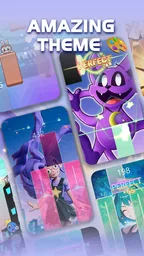
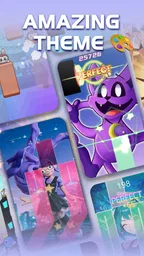
- Bright visuals make the interface easy to follow.
What could be better
- Some songs may require progress or payment to unlock.
- Fast sections can be difficult for beginners.
- Ads may interrupt play between songs.
- Touch timing can feel imprecise on some devices.
- Repeated play can make the levels feel predictable.







