


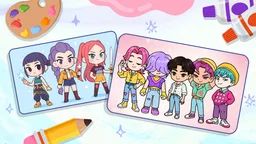
Idol Draw: Coloring Master review
 Analysis by Appsdrops
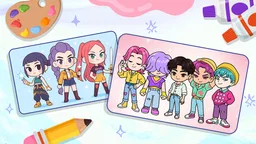
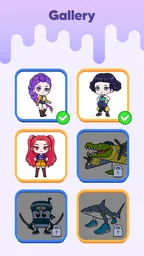
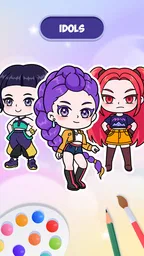
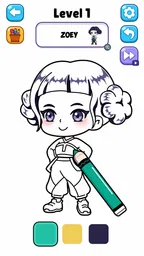
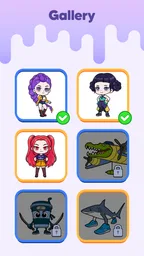
I approached Idol Draw: Coloring Master as a small creative game for the moments when I want to make something without learning a complicated art tool. Its central idea is easy to grasp: work with a picture, draw and add color, then enjoy the finished image. That makes it appealing as a casual pastime, though it is best judged as a light, guided art activity rather than a full drawing studio.
What the drawing-and-coloring loop is good for
The pleasure here is in turning a simple picture into a finished piece without facing a blank canvas. I find that distinction important. If you enjoy coloring but hesitate when asked to invent a subject from scratch, Idol Draw offers a more approachable starting point: the picture gives your attention somewhere to go, while your choices about color and drawing make the result feel like your own.
That structure fits short breaks particularly well. You can imagine opening it while waiting for a meal, winding down after work, or keeping a younger family member occupied for a little while. A guided image is less demanding than a traditional drawing app, where choosing a canvas, tools, and subject can become the whole task before you make a mark. Here, the creative decision is narrower and more immediate: how do I want this picture to look?
There is a useful trade-off in that simplicity. It lowers the barrier to starting, but it may also limit the sense of authorship for someone who wants to design original characters or control every detail of a composition. I would choose it when I want a relaxed coloring session, not when I need a flexible illustration workspace or a serious way to practice drawing fundamentals.
A manageable creative break, not an art course
Because the activity begins with pictures rather than an empty page, the game can help make color decisions feel less intimidating. A practical way to get more out of a session is to pick a small visual idea before you begin: keep the image mostly within one color family, or use one brighter color as a focal point. That gives the coloring a little intention without turning a casual game into homework.
I also recommend pausing before filling every area with the first color that comes to mind. Looking over the whole picture first can help you make the finished image feel more considered. This is a general approach to working with a guided coloring picture, not a claim about a special tool or hidden feature. The value is in slowing down enough to make a few choices rather than tapping through automatically.
That distinction helps set expectations for children and adults alike. The game is rated Everyone, and its relaxed premise is easy to explain to a child: make an image look the way you like. For a parent, it may be a handy shared activity, especially if you take turns choosing colors or describing what the picture might represent. I would still treat it as entertainment rather than assume it teaches formal art skills.
Who may want a different kind of game
If your favorite part of a creative game is collecting elaborate tools, constructing a scene from nothing, or polishing an image with precise editing controls, this may not be the right fit. The experience is built around drawing and coloring pictures, so its appeal depends on enjoying that guided format. A conventional digital painting app is a better choice for freeform work; a puzzle or action game is a better choice if you want rules, challenge, or a strong sense of competition.
It may also be less satisfying if you need a very specific answer about how much content is available or how long the activity stays fresh. I would make the decision based on the basic loop you can expect, rather than on an assumption that a large variety of pictures, unlocks, or modes is guaranteed. If guided coloring itself sounds fun, that is a sensible reason to try it. If you need extensive creative control, look elsewhere.
Spending, progression, and whether the experience feels fair
The game is free to install, which makes trying its basic idea an easy decision. That fact alone does not tell me how every optional purchase works, so I would not treat “free” as a promise that every part of play is free of spending prompts. Before buying anything in a game, I recommend checking the purchase screen carefully and making sure the amount and item are clear. For a child using a shared device, it is sensible to review the device’s purchase controls with them.
For me, the best way to approach the experience is without assuming that progress must be optimized. Coloring is most enjoyable when the result is the point, not when every choice feels like a race toward a reward. If the game presents a picture or task, take a moment to decide whether you want to finish it neatly or experiment with an unusual palette. That small change in mindset can make a simple activity feel more personal.
The developer is JUMBO GAMES Studio, and the game sits in the casual category. It has a 4.6 average from around 5,700 ratings, with more than 10 million installs. Those figures suggest that many people have tried it and that the basic concept has broad appeal, but they cannot tell you whether its particular style will suit your taste. I would give more weight to whether you enjoy guided coloring than to popularity alone.
Pressure and progress: keep your own pace
A coloring game can feel calming when it lets you focus on the picture at your own speed, but any sense of pressure depends on how its actual tasks and prompts are presented. I would avoid treating completion as a test of artistic ability. There is no need to chase a perfect result: a bold, unconventional set of colors can be more enjoyable than trying to make every image look realistic.
One practical use case is a short evening reset. Choose a picture, settle on a palette of a few colors, and stop when you have had enough rather than forcing yourself to finish a session. This works especially well for someone who likes a clear, finite creative activity but does not want to commit to a long project. It is less suited to a player who wants a demanding progression system or competition to provide motivation.
I would also be cautious about comparing finished pictures with other people’s work if that makes the activity feel like a performance. The core promise is personal making, not proof that one player is more talented. Without a need to rank the result, the game is easier to enjoy as a low-stakes creative break.
Fairness, purchases, and the limits of what can be judged
There is no competitive format established by the facts available about the game, so I cannot responsibly call it fair or unfair in relation to opponents, rankings, or matchmaking. For a picture-coloring activity, the more relevant question is whether you can enjoy making art without feeling pushed to spend. The free price makes it accessible to try, but it does not settle how optional purchases are presented during play.
My advice is straightforward: treat any purchase as optional until you have read its terms on the device, and do not buy something just to avoid feeling behind. If a prompt appears, take a moment to understand what it offers. That is a useful habit for any free game, particularly when children may be playing. I would not infer a pay-to-win problem here, because a competitive advantage has not been established; equally, I would not promise that the game contains no purchase prompts.
The distinction matters for choosing the right audience. Someone looking for a no-pressure coloring pastime may be content with the free experience, while someone who dislikes in-app purchase prompts in any form should check the app’s purchase settings before handing over a device. That is a more reliable approach than assuming that a free download necessarily means a completely purchase-free experience.
Version, device fit, and a sensible first try
The current version is 0.21, and the listed minimum operating system is Android 9. If you are considering installing it on an older device, check the app store’s compatibility information for that specific device before planning a session. A minimum system requirement is a practical starting point, but it is not a guarantee of how smoothly every phone or tablet will run the game.
The game was released on November 18, 2025. Since apps can change over time, I would use the version shown on your own app store when making an install decision. That is especially useful if you are comparing what you see with a friend’s experience: two people may not be looking at the same build. I would not assume a specific feature or purchase arrangement from the version number alone.
For a first try, I would keep the goal modest: see whether the act of coloring a provided picture feels satisfying to you. If it does, it may become an easy option for brief downtime. If you immediately wish you could draw an entirely new scene, control every brush detail, or work on a longer project, that reaction is a helpful sign that a dedicated art app will serve you better.
My verdict for the right kind of player
Idol Draw: Coloring Master makes sense for people who want an approachable, picture-led creative activity rather than a demanding game or a professional art tool. Its strongest appeal is the low-friction idea of adding your own touch to an image. I would recommend trying it if you enjoy coloring, want a casual way to pass a short break, or are looking for a simple creative activity to share with a child.
I would skip it if your priority is freeform illustration, a deep skill-building system, or clear competitive goals. The free install is an inviting starting point, while spending questions are best handled by checking purchase prompts directly rather than guessing. My overall view is positive but specific: this is worth considering for relaxed, guided coloring, provided you are happy with the limits that come with that format.
What we like
- Easy coloring controls suit casual players.
- A relaxing activity for short breaks.
- Creative designs encourage personal expression.
- Coloring offers a low-pressure way to unwind.
- Simple gameplay is approachable for beginners.
What could be better
- Limited coloring mechanics may feel repetitive.
- Some designs may require substantial time to finish.
- Players seeking a challenge may find it too simple.
- The app may offer less variety than full art tools.
- Progress can feel slow without frequent new designs.







