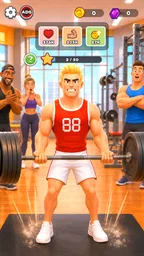
Gym Idle Clicker: Fitness Hero review
 Analysis by Appsdrops
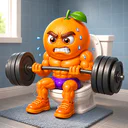
I approach gym clickers as something to dip into between other tasks, not as a replacement for exercise. Gym Idle Clicker: Fitness Hero is built for that sort of short, low-stakes play: tapping advances a virtual strength-building fantasy, and the appeal is watching that effort turn into progress. In my view, its most useful question is not whether it simulates a real workout, but whether its simple interaction feels comfortable and understandable for the person holding the phone.
How the game communicates its progress
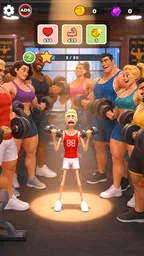
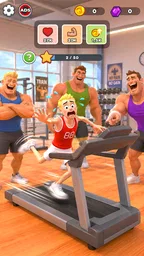
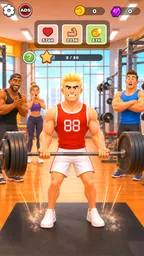
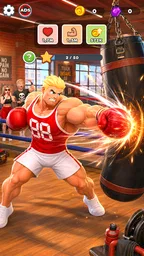
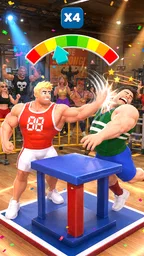
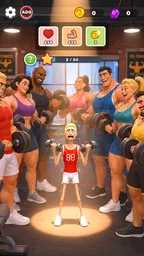
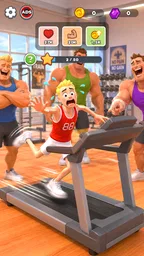
The basic idea is easy to grasp even if you have never played an idle clicker. Tap to train, let the virtual gym theme carry the fantasy, and return when you want another small burst of progress. That clear premise helps Gym Idle Clicker: Fitness Hero feel approachable: you do not need to learn a complicated sport, manage a long story, or understand realistic training terminology before you can begin.
It is a casual game from Unicorn Studio Official, with a gym theme that gives the tapping a recognizable purpose. Rather than asking you to plan a real routine, it turns repetition into a playful strength-building loop. I find that framing helpful for people who enjoy visible, simple goals but do not want a demanding strategy game. The trade-off is that players looking for detailed gym simulation or practical fitness instruction should look elsewhere; virtual muscle-building is the game’s premise, not a guide to safe exercise.
The store presentation places it among casual games, and that fits the experience better than treating it as a serious fitness tool. Its broad reach is reflected in more than 50 million installs and an average rating of 4.7 from around 177,000 ratings. Those figures suggest that the uncomplicated concept has found a large audience, but they cannot tell you whether the tapping style will suit your hands, eyesight, or surroundings. I would use them as context, not as a reason to assume it works equally well for everyone.
When I judge readability in a game like this, I look for whether the main action is obvious and whether progress can be understood without interpreting a dense rulebook. The central tap-to-train idea gives a newcomer a straightforward starting point. Still, a simple premise does not automatically mean every screen is easy to read: small text, crowded menus, or low-contrast elements can make a supposedly uncomplicated game tiring. I recommend taking a moment at the start to check whether the labels and progress cues are comfortable on your device rather than assuming that a casual game will be effortless to scan.
Making short sessions easier to follow
One practical way to approach an idle clicker is to decide what you want from a session before opening it. If you only have a minute, treat it as a quick check-in and focus on the most prominent progress cue rather than exploring every option. If you have longer, take time to learn what each visible control changes. This small habit is useful for players who find busy screens overwhelming, and it also prevents the game from turning into aimless tapping.
For someone who benefits from predictable routines, the repeated training action may feel easier to understand than games that constantly introduce new controls. That predictability can be a genuine strength for a casual player who wants to know what to do each time they return. But repetition has another side: if the interface does not clearly distinguish a useful action from a decorative one, the player may end up tapping without knowing why. I would pause whenever a control’s purpose is unclear instead of assuming that every button is necessary for progress.
The game is rated Everyone 10+, a useful signal for families deciding whether its general content is appropriate for a younger player. That age guidance is not a substitute for checking how a particular child responds to repeated play or purchases. I would explain that the gym theme is fictional and that the game’s tapping does not count as physical training, especially if a child might confuse the on-screen activity with exercise advice.
What tapping means for different hands and senses
The defining interaction is tapping, so motor comfort matters more here than it would in a game controlled mostly through occasional choices. Repeated input can be enjoyable when a player likes a steady rhythm, but it can become uncomfortable for someone with hand pain, fatigue, limited dexterity, tremor, or difficulty making frequent precise touches. I cannot recommend it as a low-effort option for every motor ability simply because its rules are simple: the central action itself may be the obstacle.
If you are trying it with a sore hand or a child who tires quickly, keep the first session brief and notice whether the repeated motion feels comfortable. There is no benefit in pushing through discomfort for an idle game. A player who needs minimal tapping may prefer a game based on occasional decisions, turn-taking, or passive observation instead. That is a meaningful difference from many casual puzzles: the attraction here is not just a quick round, but a repeated physical input tied to virtual progress.
Sensory comfort is also personal. Bright or animated screens, sound, and busy visual effects can be difficult for some players, while others enjoy them as part of the reward. I would test the game in a calm setting first and adjust the device’s own sound or display settings if needed. Because I am not treating any particular accessibility option as established, I would not promise that the game itself offers dedicated controls for reducing motion, changing text size, or remapping input. Check the actual screen and available settings on your device before relying on those adjustments.
There is a useful distinction between a game being easy to understand and being easy to operate. The gym theme and single central action make the concept approachable, but the tapping demand can still exclude someone who has difficulty with repeated touch. Likewise, a player with low vision might understand the goal yet struggle if key information is too small. My advice is to assess the real interaction, not just the short description: try a small amount of play, check text at your normal viewing distance, and stop if the pace or visual presentation is tiring.
When and where it fits into everyday life
A realistic use case is a short break while waiting for a ride or letting a kettle boil. In that moment, a lightweight clicker can be easier to pick up than a match-based game that demands a full round or a story game that asks you to remember a plot. I would keep expectations modest: this is a way to fill a gap with a simple virtual task, not a meaningful workout or a substitute for movement away from the screen.
Context can make the same interaction more or less accessible. On a crowded bus, one-handed use may be convenient, but screen glare, movement, and the need to hold the phone steadily can make small controls harder to manage. At home, a larger screen or a stable surface may be more comfortable if repeated tapping strains your grip. These are practical ways to judge the experience without assuming that the game has special modes for every situation.
For a player who gets overwhelmed by competitive timers, the gym-clicker format may feel gentler than a fast multiplayer match. On the other hand, someone who wants a quiet experience while listening to another activity may still find repeated screen checks distracting. I would choose it for a brief, self-paced pause, not for a task that requires sustained attention elsewhere. If you need to keep your hands free, the tapping premise makes this a poor companion regardless of how casual the game is.
Compared with a typical casual puzzle, this game places less emphasis on solving a fresh problem and more on repeating a familiar action to build up a virtual result. That can be comforting when you want a predictable loop, but less satisfying if novelty, strategic choices, or a clear endpoint are what keep you engaged. Compared with fitness apps, it is entertainment rather than coaching: it should not be used to set real training loads, judge physical progress, or replace advice from a qualified professional.
Purchases, updates, and the limits to keep in mind
The game is free to download, with in-app purchases listed at $2.99 per item. I would treat the free entry point as a chance to decide whether the tapping loop and presentation suit you before spending anything. For families, it is sensible to discuss purchases in advance and use the device’s purchase controls where appropriate. A free game can still create spending decisions, so the price of an individual item is worth considering in the context of repeated prompts or a player’s habits.
The current version is 1.0.85, and the minimum operating-system requirement is 7.1. Those details are useful when checking whether an older device can run it, but meeting a minimum requirement does not guarantee that the game will feel comfortable on a small or aging screen. If readability is a priority, try it on the device you actually plan to use rather than judging from a newer phone or someone else’s display.
There are 498 written reviews alongside the much larger rating count. I would not read popularity as proof of inclusive design; those numbers describe audience response, not how well the game works for a particular disability or access need. The more reliable test is personal: can you see the important information, understand what your taps do, and play without discomfort? If one of those answers is no, a different casual game with fewer repeated inputs may be a better fit.
One limitation worth considering is the gap between the theme and real-world fitness. The game offers a virtual strength fantasy, but its interaction does not teach proper technique or provide a workout plan. That is not a flaw if you want a clicker; it becomes a problem only if you install it expecting training guidance. I would keep it in the entertainment category mentally, and choose a dedicated fitness resource when the goal is physical activity or structured coaching.
Who I would recommend it to
I would suggest giving it a try if you enjoy repetitive progress, want a casual game that is easy to explain, and are comfortable with frequent tapping. Its theme gives the loop a clear identity, and the simple premise can make it a reasonable choice for a brief break. It may also suit someone who prefers familiar actions over rapidly changing challenges, provided the visual presentation and input feel manageable on their device.
I would steer away from it if tapping quickly brings on pain or fatigue, if you need substantial visual or motor accommodations that you have not confirmed in the game, or if you are searching for a realistic workout companion. Players who prefer puzzles with varied decisions may also lose interest in a repeated training loop. In those cases, a turn-based casual game, a low-input experience, or a dedicated exercise app is a more sensible alternative, depending on the need.
Overall, Gym Idle Clicker: Fitness Hero is an approachable casual clicker whose clearest strength is its easy-to-grasp gym fantasy. I like the way that premise makes a small slice of downtime feel purposeful, but I would not mistake a simple concept for universal accessibility. Check the text and controls on your own screen, try a short session, and pay attention to how your hand feels. If that basic interaction works for you, the game is an easygoing diversion; if it does not, its popularity and free download will not make the tapping more comfortable.
What we like
- Simple tap controls make workouts easy to pick up.
- Short sessions suit quick breaks during the day.
- Progression gives each workout a clear reward.
- Offline play lets you train without a connection.
- Cartoon visuals keep the fitness theme lighthearted.
What could be better
- Frequent tapping may become repetitive over time.
- Progress can slow down without upgrades.
- Ads may interrupt the playing experience.
- The game offers little real fitness guidance.
- Some upgrades may encourage in-app spending.







