
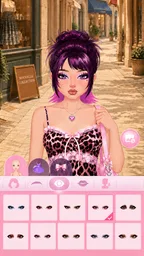
Fashion Arena: Dress Up Game review
 Analysis by Appsdrops
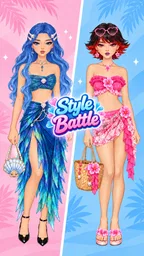
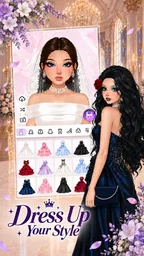
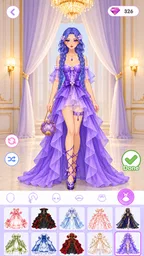
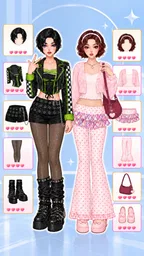
Fashion games sound simple until the screen asks you to make choices quickly and you are not sure what the round expects. Fashion Arena: Dress Up Game puts outfit-making into a competitive, casual-game setting, so its appeal is the mix of styling and a sense of being judged against a fashion challenge. I see it as a light option for people who enjoy experimenting with looks, rather than a deep wardrobe simulator or a game built around long-term fashion design.
Getting oriented in the fashion arena
Sprigame’s game is free to play and aimed at an Everyone audience. It sits in the casual category, which is a good fit for its straightforward premise: dress a character for the arena and try to make styling choices that feel right for the occasion. The central idea is easy to grasp even if you have never played a dress-up game before.
The useful thing to keep in mind is that this is not quite the same as calmly assembling outfits in a virtual closet. The arena framing makes each styling decision feel like part of a challenge. That can make a familiar activity more engaging, but it also means players who want complete creative freedom may prefer a sandbox-style dress-up app where there is no competitive context.
I would approach each outfit as a small visual problem rather than a chance to use every appealing item at once. Start with the overall impression you want to create, then make choices that support it. A coherent look often feels more intentional than one built by choosing the most eye-catching option in every slot. That is a practical way to enjoy the game even when you are still learning what kinds of styling decisions suit a round.
Where new players can get stuck
The main friction in fashion challenges is often uncertainty: should you follow a clear theme, aim for a polished general look, or take a bolder route? If you are unsure, avoid changing several elements at the last moment. Pick a direction early, such as elegant, playful, or dramatic, and keep the remaining choices consistent with it. This gives you a repeatable approach instead of making every selection feel like a guess.
Another common snag is treating a dress-up game like a collection checklist. A large number of options can tempt you to browse endlessly, but that can make a short session feel tiring. I would make one deliberate pass through the choices, select the pieces that fit the intended mood, and then review the full outfit once. If something clashes, change the item that causes the mismatch rather than rebuilding the whole look.
That method is especially useful when you are playing in a spare moment. It keeps the experience focused on styling instead of turning the session into a long search for a perfect combination. The game is best suited to players who find that kind of visual decision-making relaxing or satisfying; it will feel less rewarding to someone who dislikes choosing between many cosmetic options.
Simple checks before a session
If the game does not open or behave as expected, start with ordinary device checks rather than assuming the fashion challenge itself is at fault. Confirm that your device runs Android 7.0 or later if you are installing the Android version, then check that the app is fully installed and that your device has a stable connection if the current screen requires one. Restarting the app and checking for an available update are sensible first steps for general mobile-game problems.
The current version is 0.1.21, so keeping the installed copy current is a reasonable troubleshooting habit. I would also close other apps if the device is running slowly and make sure there is enough free storage for routine app operation. These are general checks, not special tricks for the game, but they can help separate a temporary device issue from a problem with a particular session.
On iOS, check that the version offered for your device is compatible with its operating system before installing. More generally, make sure you are using the official app-store entry and not a lookalike download page. Fashion Arena is free, but that alone is not a reason to install it from an unfamiliar source.
Recovering your styling flow
When a round feels confusing, pause before making another change. Look at the character as a complete outfit and ask what the strongest visual idea is. If the answer is unclear, simplify: keep the pieces that clearly support one mood and replace the ones that pull in another direction. This is more reliable than repeatedly swapping items without a plan.
A useful habit is to make changes in a consistent order. Choose the main clothing direction first, then adjust the remaining styling choices around it, and finally inspect the whole look. If the game presents a challenge prompt, reread it before you commit to a final combination. That small reset can catch a mismatch between what you intended and what the round appears to ask for.
If the game freezes, fails to load a screen, or stops responding to taps, leave the session and reopen the app before trying a more disruptive fix. If the problem continues, check for an update and restart the device. Avoid repeatedly reinstalling as a first response, especially if you are unsure whether progress is stored locally or tied to an account. Protecting your progress is more important than rushing through troubleshooting.
When the cause may be outside the game
Not every interruption points to a fault in the app. A weak or changing connection can affect games that need online services, while a device under heavy load can make taps or animations feel delayed. If the same issue appears in other apps, the phone or connection is a more likely place to start investigating than the outfit challenge itself.
Likewise, if the game runs smoothly but a particular styling choice does not seem to work, that may be a matter of interpretation rather than a technical error. Try a clearer outfit direction and compare the result. I would only treat it as a bug if the interface consistently fails to respond or a screen repeatedly cannot progress after basic restart and update checks.
For younger players, the Everyone age rating makes the game broadly accessible, but I would still recommend that a parent review the app-store page and the device’s usual purchase and privacy settings. That is good practice for any mobile game, especially one shared with children. The rating describes age suitability; it does not replace a family’s own rules for screen time or app use.
How it compares with other dress-up games
Compared with a free-form wardrobe app, Fashion Arena’s competitive framing gives styling a clearer purpose. You are not only dressing a character for your own amusement; the arena idea encourages you to think about whether a look comes together as a response to a challenge. That extra structure is a plus for players who want direction and a minus for anyone who finds evaluation stressful.
Compared with a more elaborate fashion or life-simulation game, this is the lighter choice. It is a better match for short play sessions and quick creative decisions than for someone seeking a detailed story, complex character progression, or a realistic design toolkit. I would not pick it as a substitute for a serious fashion-design app, because the appeal here is casual styling rather than professional-level control.
It has an average rating of 3.8 from around 30,000 ratings, and it has passed one million installs. Those figures suggest that plenty of players have tried it, though they cannot tell you whether its particular style of challenge will suit you. The more useful question is whether you enjoy putting together outfits with a goal in mind and can accept some trial and error along the way.
Who I would recommend it to
I would suggest the game to someone who likes quick dress-up decisions, wants a casual activity between other tasks, or enjoys comparing different visual approaches to a prompt. A realistic everyday use is a short break while waiting for an appointment: open the game, settle on one outfit idea, and play a round or two without needing to commit to a long story or a complicated session.
It is less likely to satisfy players who want unrestricted character customization, detailed fashion advice, or a guaranteed sense of progress every time they play. If you find competitive presentation uncomfortable, a relaxed dress-up app may be a better fit. And if you want a game with deeper systems or a substantial narrative, look for a title designed around those priorities instead.
My practical verdict: Fashion Arena is an approachable casual game with a clear styling hook, and its best moments come when I treat each look as a focused answer rather than a pile of favorite items. Sprigame has made an easy-to-understand premise, but the arena format will not appeal equally to every dress-up fan. With 1M+ installs and a free entry point, it is easy to consider; I would try it for quick, goal-led styling, while choosing a calmer or more involved alternative if I wanted full creative freedom or deeper gameplay.
What we like
- Offers many clothing options for creating distinct looks
- Makes outfit styling easy with straightforward controls
- Supports creativity through themed dress-up challenges
- Lets players experiment with colors and accessories
- Provides a casual experience suited to short play sessions
What could be better
- Some items may require in-game currency to unlock
- Repeated styling tasks can feel predictable
- Limited gameplay depth beyond dressing up
- Ads may interrupt the play experience
- Progress can depend on completing multiple challenges







