
Crossword Quest review
 Analysis by Appsdrops
I enjoy word games most when they fit into the gaps in a day: a few minutes while waiting, a quiet break between tasks, or a relaxed round before bed. Crossword Quest is built around that kind of casual play. It is a word game from Words Mobile, and its appeal is straightforward: work through crossword-style puzzles by finding words from the letters in front of you. I find the format easy to understand, but still satisfying when a familiar word stays just out of reach.
What you get before spending anything
The game is free to download, so you can try its core experience without paying upfront. That makes it easy to see whether this particular crossword approach suits you before deciding whether any optional purchase is worthwhile. In-app purchases are available, ranging from $0.99 to $49.99 per item, so the upper end is a substantial commitment for a casual word game. I would treat those purchases as optional rather than assume they are necessary to enjoy it.
That distinction matters: free access is a verified part of the offer, while the presence of purchases does not by itself tell you what each item does or whether it improves the experience. I’d play first and only consider spending if a specific purchase addresses a frustration I’ve actually encountered. If you are trying to avoid accidental spending, check the purchase controls on your device before handing the game to a child.
The age rating is Everyone, which makes the game broadly suitable for family play. It is also a familiar sort of activity to share: one person can suggest a word while another checks how it fits the puzzle. The game is available on Android, with a minimum OS requirement of 6.0. Its current version is 2.4.1. Those details make compatibility worth checking before installing on an older device, especially if it has not been updated in a while.
A simple loop with a useful mental rhythm
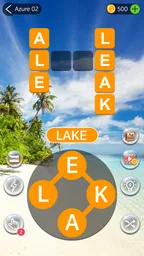
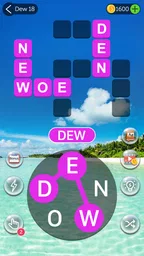
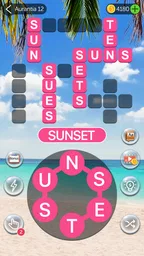
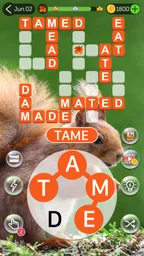
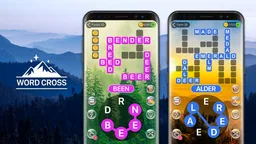
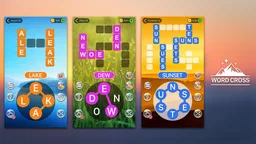
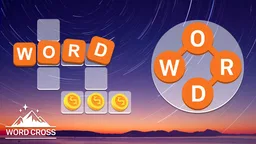
The central task is to connect a set of letters with words that belong in a crossword grid. That creates a pleasant balance between recall and deduction. Sometimes I know the word but need to find the right letter order; other times the crossing clues narrow down which answer makes sense. It is more active than simply swiping through a list of vocabulary prompts, yet less demanding than a full newspaper crossword that expects broad knowledge and long stretches of concentration.
One practical way to approach a difficult board is to stop guessing randomly and use the grid as evidence. Look at the unfinished crossings, identify any letters already fixed, then test likely word endings or beginnings against the available letters. This turns a vague search into a smaller set of possibilities. I also find it useful to say candidate words quietly or picture them written out; that can reveal a spelling pattern that is easy to miss when staring at the letter set.
Another good habit is to change the order of your attention. If one word is blocking progress, move to a different open space and solve the answers with clearer patterns first. Each confirmed crossing gives you more constraints for the stubborn entry. That small shift can prevent the familiar word-game spiral of repeating the same guesses without learning anything new.
Where it fits among other word games
Compared with a traditional crossword, Crossword Quest puts more emphasis on forming words from a limited group of letters than on interpreting a long written clue. That can make it a better fit for short sessions and for players who like spelling and pattern recognition but do not want to depend on trivia knowledge. On the other hand, if what you love is the cultural references, cryptic wordplay, or carefully written clues of a newspaper puzzle, this may feel lighter and less expressive.
It also differs from word-search games, where the challenge is usually spotting a word already hidden in a grid. Here, you have to generate candidate words and work out how they belong together. I like that extra step because it gives a small sense of discovery when a crossing confirms a guess. But anyone who wants a head-to-head vocabulary contest or a social game built around competing with friends should look for a different style of word app; this is best approached as a solo puzzle break.
The game has a 4.7 average from around 147,000 ratings, alongside about 7,500 written reviews, and has passed 10 million installs. Those figures suggest that the format has reached a large audience, but they cannot tell you whether its pacing or puzzle style will suit your own taste. I’d use them as context, not as a reason to spend money or assume every session will be engaging.
Small-session use, and the limits of that strength
A realistic use case is a short wait with your phone in hand: open a puzzle, try a few combinations, and put the device away when your turn is called. The word-and-grid format makes it easy to return to the task without needing to remember a story or a complicated sequence of actions. I also see it working well as a low-pressure wind-down activity, provided you are comfortable with a game that keeps asking for one more answer.
That same compactness can become a limitation. Players who want a substantial narrative, a deep learning course, or a competitive ladder will not find those aims in the basic crossword premise. It is also not the best choice when you want a puzzle that rewards outside knowledge; its main satisfaction comes from noticing letter patterns and fitting words into a grid. If you find yourself irritated by repeated trial and error, a clue-heavy crossword may feel more guided.
There is a useful distinction between being stuck and simply needing a fresh look. Before reaching for a purchase or abandoning a board, I’d take a short pause and come back with a different starting point. Then check the crossings again and focus on the word lengths rather than trying to solve the whole puzzle at once. This approach costs nothing and often makes the underlying pattern easier to see. If a game’s help or purchase options become part of your decision, inspect what is offered in the app before paying; the listed purchase range alone is not enough to judge the value of an individual item.
Who is likely to enjoy it
I’d recommend Crossword Quest to people who like spelling games, enjoy spotting patterns, and want a casual activity they can pick up in brief intervals. It can also suit families looking for an Everyone-rated word game that invites quick suggestions from more than one person, even if only one person is holding the device. Because the basic download is free, curious players can try the format without committing money at the outset.
I would steer away from it if you mainly want elaborate clue writing, a structured language-learning program, or a strong social competition. It may also be a poor fit if you prefer every puzzle to have an explicit hint that explains the reasoning; the pleasure here comes from testing words against the grid yourself. And while optional purchases can be considered individually, I would not buy anything simply because a puzzle has become frustrating. A pause or a different word game may be the better answer.
Words Mobile released the game on November 7, 2019, and the current version is 2.4.1. I mention that because players who care about software requirements should check their device’s compatibility before downloading, particularly on older Android hardware. The minimum requirement is Android 6.0, and the game’s age rating is Everyone.
My verdict on the value
For me, the strongest value is the chance to try a focused crossword-style word game for free and decide through actual play whether its letter puzzles are the kind I return to. The paid range deserves care: the lowest listed purchase is $0.99, while items reach $49.99, so there is a wide difference between a small optional expense and a much larger one. I would not treat the existence of purchases as proof that payment is needed, and I would check the specific item’s purpose before buying.
The best reason to install it is the satisfying middle ground between word search and a conventional crossword. It gives me enough structure to guide my thinking without turning a short break into homework. Its tradeoff is that this focused loop may feel repetitive if you want varied modes, rich clues, or competition. If you enjoy filling a grid by reasoning from letters and crossings, I think the free entry point makes it worth a try. If you need a different kind of challenge, skip it without regret and choose a word game built around the features you actually want.
What we like
- Offers a relaxing way to exercise vocabulary and spelling skills.
- Short puzzles make it easy to play during spare moments.
- Gradually harder levels provide a steady challenge.
- Hints can help when a word proves difficult.
- A clean layout keeps the puzzle grid easy to read.
What could be better
- Some clues may feel vague or rely on specific word knowledge.
- Later puzzles can become repetitive for experienced players.
- Hints may be limited or require an in-game resource.
- Small grid cells can be awkward on compact screens.
- Progress may depend on an internet connection for some features.







