
Color Block: Jam Puzzle 3D review
 Analysis by Appsdrops
I can see the appeal of Color Block: Jam Puzzle 3D in a shared household: it is the kind of casual game someone can pick up during a quiet break, play for a little while, and hand over without needing a long explanation. Its central idea is arranging and matching colored blocks so they clear, which makes the basic goal easy to grasp. My impression is that it works best as a low-pressure puzzle to dip into, rather than as a game that demands a dedicated session or a family plan.
How it fits into a shared day
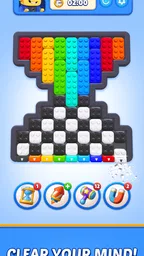
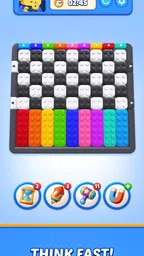
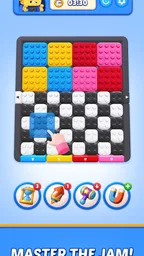
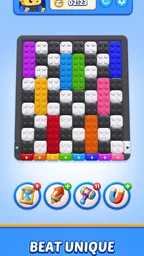
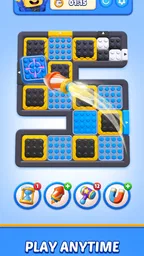
Color Block: Jam Puzzle 3D is a casual game from Flare Star LLC. The store summary points to sliding colored blocks, sorting and matching them, and clearing the board; that gives the game a more hands-on puzzle feel than a simple tap-to-match pastime. You are working with positions and color relationships, so a move that looks convenient can affect what remains available afterward.
That makes it a reasonable choice for a shared phone or tablet when people want to take turns informally. One person can make a move, pass the device, and let the next player think about the board. I would not treat it as a built-in multiplayer experience, though: the appeal here is solving the puzzle, not competing or coordinating through a shared game mode. If your household wants a game designed around simultaneous play, this is probably not the right fit.
A realistic use is a short pause while waiting for food or winding down after chores. The next person can look at the current puzzle and decide whether to continue, but there is a catch: a puzzle often reflects the previous player’s choices. If you want a clean, comparable challenge for each person, agree to finish one board before handing over the device rather than swapping turns mid-solution. That simple habit avoids the awkward “whose move caused this?” debate.
Its free price makes trying it straightforward, while optional in-app purchases range from $1.99 to $99.99 per item. On a device used by several people, I would check the purchase settings in the device’s app store before letting children or casual users explore unattended. That is sensible housekeeping for any free game with paid items, not a claim about a particular purchase flow inside this one.
Keep the device handoff simple
A shared device needs clear expectations more than elaborate coordination. Decide whose turn it is, whether the current puzzle is a group effort, and whether anyone is allowed to spend money through the account. Those boundaries matter because game progress, purchases, and device settings can be tied to the device or its store account rather than to a household’s informal turn-taking. I would not assume the game itself separates players or provides household profiles.
If several people use one device, avoid letting one person make purchases on behalf of everyone without agreement. The listed purchase range is broad enough that a quick tap should not be treated as a harmless part of play. For a child using a parent’s phone, the practical approach is to use the device’s purchase protections and explain that paid items require permission. That keeps the shared routine clear without relying on game features that may not exist.
There is also a useful way to coordinate the puzzle itself: ask the next player to explain the move they are considering before they slide a block. It turns a casual handoff into a small reasoning exercise and reduces random moves that can leave the board harder to read. This is especially helpful when someone is new to the game, since it encourages looking at both the immediate match and the space left behind.
Who will enjoy the puzzle, and who may not
The game is a good match for people who like visual sorting and planning but do not want a complicated rules introduction. Its color-based premise is easy to communicate across ages, and the Everyone content rating makes it suitable for a broad audience from a content-rating perspective. That rating does not replace a parent’s judgment about screen time, spending, or whether a particular child is ready to use a shared device independently.
The challenge is likely to suit someone who enjoys pausing to inspect a board. If a player prefers fast action, a story campaign, or a competitive score chase, this may feel too deliberate. Likewise, anyone who dislikes puzzles where a move can narrow later choices may find the sorting element more frustrating than relaxing. I would recommend it to a friend who enjoys figuring out a tidy sequence, but not to someone who wants every level to be solved by quick reflexes.
One practical tip is to resist moving the first block that seems to create a match. Look at the remaining colors and open spaces first, then choose a move that keeps options available. In sorting puzzles, clearing something immediately can be less useful than preserving access to a blocked or awkwardly placed piece. That small change in approach makes the game feel more thoughtful and can help a group discuss a board without simply guessing.
Another trade-off is that a color-focused puzzle depends on being able to distinguish what is on screen comfortably. If someone in the household has difficulty telling similar colors apart, try a few boards together before deciding it is a good fit; the basic concept relies on color recognition. I would not assume there are accessibility adjustments for this, so that quick trial is more reliable than making promises about settings.
How it compares with familiar casual games
Compared with the usual match-style casual game, this one puts more emphasis on arranging and sliding blocks than on simply spotting a group to tap. That distinction is useful when choosing what to install: it offers a little more spatial reasoning than a purely reactive color-matching game, while remaining more approachable than a deep logic puzzler with a long rule set. The best sessions are likely to be the ones where players think a move through rather than race to clear the screen.
Compared with a classic block puzzle, the color-sorting idea gives the board a more immediate visual objective: organize the pieces so the right matches can clear. But if you want a puzzle with a large campaign, a narrative, or a strong competitive layer, the basic premise alone will not satisfy that preference. I would choose it for a short, focused mental break, and choose a different game when the household wants a shared story or a direct head-to-head contest.
Its current version is 1.39.0, and it requires Android 7.0 or later. The game is free to install, but the paid items are worth considering before putting it on a child’s device or a communal tablet. It has a 4.4 average from around 37,000 ratings, with more than a million installs. Those figures suggest that it has found a sizeable audience, but they do not tell me whether its puzzle style will suit your household; trying a few rounds is the better test.
A sensible way to introduce it at home
I would start by letting one person play a board alone, then invite another person to suggest moves without taking over the device. This keeps the game’s central pleasure—the decision-making—intact and helps a new player learn by watching. If the second person wants to make a move, hand over only after agreeing whether they are continuing the same puzzle or starting a fresh turn. That avoids confusing cooperative advice with a shared score or separate player progress.
For a younger player, sit together at first and see how they handle both the puzzle and the temptation of paid items in a free game. The age label is Everyone, but a broad content rating cannot decide whether a child should have independent access to a device account. I would keep that decision with the adult who manages the device and avoid treating the rating as a substitute for purchase limits or supervision.
There is no need to turn the game into a household competition to make it enjoyable. A relaxed routine—one person solves, another offers a suggestion, then the device goes back on the table—fits its casual nature better than keeping score or assigning formal turns. If your family does enjoy comparing approaches, talk through why a move preserves space or blocks a color rather than judging only who clears a puzzle fastest. That makes the shared session more engaging without assuming the game supplies those social tools.
My household verdict
Color Block: Jam Puzzle 3D is worth a try if you want an approachable color-and-position puzzle that can pass naturally between people on one device. I like that its basic task invites thought without requiring everyone to learn a complicated system, and the free install makes it easy to see whether the sliding-and-sorting approach clicks. Its strongest household use is informal: a quiet solo puzzle, or a shared board where players take turns suggesting careful moves.
I would skip it if you need separate family accounts, built-in turn management, a reliable multiplayer format, or a game that avoids optional spending altogether. I also would not choose it for someone who wants fast action or who finds color-based puzzles difficult to follow. For households comfortable setting their own device and purchase boundaries, though, it can make a pleasant small break. My recommendation is to try it as a puzzle to share by agreement, not to expect it to manage the sharing for you.
What we like
- The rules are easy to grasp after a short tutorial.
- Three-dimensional visuals make the board easy to read.
- Quick levels suit short breaks.
- Early stages provide a gentle introduction to the puzzles.
- The game offers a relaxing alternative to fast-paced action.
What could be better
- Later puzzles can feel repetitive.
- Some levels require careful trial and error.
- The 3D board may be awkward to navigate on small screens.
- Ads can interrupt the flow depending on the version.
- Progress may feel slow without optional purchases.







