Weather Forecast: Live Weather review
 Analysis by Appsdrops
When I open a weather app, I want a quick answer to a practical question: should I take a coat, change my departure time, or make another plan? Weather Forecast: Live Weather is aimed at that everyday decision-making, bringing local conditions and forecast views together in one weather app. My first impression is that it is designed for people who want more than a single temperature, but do not necessarily want to turn checking the forecast into a project.
It is a free weather app from Weather Forecast - WaiWao Studio, with optional in-app purchases priced from $2.99 to $4.99 per item. Its audience is broad: the age rating is Everyone, and its strong store reception—an average of 4.8 from around 171,000 ratings—suggests that many users find it useful. That popularity is reassuring, though it cannot tell you whether its particular presentation suits your habits.
What to expect from a local forecast
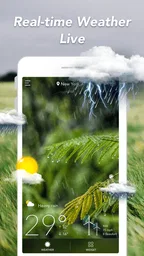
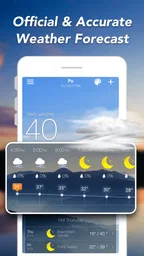
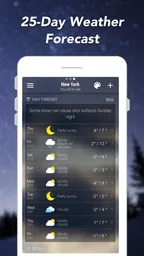
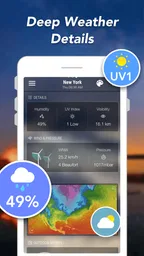
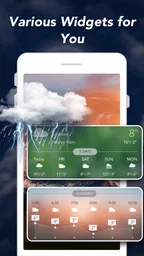
The app’s focus is a practical mix of local weather, daily and hourly forecasts, and radar. Those views answer different questions. A daily outlook helps with planning ahead; an hourly forecast is more useful when you need to know whether conditions may change during a commute or an outdoor errand; radar gives you another way to inspect approaching weather rather than relying only on a summary.
That combination is the main reason I would try it instead of a very basic weather screen. A single current-condition card is convenient, but it can leave you guessing about the rest of the day. Here, the useful habit is to match the view to the decision: check the daily outlook before making plans, then use the hourly view or radar when timing matters. The most useful forecast is the one that changes a real decision, not the one you stare at longest.
There is a trade-off, as with most apps that offer several forecast views. More information can make a quick check less immediate if you move between screens without a clear question in mind. I would start with the current local conditions and the next few hours, then open radar only when rain or another moving weather system is relevant to what I am doing. That keeps the app focused rather than turning every glance into a full forecast review.
Compared with the default weather app on a phone, Weather Forecast may appeal if you want daily and hourly context alongside radar in the same place. A built-in app can be the better choice if you only need a temperature at a glance or prefer to avoid maintaining another app. Dedicated radar tools may suit someone who closely tracks storms, but for ordinary planning, having radar alongside everyday forecasts can be a more convenient middle ground.
Getting through the first setup
After installing, the first useful step is to make sure the forecast is for the place you actually care about. If the app offers a location choice, select or confirm your local area before judging the forecast. A forecast for the wrong place can look perfectly plausible while being irrelevant, so checking the displayed location is a small step that prevents a common source of confusion.
I would then give the app one focused test: compare the current conditions with what you can observe outside, and look at the hourly outlook for the rest of the day. This is a better first check than trying to assess every forecast view at once. It helps you learn where the essential information appears and whether the screen is easy for you to scan.
If you are deciding whether to allow location access, think about how you expect to use the app. A local forecast is most convenient when the app can identify the place you want weather for; if you would rather choose a location yourself, look for a manual location option and use that instead if available. I would not grant more access than I am comfortable with. The important outcome is simply that the forecast location matches your plans.
Weather Forecast is listed for Android devices running version 6.0 or later, and its current version is 1.115.0. The app has been available since February 17, 2019, and has passed 10 million installs. Those details make it an established option rather than a new, untested arrival, but your own first few checks are still the best way to decide whether its layout works for you.
Your first useful routine
For a realistic first-day scenario, imagine you have a morning appointment and plan to walk part of the way. Check the daily view when you make the plan, then use the hourly forecast closer to departure to see whether the conditions look different at that time. If the weather is unsettled, open radar for a visual perspective before deciding whether to leave earlier or take another route. The point is not to treat any one screen as a guarantee; it is to combine the views with the decision you need to make.
A second helpful workflow is to check the forecast at two different planning horizons. Use the daily outlook when arranging an outdoor activity, but revisit the hourly view on the day itself. This avoids a common mistake: treating a broad forecast for the day as though it describes every hour equally. When timing is important, the hourly view is the more relevant one; when you are deciding whether to make the plan at all, the daily view is usually the natural starting point.
Radar is most useful when you have a specific reason to open it. If clouds or rain appear likely and you need to decide whether to head out now or wait, a radar view can add spatial context that a short written summary cannot. For a routine check on a calm day, it may add little. I would treat it as a decision tool rather than a screen to inspect out of habit.
Understanding the views without overreading them
One easy point of confusion is the difference between “what is happening now?” and “what is likely later?” Current conditions, a daily outlook, and an hourly forecast are related, but they are not interchangeable. If the current weather looks fine, that does not settle whether your afternoon plans need a backup. Conversely, a broad daily description does not necessarily tell you the best hour to leave.
Another source of friction is expecting a radar view to answer every question by itself. Radar is a visual aid for examining weather movement; it is not a substitute for checking the forecast period that matches your plans. I find it more useful to pair the radar screen with the hourly outlook when timing an errand. That pairing gives you both a visual reference and a time-based view, rather than asking one display to do two different jobs.
Forecasts also deserve a little humility. Weather changes, and no app can make a forecast certain simply by presenting it in a polished interface. For a flexible walk or a quick grocery trip, a brief glance may be enough. For an event where weather could affect safety or logistics, I would check again nearer the time and use appropriate local guidance rather than relying on one screen from earlier in the day.
If the app feels busy at first, resist the urge to explore everything before you know what you need. Start with the local forecast, find the hourly view, and learn where radar fits into your own routine. This small sequence answers the main first-time questions—where am I looking, what changes over the day, and when is a map useful—without requiring you to become an expert in weather displays.
Who will appreciate it, and who may not
I can see this working well for someone who checks the weather before commuting, walking, running errands, or planning a casual outdoor activity. The mix of daily and hourly information supports both broad planning and near-term timing, while radar offers a more visual option when conditions warrant it. It is especially convenient if you prefer one app that covers those everyday needs instead of switching between a basic forecast and a separate radar tool.
It may be less compelling if you only want a temperature widget or a minimal glance at the current conditions. In that case, the phone’s built-in weather option may already be enough, and installing another app may not improve your routine. Likewise, people who need highly specialized meteorological analysis should compare it with tools built specifically for that purpose; this app’s appeal is its everyday combination of forecast views, not a promise of professional-level analysis.
The app is free to download, with in-app purchases ranging from $2.99 to $4.99 per item. I would begin with the free experience and decide whether it covers your routine before considering any purchase. Since the paid items are optional, there is no need to treat a purchase as part of getting started. The app’s Everyone rating also makes it suitable for a broad audience, though each person should still make their own choices about app access and spending.
My next step after the first check
After the first successful forecast check, I would keep the routine simple: confirm the location, use the daily outlook to plan, and switch to hourly details when the time of day matters. Save radar for situations where seeing weather movement could change what you do. This order makes the app easier to learn and helps prevent information overload.
Weather Forecast: Live Weather earns its place on my shortlist because it brings together the forecast perspectives most people reach for during an ordinary week. Its large audience—more than 10 million installs and around 7,000 written reviews—shows that it has found broad appeal, while my recommendation depends on a more personal question: do you regularly need both a day-level plan and a closer look at timing?
If you do, I would give it a few days of real use rather than judging it from a single glance. Try it before a commute, then again before an outdoor plan, and notice whether its daily, hourly, and radar views help you make decisions more confidently. If all you want is a quick temperature, stick with a simpler option. For everyone else, Weather Forecast: Live Weather is a sensible free place to start, provided you use its different views as helpful guidance rather than certainty.
What we like
- Hourly forecasts make it easier to plan around changing conditions.
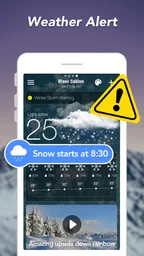
- Severe weather alerts can help users prepare for sudden hazards.
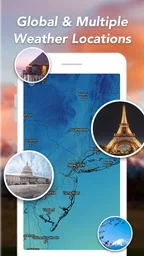
- Multiple location support is useful for travel and family planning.
- A radar map provides a visual view of approaching precipitation.
- Weather details include useful readings such as humidity and wind speed.
What could be better
- Forecast accuracy can vary by location and prediction timeframe.
- Some features may require an internet connection to stay current.
- Frequent alerts may feel distracting if notification settings are not adjusted.
- Detailed forecasts can take time to navigate for a quick weather check.
- The app may request location access to provide local forecasts.





