
Windy.app - Enhanced forecast review
 Analysis by Appsdrops
When I’m planning a day around the weather, a generic “sunny” or “rainy” label is rarely enough. Wind can change a bike ride, a beach visit, or a day on the water, and tides and waves matter even when the sky looks inviting. Windy.app is built for that more specific kind of planning. It is a free weather app from Windy Weather World Inc, and its focus on wind, maps, tides, and waves makes it feel different from the basic forecast apps I reach for to decide whether to bring an umbrella.
From a rough plan to a weather check
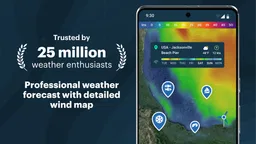
The app makes most sense when I start with a place and an activity rather than simply asking what the weather will be. I might have a coastal outing in mind, a windy route to cycle, or a day when I need to know whether conditions are likely to cooperate. Instead of stopping at a general forecast, I can use the map and weather view to look for patterns across an area.
That map-first approach is useful because local conditions can vary over a short distance. A forecast for a nearby town may not tell the whole story for an exposed beach or a route along a ridge. I like being able to begin with the wider picture, then focus on the location that matters. It encourages a more thoughtful check than glancing at one temperature icon and assuming the whole day will feel the same.
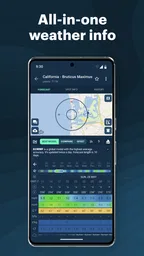
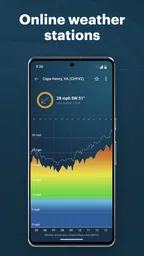
The app’s appeal is clearest for people who pay attention to wind direction and speed, not just temperature and precipitation. The same wind can feel manageable on a sheltered walk and unpleasant on an open shoreline. For people who spend time sailing, surfing, kiting, fishing, or doing other wind-sensitive activities, those details can influence whether to go, where to go, and what to expect.
Reading the map before committing
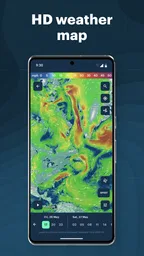
My first step is to orient myself on the map and compare the conditions around my destination with nearby areas. This is more useful than treating a single location forecast as the final answer: if the wind looks less favorable at one stretch of coast, I can at least consider whether another spot makes more sense. The map helps turn a forecast into a planning tool rather than a simple yes-or-no verdict.
A practical tip is to check the direction as well as the speed. A number by itself can be easy to misread; direction gives it context. For a route, it may help explain why one leg could feel harder than another. At the water, it can change how comfortable a particular shoreline or activity seems. I would not treat the map as a guarantee of what I will experience on the ground, but it gives me a better basis for deciding what to investigate next.
The forecast display also works alongside the app’s weather widget. That matters when I want a quick reminder without reopening the full map every time. I use the widget as a prompt to check conditions, not as a replacement for a closer look before making a plan. The full app is where the map and wind information become useful; the widget is better for keeping weather in view during an ordinary day.
Making the forecast fit the activity
Once I have a place in mind, I think about what the forecast means for the actual outing. For a walk through town, a bit of wind may be a minor detail. For a beach day, an exposed trail, or time on the water, it can shape comfort and safety much more. That distinction is where Windy.app feels more purposeful than a conventional daily forecast: it puts conditions that outdoor enthusiasts care about close to the center of the experience.
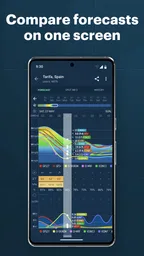
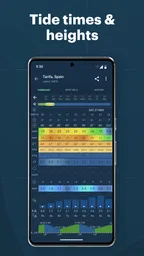
Here is a realistic everyday example. I am considering a coastal afternoon, but I have only a loose time window and do not want to drive somewhere only to find the conditions unsuitable. I open the map, look at the wind around the coast, and check the tide times and waves before deciding whether to go. If the forecast makes the first location look less appealing, I can compare nearby areas and adjust the plan. The useful outcome is not a promise that the day will be perfect; it is a more informed choice before I leave home.
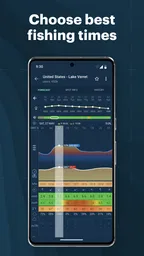
Tides and waves add a distinct layer to that decision. They are not details I would expect from every general-purpose weather app, and they are relevant to more than specialist athletes: anyone planning time near the water may want to consider them. The trade-off is that this information is most valuable when the activity truly depends on it. If I only need to know whether to wear a light jacket on a city commute, it may be more detail than I need.
Handing the forecast off to the real world
A forecast becomes useful when it changes what I do next. I might share the plan with a friend, choose a different place, bring an extra layer, or decide to wait. Windy.app helps with the first part of that chain by putting location-based wind and water conditions together in one weather-focused experience. The actual handoff still depends on my judgement: the app can inform a choice, but it cannot know how comfortable I am with a particular outing or replace local awareness.
I find that distinction important. A map can make conditions look neatly legible, while the experience outside can still vary from one exposed spot to another. I use the forecast to narrow options and set expectations, then stay willing to change course if conditions feel different in person. For a water activity especially, checking the forecast should be part of preparation, not the sole basis for a safety decision.
The widget can help keep the plan visible after the initial check. If I am getting ready or waiting for someone else, a quick glance can remind me that the conditions deserve another look. But I would still open the main app when timing, wind direction, waves, or tides are central to the decision. The quick view and the deeper check serve different jobs, and treating them that way avoids expecting a widget to tell the whole story.
Who gets the most out of it
I would recommend Windy.app to people whose plans are affected by wind or water conditions and who are willing to spend a little time interpreting a map. It is a particularly natural fit for outdoor enthusiasts who want more context than a simple daily icon provides. Its overall rating is 4.8 from around 429,000 ratings, and it has passed 10 million installs, which suggests it has reached a broad audience beyond a narrow group of specialists.
It is also worth considering if you already use a standard weather app but keep checking other sources for wind, waves, or tides. Having those concerns together can make the planning process feel more direct. I would not switch solely for a more elaborate display, though. If your routine is mostly checking whether it will rain on the school run or deciding what to wear for an office day, a simpler forecast may be faster and easier to read.
The app is listed for Everyone, and its current version is 99.0.0, with a minimum operating-system requirement of version 7.0. It was released on March 13, 2016, and has about 6,000 written reviews. Those details are useful context for someone deciding whether it fits their device and whether it is an established option, but they do not tell me whether its specialized approach matches a particular person’s habits. The best test is whether wind and water conditions regularly affect your plans.
Where the workflow can become frustrating
The main friction is also a consequence of the app’s focus: more information asks more of the user. Someone who wants one plain-language answer may find a map and several kinds of conditions less immediately comforting than a basic forecast card. I would expect a short adjustment period if I were new to reading wind direction or comparing locations. The app is more rewarding when I know what I am trying to decide than when I open it without a clear question.
There is also a risk of overconfidence. Seeing a detailed forecast can make a plan feel settled, but forecasts are still forecasts, and conditions near water or exposed terrain deserve caution. I would use the information to compare options, not to assume a location will behave exactly as shown. If the outing has meaningful safety consequences, local guidance and practical judgement matter alongside any app.
Windy.app is free to install, with in-app purchases ranging from $4.99 to $299.99 per item. I would begin with the free experience and see whether its map, widget, wind details, tides, and waves fit my routine before considering any purchase. That is a sensible way to judge a specialized tool: first establish that its core planning workflow solves a real problem for you, rather than paying simply because the app offers additional options.
My verdict after following the planning flow
Windy.app is a stronger choice for “Is this spot suitable for my activity?” than for “Should I take an umbrella?” Its best use is a sequence: choose a location, inspect the map, read the wind in context, check tides or waves when they matter, and then adapt the plan. That workflow gives outdoor decisions more substance than a single weather symbol, especially when nearby locations may offer different possibilities.
I would choose it if wind and water regularly shape my weekends or travel plans. I would keep a simpler weather app as my main option if I only need quick everyday reassurance, or if detailed map-based forecasts feel like work rather than help. The key trade-off is depth for simplicity: for the right person, the extra context makes the decision better; for everyone else, it can be more information than the day requires.
Overall, I see Windy.app as a practical companion for planning around conditions, not a universal replacement for every weather tool. Its combination of map-based viewing, wind information, a widget, tides, and waves gives it a clear purpose. If you have a real outing to plan and want to compare conditions before handing that plan over to the realities of the day, it is worth trying.
What we like
- Provides detailed wind forecasts for planning outdoor activities
- Includes forecasts for wind speed and direction
- Offers weather maps for a broader view of conditions
- Supports multiple locations for trip planning
- Covers a range of wind-related sports and activities
What could be better
- Some advanced forecast features require a paid plan
- Forecast accuracy can vary by location and weather conditions
- The interface may feel crowded for first-time users
- Frequent forecast updates can use mobile data
- Some locations may have less detailed forecast coverage





