
WeatherWise.app review
 Analysis by Appsdrops
I tend to trust a weather app only as far as I can understand what it is doing for me. A bright radar animation is useful, but it is not a substitute for a clear forecast or a reason to hand over information without thought. WeatherWise.app is aimed at people who want to look beyond a simple temperature-and-rain screen: its focus is radar, alerts, forecast models and storm-chaser coverage. That makes it more interesting to curious weather watchers than to someone who only checks whether to bring a coat.
In my view, its biggest appeal is the chance to examine changing conditions rather than accept one forecast as the whole story. That can help when a storm is nearby or plans depend on a narrow window of good weather. It also means the app asks more of its users: to get value from several kinds of weather information, you need to be willing to interpret what you see and decide which details matter.
Trust starts with knowing what you need from a forecast
WeatherWise.app is a free weather app from Interactive Weather. It has an average rating of 4.3 from about 1.7 thousand ratings, with roughly 725 written reviews and more than 500 thousand installs. Those figures suggest that it has found an audience, but they do not settle the question I would ask before relying on it: does its approach suit the way I actually use weather information?
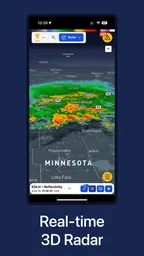
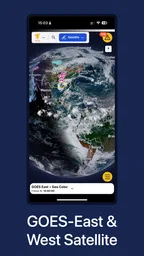
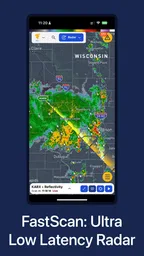
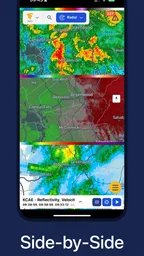
The app’s emphasis is notably more weather-focused than the standard forecast built into a phone. Full-resolution radar, official alerts, forecast models and live storm chasers point toward a tool for following active conditions, not simply checking the daily high. If I were planning an ordinary commute, I might want a fast glance. If I were deciding whether to move an outdoor event indoors, the ability to inspect radar and consider more than one forecast perspective would be more relevant.
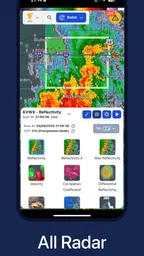
That distinction matters for trust. A detailed display can feel authoritative, but radar, alerts and forecast models answer different questions. Radar helps me inspect precipitation patterns; an alert signals a serious or noteworthy hazard; model information can help me see how forecasts may differ. I would not treat any single view as a guarantee of what will happen at my exact location. Weather changes, and broad forecast guidance is not the same as a personal promise.
The app is rated for Everyone, and its current version is 1.9.4. It was released on September 24, 2024, and requires Android 7.0 or later. That gives Android users a practical compatibility check before installing. It is also available without an upfront price, while offering in-app purchases ranging from $1.99 to $159.99 per item. I would look at the purchase details in the app store before paying, rather than assuming that every radar or forecast feature is included for free.
What the weather tools can—and cannot—tell you
Radar is most useful when I have a specific decision to make: should I leave now, wait for a shower to pass, or choose a different route? A useful habit is to check the radar, then check it again shortly before acting. A single snapshot can show where precipitation is, but it cannot by itself make a reliable promise about the timing at one street or building.
Forecast models are helpful in a different way. When the expected weather is unsettled, comparing model guidance can reveal that the outlook is uncertain rather than giving a false sense of precision. I would use that as a cue to make a flexible plan, not as a contest in which one model must be declared the winner. For a routine day, that extra comparison may be more information than I need.
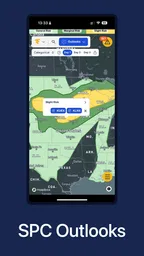
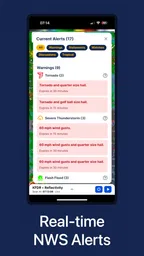
Official alerts have a practical role, too: they can bring important hazard information into the same weather-checking routine. I would still pay attention to the alert’s details and follow local instructions. A weather app can help me notice a warning, but it should not replace emergency guidance or common-sense decisions when conditions become dangerous.
Checking privacy and controls without making assumptions
Weather is location-sensitive by nature. To make a forecast relevant, I may want to look up a place or use conditions near where I am. That makes location a moment to pause and consider the choice being offered by the device or app. I would grant only the access I need for the way I plan to use it, and I would review the permission controls on my phone if I later change my mind.
I cannot responsibly infer a privacy policy, account system, or permission list from the app’s weather features alone. Those details should be checked in the app’s own disclosures and the device’s permission settings. Before enabling any optional access, I would ask whether it is necessary for my intended use. If I only want to inspect forecasts for a town before travelling, searching for that place may be enough; if I want weather tied to where I am, location access may be more convenient.
This is also where the distinction between useful context and unnecessary sharing matters. A storm-chaser view can make an active-weather session more engaging, but it does not change my basic approach to permissions: I would not enable a setting merely because it appears alongside an interesting map. I would first check what the setting does and whether I can get the same value through a less intrusive choice.
Likewise, I would not create or sign into an account unless the app clearly asks for it and explains why it is useful. I would check the available controls directly rather than assume that an account is required, that data can be deleted in a particular way, or that every choice is available inside the app. This is a cautious way to use any weather service, especially one that may be open during an urgent or distracting moment.
A practical routine for everyday decisions
Imagine I am taking children to a weekend sports field and the sky looks uncertain. I would first check the forecast to understand the broad outlook, then inspect radar for nearby precipitation, and finally review any official alert that could affect the outing. If the forecast models point in different directions, I would treat that disagreement as a reason to keep a backup plan rather than to make a precise bet on the weather.
That workflow is one of the app’s more useful strengths: it encourages me to connect several kinds of information to one real decision. It is also a trade-off. Opening multiple views takes longer than glancing at a basic weather widget, and more detail can create the illusion that I can predict conditions exactly. I would use the extra information when the cost of being wrong is meaningful, not turn every ordinary forecast into a research project.
For a commute, I might check radar before leaving and again if heavy weather is approaching. For gardening, a broad forecast may matter more than a detailed storm view. For a hike or a drive through changing conditions, I would combine the app’s information with local warnings and a plan that does not depend on perfect timing. These examples are not reasons to trust any one screen blindly; they show when the app’s layered approach is worth the extra attention.
Who will appreciate the detail, and who may prefer a simpler app
I would recommend WeatherWise.app to someone who enjoys examining weather rather than only receiving a headline forecast. People who track approaching storms, plan outdoor activities around changing conditions, or want to compare model guidance may get more out of it than they would from a minimal daily forecast. The live storm-chaser element also gives weather enthusiasts another perspective to follow, though I would treat it as context rather than a substitute for official alerts.
On the other hand, I would skip it if my main requirement is the quickest possible answer to “Do I need an umbrella?” A phone’s built-in weather view or another straightforward forecast app may be a better fit for that. Someone who dislikes layered maps, has little interest in storm tracking, or wants every useful feature to be free should also examine the in-app purchase options before settling in. The wide price range makes it especially sensible to confirm what a particular item costs and what it unlocks before buying.
Compared with the usual weather app, the difference is less about replacing a simple forecast and more about offering extra ways to inspect conditions. That is a benefit only when I use those tools. More screens do not automatically mean a more accurate decision, and I would not keep switching between models if the answer would not change what I do.
A measured verdict on using it with confidence
My cautious verdict is that WeatherWise.app looks most valuable as a weather-monitoring companion for people who want radar, alerts and forecast perspectives in one place. Its free entry point makes it easy to try, while the optional purchases mean I would check the specific costs before treating it as a long-term solution. The rating and install count offer useful context about its audience, not proof that it is right for every user.
For a safer, more deliberate experience, I would start with the basic forecast, explore radar when conditions are changing, and use model comparisons only when uncertainty affects a real plan. I would review location access and any other permission prompts at the moment they appear, and I would consult the app’s own privacy disclosures for details about data practices rather than guessing. If I need a quick, low-effort daily forecast, a simpler alternative is likely better. If I want to understand developing weather and am comfortable making my own cautious judgement, this app is worth considering.
What we like
- Clear forecasts make upcoming weather easy to check.
- Weather alerts can help users prepare for changing conditions.
- A straightforward layout keeps key information accessible.
- Useful for planning outdoor activities around the forecast.
- Weather information is available without needing a complex setup.
What could be better
- Forecast accuracy can vary by location and provider.
- Some areas may have less detailed local weather data.
- Weather updates depend on an internet connection.
- Frequent alerts may feel distracting to some users.
- The app may request location access for local forecasts.





