
WeatherBug: Weather Forecast review
 Analysis by Appsdrops
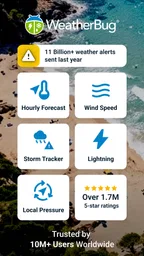
When I’m deciding whether to walk, drive, or take an umbrella, I want more than a cheerful sun icon: I need a forecast I can act on and a way to check whether the weather is changing nearby. WeatherBug: Weather Forecast is built around that practical need. It is a free weather app from WeatherBug, with radar, alerts, wind information, rain forecasts, and US news gathered into one place. In my experience, its appeal is less about a flashy presentation and more about having several useful ways to assess the same day.
From a quick check to a plan
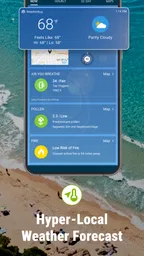
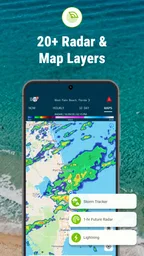
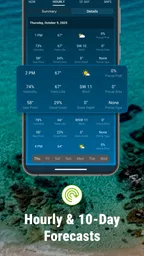
I’d start with the simplest question: what will the weather be like where I am, and when might it change? A forecast gives me a first answer, while the radar map helps me judge what is moving around the area. That distinction matters. A daily forecast is useful for planning the broad outline; radar is the tool I reach for when the sky looks uncertain and I need to decide whether to leave now or wait.
The app’s weather focus suits ordinary routines particularly well. Before a commute, I can check whether rain is likely; before a walk, I can look at conditions and wind; and if storms are a concern, alerts can help put a change on my radar before I’m caught outside. This is a more useful workflow than opening a forecast once in the morning and assuming the rest of the day will follow it exactly.
One practical habit I recommend is checking the forecast first, then opening the map only when timing or location matters. If I’m just choosing clothes, a broad outlook may be enough. If I’m coordinating a drive or an outdoor errand, the radar gives me a better basis for deciding whether a weather system is close enough to affect that plan. Use the forecast for the plan and radar for the timing.
Reading the map without overreading it
Radar is most helpful when I treat it as a picture of developing conditions rather than a promise about exactly what will happen at my doorstep. A patch of precipitation nearby is a reason to pay attention, not proof that rain will begin at a precise moment. I find that distinction important with any weather app, and it is especially useful when deciding whether to delay a short trip or pack a rain layer.
For a realistic example, imagine I have groceries to pick up after work and the sky is turning dark. I can check the forecast, inspect the radar, and use any relevant alert to decide whether to go immediately, take a jacket, or wait for a clearer window. That sequence is more practical than repeatedly refreshing a single daily summary, because each part answers a different question: expected conditions, nearby activity, and whether a notable change deserves attention.
Wind information adds another useful angle. Rain is not the only thing that affects an outdoor plan: a breezy day can make a short walk unpleasant or complicate time spent outside. Checking wind alongside rain gives me a fuller picture without needing to rely on the appearance of the sky alone. It is a small workflow improvement, but it can prevent the common mistake of planning around precipitation while ignoring how the rest of the weather will feel.
Alerts, handoffs, and everyday decisions
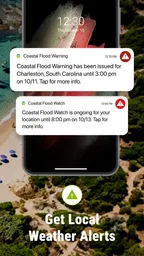
Alerts are the handoff between checking the app and getting on with something else. I don’t want to keep the map open while working or traveling, so a timely warning can be more useful than another manual check. WeatherBug highlights summer storm alerts, making that part of its offering particularly relevant when seasonal storms can interrupt errands or outdoor plans. I would still use an alert as a prompt to reassess, not as a substitute for checking conditions when the decision is important.
The handoff can also be from a personal forecast to a shared plan. If I’m meeting someone outdoors, the useful takeaway is not simply “it might rain”; it is whether the timing looks inconvenient enough to move the meeting or choose a covered location. I can check the forecast and radar, then make that decision before anyone sets out. This is where having the map and forecast together feels more efficient than switching between separate tools.
The app also includes US news, which may suit people who like weather information alongside local or national context. I see that as an optional extra rather than the main reason to install it. If my only goal is a fast, uncluttered temperature check, news can feel like additional material around the task. If I’m already opening the app to understand a weather situation, having another information stream available may be convenient.
Where WeatherBug fits among weather apps
Compared with the simplest built-in weather apps, WeatherBug is more appealing when I want to move beyond a basic current condition and inspect radar, wind, or alerts in the same workflow. A default app may be preferable if I value a minimal glance and do not expect to explore maps or extra information. WeatherBug’s broader approach gives me more ways to investigate, but that also means I should decide which parts I actually use rather than treating every panel as essential.
It is also not a replacement for careful judgment in situations where conditions could affect safety. Weather can change, and a forecast or map is guidance rather than a guarantee. If I’m planning a long drive or an exposed outdoor activity, I would check again close to departure and pay attention to alerts rather than relying on a look taken hours earlier. The app is useful as a planning aid; it should not encourage me to ignore changing conditions.
That balance explains who I think will get the most from it. It suits people who regularly plan around rain, wind, or storms and are willing to open a map for more context. Someone who only wants a quiet, one-screen forecast may prefer a simpler option. And if US news is irrelevant to a reader, that part of the package may not add much to the weather task they came for.
What the experience asks of the user
The main friction is that extra information is only helpful if I can quickly separate what matters now from what is merely available. A map invites exploration, and news adds another reason to browse, but neither should distract from the immediate decision. My approach is to open the app with a specific question in mind: do I need an umbrella, should I change my departure time, or is wind likely to affect my plans? That keeps the experience focused.
Another trade-off is that a radar image can feel more precise than it really is. It is tempting to judge a route or a neighborhood from a colored map and assume the weather will behave uniformly. I would use the map to spot a developing pattern, then combine it with the forecast and alerts rather than making a fine-grained promise to myself about exactly when rain will stop.
WeatherBug is free to download, though it offers in-app purchases ranging from $1.99 to $399.99 per item. That range makes it sensible to look closely at any purchase prompt before committing; the basic decision to try the app does not require assuming that every optional item is necessary. The app is rated for Everyone, and its current version is 6.10.0-2 for devices running OS 9 or later.
A useful fit for people who check the sky in stages
WeatherBug has an average rating of 4.6 from around 1.9 million ratings, with about 414,000 written reviews and over 10 million installs. Those figures suggest that it has reached a large audience, but they do not tell me whether its particular mix of radar, alerts, wind, forecasts, and news matches every person’s habits. For my purposes, the strongest reason to consider it is the ability to move from a broad forecast to a closer look at weather activity without changing apps.
I would recommend it to a friend who makes outdoor plans, wants storm alerts, or likes checking radar before leaving home. I would point a friend seeking only a bare-bones forecast toward a simpler alternative instead. The best results come from using the app in stages: check the outlook, inspect the map when timing matters, notice relevant alerts, and then make a practical choice. WeatherBug is most useful when it helps you change a plan early, not when you keep checking it without a decision in mind.
What we like
- Live radar helps track approaching storms.
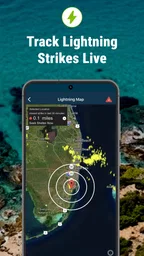
- Lightning alerts can provide extra time to seek shelter.
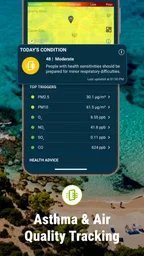
- Air quality readings support everyday outdoor planning.
- Weather maps make conditions easy to scan at a glance.
- Custom alerts keep important local weather changes visible.
What could be better
- Frequent notifications may feel distracting.
- Some features require location access to work well.
- Advertising can interrupt the browsing experience.
- Forecast accuracy may vary by location and conditions.
- Detailed screens can take time to navigate.





