Weather Scope NOAA Live Radar review
 Analysis by Appsdrops
I judge a weather app by whether it helps me make a decision, not by how many numbers it can fit on a screen. Weather Scope NOAA Live Radar is aimed at people who want radar and forecasts together, with particular attention to hurricanes and snow alerts. That makes it more focused than a bare-bones forecast app, though it also asks users to care about more than a simple “Will it rain today?” answer. My overall impression is that it is most compelling when changing weather affects a plan, a route, or a household routine.
What you get without paying
Weather Scope is a free weather app from Aviator Assistant, and its central appeal is that you can start using it without an upfront purchase. It has a 4.5 average from around 7,200 ratings, and has been installed over 100,000 times. Those figures suggest an established audience, but they do not tell me whether its particular approach will suit your habits; the useful question is whether radar, storm tracking, and alert controls are worth keeping in your daily weather routine.
The app includes in-app purchases ranging from $7.99 to $69.99 per item. That is a broad range, so I would not treat the existence of paid items as proof that everyone needs to buy one, or assume what any particular purchase unlocks. The practical way to assess the free offering is to try the core weather workflow first, then consider a purchase only if you encounter a specific limitation that matters to you. Free access gives you a low-commitment way to decide whether this style of weather monitoring fits.
Its Everyone age rating makes the app broadly suitable for general audiences. The listed release date is May 23, 2023, and the current version is 3.13.4, with Android 8.0 as the minimum operating system. For iPhone users, the version and operating-system details above do not establish iOS availability or compatibility, so I would check the relevant app store on the device before planning to install it there.
Where the app earns its place
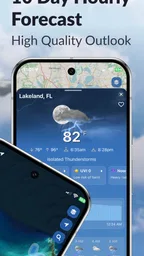
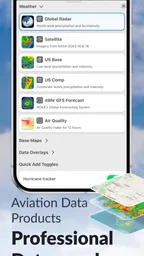
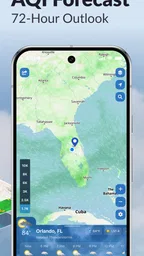
Weather Scope’s appeal is the combination of a live radar focus with broader forecasts and tools for significant weather. Those pieces answer different questions: a forecast helps with planning ahead, radar helps assess what is approaching, and hurricane tracking or snow alerts can matter when conditions become more serious. I find that combination more useful than an app that presents a single daily summary and leaves me to look elsewhere when I need to follow a developing system.
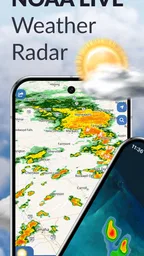
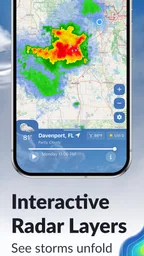
The NOAA radar emphasis is especially relevant if you want to inspect weather movement rather than rely only on a written prediction. For an ordinary commute, I might check the forecast before leaving and use radar again if rain seems likely. The benefit is not that a map guarantees what will happen at my exact location; it is that visual context can help me decide whether to take an umbrella now, wait before heading out, or allow extra time.
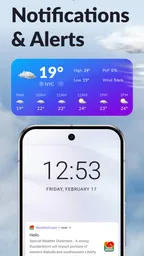
Customizable snow alerts add a different kind of practical value. A snow notification is most useful when it changes a decision, such as whether to leave earlier, check a route, or prepare for a school or work disruption. Rather than treating every alert as a command, I would use the settings to make notifications relevant to my own routines. The trade-off is that alerts can become noise if they are too broad or frequent, so a little setup is part of getting value from them.
A useful routine for unsettled weather
Imagine I have an outdoor errand after work and rain is forecast. I can use the forecast to decide whether the plan is sensible, then look at radar closer to departure if the timing matters. If showers appear to be moving through, that visual check may help me choose whether to leave early or shift the errand. This is a stronger use case than opening an app repeatedly just to watch a map without a decision in mind.
For winter, I would take a similar approach: configure snow alerts around the places and routines that matter, then use the forecast to plan ahead rather than waiting for a notification to solve everything. An alert can prompt a check, but it cannot replace judgment about local roads, travel conditions, or official safety instructions. That distinction matters because severe-weather features are most helpful as part of a broader decision process, not as a substitute for one.
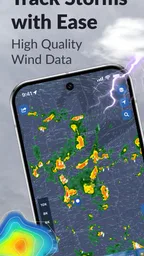
Hurricane tracking makes the app relevant to people who want to keep an eye on a major storm’s progress. It is a different need from checking a daily high temperature: users may be following a system over time and looking for timely context. I would still consult official emergency guidance when making safety decisions. A consumer weather app can help me stay oriented, but I would not use any single app as my only source during a dangerous event.
How it compares with simpler weather apps
Many people already use the built-in weather app on a phone or a general-purpose forecast service. Those options can be a better fit if all you want is a quick temperature, a simple daily outlook, and minimal setup. Weather Scope makes more sense when radar, hurricane awareness, or customizable snow alerts are central to how you plan. In other words, its advantage is specialization, not necessarily a better answer to every basic weather question.
Compared with a radar-only tool, a combined app can reduce the need to switch between a map and a forecast when planning around changing conditions. The compromise is that a broader set of weather functions may feel unnecessary if you only want to inspect precipitation. If your main concern is a highly local forecast, I would compare the results against a service you already trust before relying on this one for precise timing. The app’s focus is clear, but no single forecast view removes the uncertainty inherent in weather.
Trade-offs I would consider before settling in
The first trade-off is attention. Radar and alerts are useful when weather affects a choice, but they can encourage frequent checking when nothing important is at stake. I would decide in advance what I want notifications to do for me—for example, flag relevant snow conditions—rather than treating every update as something that needs a response. A weather app should make planning calmer, not turn an ordinary day into a stream of alarms.
The second is that the app’s most distinctive tools will not matter to everyone. If I live somewhere where snow alerts and hurricane tracking are rarely useful, the main reason to choose Weather Scope over a familiar forecast app becomes weaker. Similarly, people who prefer a short daily summary may find a radar-oriented approach more involved than they need. The best fit depends on whether seeing weather develop is genuinely useful in your life, not simply whether the feature sounds impressive.
There is also a sensible limit to what I would infer from the available purchase range. Paid items exist, but their individual contents and the exact boundary between free and paid use are not established here. I would inspect the in-app purchase details before spending, and avoid buying on the assumption that a particular alert, map, or forecast feature is included. That is a small but important point for anyone weighing the free experience against a paid option.
Who is likely to get the most from it
I would recommend giving it a try if you regularly plan around rain, snow, or major storms and want radar and forecast information in the same weather-focused app. It may suit commuters who need to decide whether to leave early, people arranging outdoor plans, and households that want snow alerts to prompt practical preparation. The app’s combination is more valuable when a weather update can change what you do that day.
I would be less enthusiastic for someone who wants only a glanceable temperature or who dislikes configuring alerts. A straightforward built-in weather app may serve that person better, with less attention required. It is also not the right sole resource for emergency decisions: when a storm threatens safety, I would pair it with official local instructions rather than rely on a consumer app alone.
For Android users, the minimum system requirement is version 8.0, which gives a clear starting point for checking compatibility. The app is free to begin with, but I would treat purchases as optional until I had used it enough to identify a specific need. That approach keeps the cost decision grounded in actual use rather than the promise of extra functionality.
My verdict on whether to try it
Weather Scope NOAA Live Radar earns its consideration by focusing on the kinds of weather information that can change a plan: radar, forecasts, hurricane tracking, and customizable snow alerts. I like that the free starting point lets me test whether those tools fit my routine before deciding whether any in-app purchase is worthwhile. Its strongest case is not “everyone needs another weather app,” but “people who actively plan around changing or severe weather may appreciate this particular mix.”
I would try it if radar checks and tailored snow notifications would save me time or help me prepare. I would skip it if my current app already answers my everyday questions and I rarely need more than a basic forecast. With a 4.5 average and a substantial base of user ratings, it has attracted plenty of interest, but my recommendation ultimately comes down to fit: choose it for weather awareness that supports decisions, not simply for another forecast on your phone.
As an app in the weather category, it is most convincing when used with purpose: check the forecast while planning, consult radar when timing matters, and let alerts serve as prompts rather than final instructions. That is a practical role for Weather Scope, and for the right user it makes the free trial of its everyday usefulness an easy decision.
What we like
- Live radar helps track approaching precipitation.
- NOAA data offers a trusted source for weather details.
- Forecasts can help with day-to-day planning.
- Radar maps make storm movement easier to follow.
- Weather alerts can provide timely warnings.
What could be better
- Radar coverage may vary by location.
- Some features may require a paid subscription.
- Live radar can use mobile data quickly.
- Forecast accuracy decreases further into the future.
- Frequent alerts may become distracting.





