Weather Scene review
 Analysis by Appsdrops
When I choose a weather app, I care less about a crowded screen than about whether it helps me make a sensible plan. Weather Scene is aimed at that practical moment: checking conditions before travelling or deciding what to do next. I would consider it if I want a free, straightforward weather app, but I would not treat its brief description as proof of specialist travel tools. The key question is whether its approach suits the way you actually check the forecast.
Start with the decision you need to make
A weather check can answer very different questions. Someone heading across town may only need to know whether to carry a coat; a traveller planning a day outdoors may need a more dependable picture of changing conditions and the ability to compare places. I judge an app by how well it supports the decision in front of me, not by how many screens it appears to offer.
Weather Scene is a weather app from Tufei Mobile, and its travel-oriented framing makes it most relevant when I want to consider weather as part of a journey. That is a useful point of focus, but it does not automatically make it a full trip planner or a specialist forecasting service. I would use it to inform a travel decision, then rely on other sources when the consequences of getting the forecast wrong are serious.
The app is free and rated for Everyone, which lowers the barrier to trying it and makes it broadly suitable for casual household use. It has an average rating of 4.2 from around 1,900 ratings, alongside 76 written reviews. Those figures suggest that many people have tried it, but they cannot tell me whether its presentation or depth will match your needs. I would treat them as context, not a substitute for checking the app yourself.
It has reached over a million installs, so it is not an obscure experiment with no audience. Still, popularity alone does not settle the practical questions: whether the forecast is easy to interpret, whether it covers your destinations well, and whether you find the experience comfortable enough to use regularly. Those are the things I would test during an ordinary week before making it my only weather source.
What to check before relying on it
My first test would be local usefulness. Open the app for the place where you live, then check it again before a routine outing. The important thing is not simply whether a forecast appears, but whether you can quickly find the information that changes your choice: should you leave earlier, pack an umbrella, or move an outdoor plan indoors? If locating that answer takes too much effort, a simpler alternative may work better.
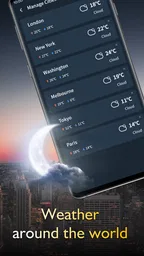
Next, I would try a destination I expect to visit. A travel-minded weather app is only helpful if it fits the way you plan: checking a place before departure, revisiting the forecast during the trip, or comparing what awaits at home and away. I would not assume any particular comparison or saved-location feature is available without seeing it in the app. Instead, I would check directly whether my real workflow is supported.
Finally, I would look at how the forecast communicates uncertainty and change. Weather is not a promise, especially when plans involve a long day outside. If a single glance leaves me unsure whether conditions are stable or likely to shift, I would check a second forecast source. That is a sensible habit with any weather app, not a special shortcoming of this one.
Where Weather Scene makes sense
The strongest case for Weather Scene is its clear everyday purpose: making weather part of travel planning rather than treating it as an isolated curiosity. For a weekend visit, for example, I might check conditions at my destination before choosing what to pack, then look again on the morning I leave. That small routine can help avoid packing only for the weather at home.
It may also suit people who do not want a paid product just to make ordinary plans. Because it is free, I can try it without committing money, then decide whether its way of presenting weather earns a place on my phone. That is particularly appealing if my needs are modest: checking conditions before a commute, an errand, or a short break, rather than studying detailed weather patterns.
A useful, slightly less obvious habit is to make the app part of a two-stage planning check. I would look once while deciding what to bring, then again shortly before leaving. The first check helps with preparation; the second catches changes that could affect timing or clothing. This approach is more practical than treating any one forecast as fixed for an entire day.
Another good use is to check both ends of a journey instead of assuming that familiar weather will follow me. If I am travelling from a mild local forecast to a destination with different conditions, the contrast may change what I pack or whether an outdoor plan feels worthwhile. Weather Scene’s travel focus makes that kind of question a natural reason to open it, though I would first confirm that the app makes destination checking convenient.
The app’s current version is 1.3.4, and it supports devices running Android 7.0 or later. That is helpful if you use an older compatible Android phone, though compatibility does not guarantee the same experience on every device. The app was released on November 14, 2025, so I would pay attention to how it behaves in everyday use rather than assuming a long track record from its install count.
Small habits that make a weather check more useful
I would avoid checking only when I am already at the door. A quick look the evening before a trip gives me time to change what I pack; a second check before setting out lets me adjust if the forecast has shifted. The point is not to keep refreshing all day, but to use each check at the moment it can still change a decision.
For an outdoor plan, I would also separate the forecast from the decision. A prediction can inform whether I bring a layer or choose a backup activity, but it cannot decide how much risk I am comfortable with. If weather could affect safety, I would consult authoritative local guidance rather than relying on a general-purpose phone app alone.
One practical trade-off is that a focused app can feel easier to approach than a screen full of maps, charts, alerts, and technical terms. The reverse is true for people who actively want those tools: a simpler experience may leave them looking elsewhere. I would judge Weather Scene by how quickly it answers my common questions, not by an expectation that every weather app should serve every kind of user.
When another kind of weather app is a better fit
If I mainly need a fast glance at conditions near home, the weather app already built into my phone may be enough. There is little value in adding another app if it does not make a routine check clearer or quicker. Weather Scene is more compelling when its travel-oriented use fits a real habit, not merely because having another forecast on the phone seems useful.
For people who plan around detailed maps, severe-weather alerts, or highly technical forecast information, I would compare it with specialist weather apps. Those categories are designed around different priorities, and they may be a better match when precision, depth, or urgent warnings matter more than a simple travel check. I am not claiming that Weather Scene lacks any particular tool; I am saying that its stated focus alone is not enough reason to choose it for specialist work.
Likewise, if you need weather information integrated into a broader itinerary, such as transport, bookings, and day-by-day plans, a travel-planning service may be more convenient. A dedicated weather app can inform those plans, but it should not be mistaken for the whole planning process. I would keep the jobs separate unless the app itself clearly supports the workflow I need.
There is also a reason to keep a second source available. Forecasts can differ, and a change in conditions may matter more when I am travelling far from home or spending the day outdoors. I would use Weather Scene for routine planning and cross-check a trusted local source when a decision has meaningful safety or timing consequences. That is a practical boundary, not a criticism of using an everyday forecast app.
The real cost of switching
Trying a free app is easy; changing a habit is the harder part. If you already have saved places, familiar widgets, or a routine built around another weather service, Weather Scene needs to make a noticeable improvement before it is worth replacing that setup. I would test it alongside my current app for a few days, using the same locations and the same questions, rather than switching outright after one glance.
That comparison is most useful when kept specific. Before a commute, note which app gives you the answer you need with less effort. Before a trip, see whether checking the destination feels natural. If Weather Scene does not improve either moment, there is no strong reason to keep both. If it does, you can decide whether to use it as your main everyday option or simply as a second perspective for travel.
Because it is free, the financial risk of experimenting is low, but your attention still has value. Two apps can create needless uncertainty if their forecasts differ and you have no clear rule for choosing between them. I would avoid checking repeatedly just to seek reassurance; instead, use one source for routine plans and consult another only when the stakes or changing conditions justify it.
Who I would recommend it to
I would recommend giving Weather Scene a try if you often check the weather before going somewhere, prefer a free app, and want to see whether a travel-focused approach fits your routine. It is also a reasonable candidate for someone who wants to make a simple forecast check part of packing and departure planning. Since it is rated for Everyone, it can be considered for general household use, with the usual care not to treat an app forecast as safety guidance.
I would be more cautious if you depend on specialised weather information, need a particular alert or mapping tool, or already find your current app quick and reliable. In those cases, compare the exact functions you use rather than choosing on install numbers or a general impression. A more technical weather service—or simply the app you already know—may be the better choice.
My recommendation is modest but positive: Weather Scene is worth trying as a free option for everyday and travel-related checks, provided you confirm that its actual screens answer your questions without friction. Its appeal is the chance to make weather a practical part of deciding what to pack and when to go. I would keep a specialist or local source in reserve for high-stakes plans, and I would switch only if this app proves more useful in the routines that matter to me.
What we like
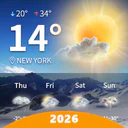
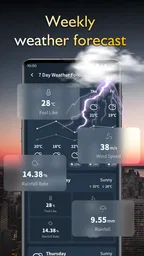
- Weather conditions are shown with attractive animated scenes.
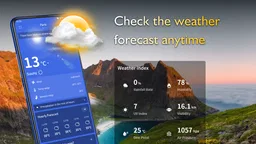
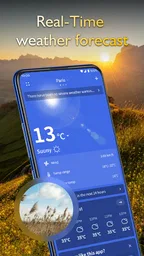
- The visual presentation makes forecasts easy to scan.
- Changing the scene can make checking the weather more enjoyable.
- The app offers a distinctive alternative to plain forecast lists.
- Animated backgrounds add visual interest to the forecast display.
What could be better
- Animated scenes may use more battery than static displays.
- Frequent updates can consume mobile data.
- The visual style may not suit users who prefer simple layouts.
- Small weather details may be less noticeable against animated backgrounds.
- Forecast accuracy depends on the weather data provider.





