Weather Radar & Weather Live review
 Analysis by Appsdrops
I find a weather app most useful when it helps answer a practical question: should I leave now, carry a coat, or change the plan? Weather Radar & Weather Live is aimed at that kind of quick decision, with radar as its central draw and UV and snow information for planning beyond rain. My view is that it can suit people who like checking conditions visually, provided they treat a forecast as guidance rather than a guarantee.
Building a reliable daily weather check
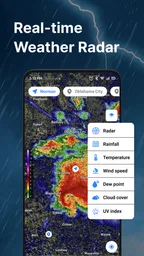
My preferred way to use a radar-focused app is to check the broad forecast first, then use the radar view to decide how soon changing weather might matter. A map can make an approaching rain area easier to understand than a single line of text, especially when I’m deciding whether to walk, cycle, or wait before heading out. Weather Radar & Weather Live is built around that visual habit, rather than being just a bare temperature readout.
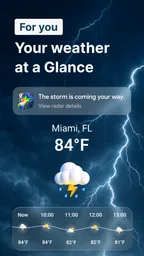
For a normal morning, I would check the outlook before getting ready, then make one more radar check shortly before leaving if the sky looks unsettled. That second look is more useful than repeatedly refreshing throughout the day: radar can help with timing, but it does not make a shower’s path certain. I’d still keep a simple fallback—an umbrella or a route with shelter—when being caught in rain would be a real problem.
The app is a weather app from Avn Global Application. It has a four-star average from around 23,000 ratings, and more than five million installs. Those figures suggest that it has reached a broad audience, though they don’t tell me whether it will fit a particular person’s preferred way of checking the weather. I’d judge that by whether its radar and planning information are convenient in everyday use.
One practical habit is to connect each check to a decision. If I’m planning an outdoor lunch, I’d look at the expected conditions and radar before choosing a time, rather than treating a promising moment on the map as a promise that the rest of the afternoon will stay clear. For a commute, I’d focus on whether rain looks relevant during the travel window. This keeps a weather app useful without letting every changing patch on a map dictate the day.
When radar adds more than a forecast line
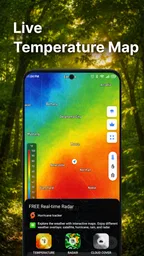
Radar is especially handy when the question is about near-term rain: whether to take a short walk now or wait, for example. It gives a visual sense of where precipitation appears to be, which can be easier to interpret than a general daily summary. Still, I wouldn’t use a radar image alone to make a high-stakes decision. A moving weather pattern can change, and a map is a snapshot to inform a choice, not a personal guarantee.
That distinction matters for people who travel between neighborhoods or spend time outdoors. A broad forecast may sound reassuring while the radar gives a reason to carry a light rain layer anyway. The useful takeaway is not necessarily “it will rain at my exact location”; it may simply be “conditions look uncertain enough that I should avoid being caught unprepared.” That cautious reading is where radar earns its place.
Settings and checks that make the routine smoother
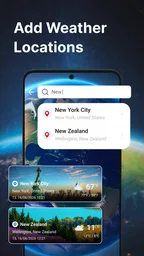
I would start by making sure the location used for a check is the one relevant to the plan. Looking at home conditions is not much help when I’m about to spend the afternoon somewhere else. Before relying on a forecast for a day trip, I’d deliberately check the destination rather than assuming that the weather nearby will match. This is a small step, but it prevents a common mistake with any location-based forecast.
I’d also make a point of checking the time context of what I’m viewing and revisiting the forecast when the decision is close. A radar view is most valuable when it informs a near-term choice; an early glance can help with planning, while a later glance can help with timing. I wouldn’t spend the whole day watching the map. The goal is to make a decision and get on with the day, not to turn weather-checking into a constant task.
The UV index gives the app another planning use beyond rain. If I’m going to be outside for a long stretch, I’d check it as a prompt to think about sun protection rather than relying on how warm or bright the day feels. Snow information can likewise be relevant when winter conditions affect an outing. These details broaden the app’s usefulness, but they work best as cues to plan—not as substitutes for local judgement or official guidance when conditions are serious.
Weather Radar & Weather Live is free to download, with in-app purchases listed from $1.99 to $94.99 per item. I’d pay attention to what is available without paying before building a daily routine around a particular option. If the basic radar and planning details meet your needs, there may be no reason to spend. If you consider a purchase, check its exact terms in the app store first so you know what you’re choosing.
Repeatable habits for quicker decisions
A useful shortcut is to decide what kind of question you’re asking before opening the app. “Do I need rain protection in the next part of my trip?” calls for a radar check. “Will a sunny outdoor plan need extra preparation?” makes the UV index more relevant. “Could winter weather affect this outing?” points toward the snow report. Matching the information to the question makes the experience faster and keeps the different weather details from becoming noise.
For a weekend plan, I’d use a two-stage routine: check the forecast while choosing the day, then look again closer to departure. The earlier check helps me avoid planning around obviously unsuitable conditions; the later one helps me make a practical call about clothing or timing. I’d keep the plan flexible if the conditions look unsettled, instead of treating one early forecast as final. That approach is especially useful for outdoor plans that can be moved by a few hours.
For a daily commute, I’d focus on the route and the period when I’ll actually be outside. If rain appears likely around departure, leaving a little earlier or bringing an umbrella could be sensible. If the map looks clear, I’d still remember that conditions can change. This is a better use of a radar app than repeatedly checking it with no specific decision in mind.
Another good habit is to avoid overreacting to a single small area on the map. A visual display can draw the eye to one patch, but the practical question is whether it affects the place and time that matter to you. I’d check the broader pattern, consider the forecast alongside the radar, and then choose a reasonable backup. This keeps the app’s most compelling feature from creating unnecessary alarm.
Where it may fall short
A radar-first approach will not suit everyone. If I only want a minimal glance at the current temperature and a simple daily outlook, a simpler weather app may be quicker and less visually busy. Conversely, someone who needs highly detailed meteorological tools for professional work may want a specialist service with capabilities designed for that purpose. This app’s stated strengths are everyday rain planning, UV awareness, and snow information, so I’d choose it for those practical needs rather than assume it covers every expert use case.
Radar also has a natural limitation: seeing precipitation on a map does not tell me with certainty what will happen at my exact doorstep. For a long drive, a safety-critical outdoor job, or severe weather, I would not make the app my only source of information. I’d consult appropriate local alerts and use common sense. A useful weather app can reduce uncertainty, but it cannot remove it.
There is also a potential trade-off between having several kinds of weather information and keeping the experience simple. UV and snow details are valuable when they match the day’s plans; on an ordinary indoor day, they may not matter. I would use the relevant view and ignore the rest rather than expect every feature to be useful every time. The app is strongest when I approach it as a practical toolkit, not as a screen that needs constant attention.
Its content rating is Everyone, and it supports Android 7.0 and later. The current version is 2.5.9. Those details can help someone check basic compatibility before installing, while the free starting price makes it easy to try the everyday workflow and decide whether it suits them. The app has been available since May 27, 2020, giving it an established presence rather than the feel of a brand-new release.
Who I’d recommend it to
I’d recommend Weather Radar & Weather Live to someone who regularly plans walks, errands, commutes, or outdoor activities around rain. It is also worth considering if UV conditions or snow are relevant to the way you plan a day. The clearest benefit is the chance to combine a visual radar check with those extra planning cues instead of relying only on a general weather summary.
I’d suggest skipping it if you want the absolute simplest possible forecast, or if you need specialised forecasting for work and safety decisions. It may also be a poor fit if you tend to become distracted by checking weather maps repeatedly; a forecast should support your plans, not take them over. In those cases, a basic app or a more specialised source may be a better match.
Overall, I like the idea of using this app in short, repeatable checks: confirm the relevant location, look at the information tied to the decision, and check again near departure when timing matters. Its radar focus gives it a practical role, while UV and snow information can help with more specific plans. My main recommendation is to use the map as a planning aid, not a promise. With that expectation, it can be a useful everyday weather companion; without it, even a clear-looking radar view can invite more certainty than the weather deserves.
What we like
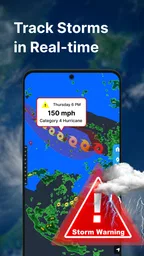
- Radar maps make approaching storms easier to track.
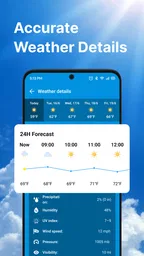
- Hourly forecasts help with planning short outings.
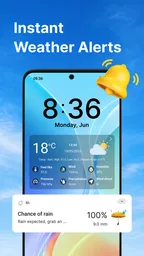
- Severe weather alerts can provide useful advance notice.
- A compact layout makes key conditions quick to check.
- Multiple location support is useful for travel planning.
What could be better
- Radar coverage may vary by location.
- Forecast accuracy can decline several days ahead.
- Frequent alerts may become distracting.
- Some features may require a paid subscription.
- The app may need location access for local forecasts.





