
Weather: Live Forecast & Radar review
 Analysis by Appsdrops
I like a weather app best when it helps me make a decision, not when it fills the screen with numbers I won’t use. Weather: Live Forecast & Radar is aimed at that practical role: it is a free weather app from JuXin Ltd for checking conditions around everyday plans, trips, and time outdoors. My overall take is that it makes most sense as a straightforward forecast companion, especially if you want a quick check before leaving home. It is less compelling if you need a highly specialized weather tool or want to judge a service by detailed technical controls.
Useful for the small decisions weather changes
The app’s value is easiest to understand through ordinary routines. On a weekday morning, I might check whether to take a light jacket, walk to a nearby errand, or allow extra time before heading out. For a weekend plan, I would use it to decide whether an outdoor activity is still sensible or whether I should prepare an indoor alternative. Those are modest decisions, but they are exactly where a weather app earns its place on a phone.
That everyday focus also makes the app approachable. Its purpose is clear without requiring me to treat weather as a hobby or interpret a wall of specialist terminology. I would open it for a quick forecast check, then return to the rest of my day. The name promises live forecast and radar, but I would still treat any forecast as guidance rather than a guarantee: weather can change, and a screen cannot remove that uncertainty.
There is a practical distinction between checking the weather and planning around it. A glance can answer whether conditions look comfortable; a little thought about timing and flexibility is still needed for a longer outing. I find that distinction useful because it keeps expectations realistic. The app can support a choice, but I would not let a single forecast check decide a safety-critical plan without considering local conditions as well.
Where it fits into a normal routine
A useful habit is to check before the decision point, not only when you are already at the door. If I am planning a walk later in the day, I would look once while organizing the day and check again closer to leaving. That second look matters more for plans that cannot easily move, such as a commute or a scheduled outdoor appointment. For casual plans, an early check may be enough to pack sensibly and keep an alternative in mind.
Travel is another natural use. Before setting off, I would check the forecast for the destination as well as the place I am leaving, since the two may call for different clothing or timing. A forecast app is most helpful when it changes a concrete choice: what to pack, whether to walk, or whether to leave room in the schedule. It is less useful when I keep refreshing without being ready to act on what I see.
The app is rated for Everyone, which makes it a reasonable option to consider for a shared household device or for someone who wants an uncomplicated weather check. That does not mean every person will find the same forecast presentation equally useful, but the broad age rating is reassuring for ordinary family use. I would still encourage children to ask an adult before changing plans based on weather, especially for activities where conditions matter more than comfort.
How it compares with familiar weather choices
Compared with a phone’s built-in weather view, a dedicated app can be worthwhile when its presentation or forecast-and-radar emphasis better matches how I plan. The built-in option is often convenient because it is already on the device; switching to another app only makes sense if I prefer its way of presenting information or find myself checking weather often enough to justify a separate place for it. I would judge this one by whether I can answer my usual questions quickly, rather than by how much information it can display.
Compared with specialist weather services, this app is better approached as a general-purpose choice. People who need highly detailed local analysis, professional forecasting tools, or a particular source of meteorological data should compare those services directly and choose based on the capabilities they actually require. For someone deciding whether to bring a coat or adjust a casual outing, that level of depth may be unnecessary. The right alternative depends less on which app has the most screens and more on how consequential the decision is.
Its current version is 1.8.0.0, and the app has an average rating of 4.3 from around 6,300 ratings, with about 155 written reviews. It has passed 500,000 installs. Those figures suggest that it has found a substantial audience, but I would not treat popularity as proof that it suits every phone or routine. The most useful test is still whether the app gives you a clear enough answer for the decisions you make regularly.
The limitation is expectation, not just presentation
My main caution is that the phrase “live” can encourage people to expect certainty or constant precision. No weather forecast should be read as a promise about exactly what will happen at a particular street corner or moment. Conditions can vary, and a forecast is a planning aid. If a trip, event, or outdoor task has meaningful consequences, I would check close to the time and keep a backup plan rather than relying on one early glance.
There is also a trade-off between simplicity and depth. A person who wants a quick answer may appreciate a focused weather app, while someone who wants to compare multiple models, inspect detailed charts, or make technical decisions may find a general app insufficient. That is not necessarily a flaw for the intended everyday role, but it is a reason to be selective. I would not install it expecting it to replace a dedicated professional or severe-weather resource.
Another small friction is that any forecast app needs a location choice that matches how you use it. If you are planning a trip, checking only your current surroundings is not enough; you need to consider where you are going. I would make a point of checking the destination before packing or setting a departure time. That simple workflow prevents a common mistake: treating the weather at home as a reliable stand-in for conditions elsewhere.
Who will get the most from it
I would recommend Weather: Live Forecast & Radar to people who want a free, general weather app for routine decisions and do not need a specialist dashboard. It is a sensible candidate for commuters, casual walkers, families coordinating outdoor time, and travelers who want to check conditions as part of preparing. The app’s category is weather, and its central appeal is that it belongs in the practical toolkit for planning a day rather than requiring a learning curve or a dedicated interest in meteorology.
I would be more cautious about recommending it to people whose work or recreation depends on highly granular forecasting. If you are organizing a long expedition, managing weather-sensitive operations, or need a very particular alerting and data workflow, compare dedicated alternatives before relying on a general app. Likewise, if the weather view already built into your phone answers your questions clearly, you may not gain enough from adding another app. Convenience matters, and a second forecast is only useful if it improves a real decision.
For anyone trying it for the first time, I would give it a fair test across several situations rather than deciding from one morning. Use it for a routine commute, check a destination before a short trip, and see whether its forecast and radar presentation helps you plan an outdoor activity. Notice whether you can find the information you need without repeated searching. If it fits those habits, it has earned its place; if you keep reaching for another source, that is a clear sign your needs are different.
A practical recommendation with sensible limits
Weather: Live Forecast & Radar is a reasonable option for people who want weather information close at hand and use it to make everyday plans. I appreciate the straightforward purpose and the fact that it is free to try. JuXin Ltd has built an app that has drawn a meaningful audience, and its 4.3 average rating gives a useful broad signal, though personal fit matters more than any aggregate score.
My recommendation is specific: try it if your regular questions are whether to dress for the conditions, when to leave, or whether an outdoor plan needs a backup. Keep your expectations grounded, check the place you are actually going, and revisit the forecast when timing matters. Choose a more specialized service if you need technical depth or unusually high confidence for consequential decisions. For ordinary day-to-day planning, this is the kind of weather app I would consider keeping available, provided its way of presenting the forecast works for you.
The app was released on April 28, 2026, and its minimum operating system requirement is version 9. That makes device compatibility worth checking before installing, particularly if you use an older phone. For everyone else, the choice comes down to a simple question: does it help you make a better plan with less fuss? If the answer is yes after a few real-world checks, it is doing its job.
In short, I see it as a practical daily forecast companion rather than a substitute for specialist weather tools. That balance is what makes the app worth considering: it can help with the small choices that shape a day, while still leaving room for common sense, changing conditions, and a more advanced alternative when the situation calls for one.
What we like
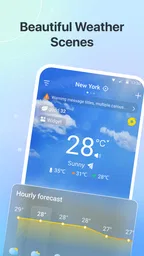
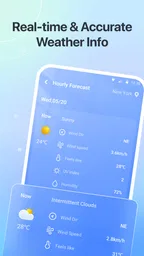
- Hourly forecasts make it easier to plan around changing conditions.
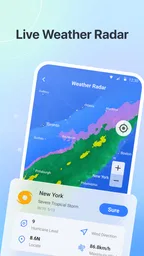
- Radar maps help track approaching rain and storms.
- Weather alerts can provide advance notice of severe conditions.
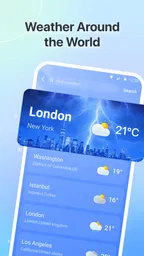
- Multiple locations are useful when checking weather for travel.
- A clear forecast layout makes key conditions easy to scan.
What could be better
- Forecast accuracy can vary by location and how far ahead you look.
- Radar coverage and detail may differ between regions.
- Frequent alerts can become distracting if settings are not adjusted.
- Some features may require a subscription or in-app purchase.
- Weather updates depend on a reliable internet connection.





