Weather forecast review
 Analysis by Appsdrops
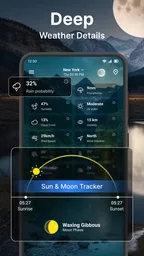
Weather is only useful when I can understand it quickly enough to act on it. That is the standard I bring to Weather forecast, a free weather app from Accurate Weather Forecast & Weather Radar Map. Its focus is practical: check current conditions, look ahead by the hour, and consult a radar view. I find that combination more helpful for everyday decisions than a screen crowded with elaborate charts, although a simple layout is not automatically easy for everyone to use.
Reading the forecast without getting lost
The app’s basic appeal is that it puts three familiar questions within reach: what is happening outside now, what may change soon, and where weather activity appears on the radar. That is a sensible structure for someone who wants to decide whether to carry an umbrella or wait before leaving, rather than study a full meteorological report.
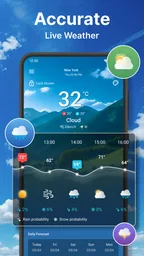
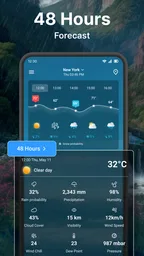
In my experience, hourly forecasts are particularly useful when the day does not fit into a single morning check. A broad daily summary might suggest a generally fine day while overlooking a short spell of rain around the time you plan to walk home. Looking at the hours around a specific trip gives the forecast a more practical purpose: I can compare the window I care about instead of treating the whole day as one block.
The current-temperature view is an easy starting point, but I would not use a single number as the whole story. Temperature does not tell me whether rain is approaching or how conditions might change later. A better habit is to check the present reading, scan the relevant hours, and then use the radar when timing or movement matters. That small sequence makes the app more useful than a quick glance alone.
Weather forecast is in the weather category, and its straightforward purpose is likely part of why it has found a broad audience: it has an average rating of 4.3 from around 40 thousand ratings, with over 5 million installs. Those figures suggest many people have tried it, but they do not guarantee that its presentation will suit every reader or every routine. I would judge it by whether its forecasts are easy for you to interpret and useful in your own location.
Navigation matters as much as the information itself. When I am checking conditions in a hurry, I want to move from current weather to the hours ahead without having to learn a complicated system. The app’s stated focus gives it a clear job, but individual comfort still depends on how readable the screen feels on a particular device. If you have low vision, use a small phone, or find dense displays tiring, spend a little time checking whether labels and weather symbols are comfortable to distinguish before relying on it as your main source.
Make the hourly view answer a real question
A useful way to read hourly weather is to start with a decision, not with the first number on screen. If I need to take a child to an appointment, for example, I would inspect the hours covering both the trip there and the return. If rain appears during only one leg, that can change whether I bring a coat, choose a different route, or allow more time. This is more actionable than repeatedly checking the forecast without a plan.
The same method helps with flexible activities such as errands or a short walk. I can compare nearby time slots and choose the one that appears less exposed to rain. It is still a forecast, not a promise; conditions can shift, and a forecast cannot remove the uncertainty of local weather. I treat the hourly outlook as a planning aid, then check again before setting out if the weather would make the trip uncomfortable or unsafe.
Motor and sensory comfort
For someone with limited dexterity, a weather app is often a quick-stop tool: open it, find the relevant information, and close it. The less effort that takes, the better. Weather forecast’s concentrated set of purposes may make it easier to approach than a service built around many extra panels and data layers. Still, I would not assume that simplicity alone makes every control easy to operate. Small touch targets, repeated gestures, or map movement can be tiring for people with tremors, pain, or reduced hand mobility, and the radar view may involve a different kind of interaction from a straightforward text forecast.
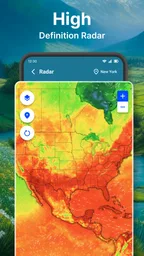
Radar is valuable when a person needs to understand the shape or direction of weather activity, but maps can be harder to interpret than words. Color distinctions may be difficult for some users, and visual patterns may not communicate clearly to someone who does not readily distinguish the display’s shades. If that applies to you, compare the map with the written or hourly forecast rather than depending on radar alone. A companion or another weather source that explains conditions in text may be a better fit when a visual map is not comfortable to read.
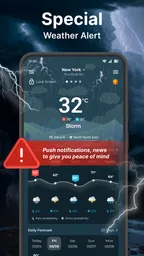
Sensory needs also vary. A person who wants only a quiet, concise check may appreciate an app whose core purpose is weather rather than a stream of unrelated content. On the other hand, frequent alerts or prominent visual changes can be distracting if they are not easy to control. I would review the app’s available settings on your device and keep only the information and notifications that support your routine. The right setup is the one that informs you without turning every weather check into another source of interruption.
For people who are sensitive to bright screens, glare, or visual clutter, the practical test is simple: open the app in the lighting conditions where you expect to use it. A display that feels comfortable indoors may be difficult to read outside, while a map that looks clear in one setting may lose contrast in another. I would also check whether the current conditions and hourly details remain understandable when viewed quickly, since squinting at a phone in bright daylight defeats the purpose of a fast forecast.
Using it in different situations
Consider a commuter who leaves home before sunrise and walks part of the way to work. A glance at the current temperature can help with clothing, while the hours around the return trip provide a separate check for later rain. If radar suggests weather nearby, the commuter can decide whether to take an umbrella or adjust the timing. This is a realistic strength of combining current conditions, hourly information, and a map: each view answers a different part of the same small planning problem.
For a caregiver planning an outdoor outing, I would check more than the departure time. The forecast for the time spent outside matters too, and so does the journey home. That workflow can prevent the common mistake of checking only the weather at the moment of leaving. If a person needs highly detailed planning for a long excursion, however, a specialist service with deeper environmental information may be more appropriate than a general-purpose forecast app.
At home, the app can support small choices such as when to bring washing in or whether to postpone a walk. I would use the hourly forecast to find a likely change window and radar to see whether precipitation is already nearby, then make a conservative decision when the consequences matter. For a critical situation, such as hazardous weather, I would not treat a consumer forecast as a substitute for official local alerts. The app is best for everyday awareness and planning, not as the sole authority for emergency decisions.
People who have difficulty reading small text or interpreting weather symbols may find a familiar alternative more comfortable, such as a forecast service that emphasizes spoken information, larger text, or highly customizable display options. I would not switch from a tool that already works well just because another app has more data. The important comparison is whether you can identify the conditions you need with less strain and fewer steps.
Where the experience can fall short
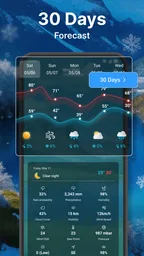
A focused weather app necessarily leaves some users wanting more. If you regularly compare several locations, study long-range patterns, or need specialist details for outdoor work, the central combination of current conditions, hourly forecasts, and radar may not cover your whole decision process. A more advanced weather service may be a better primary tool in those cases, though it can also bring a busier interface and more information to sort through.
Radar deserves particular caution. It can help show weather activity, but interpreting a moving or color-coded map takes more effort than reading a short forecast. It is also not a guarantee that rain will fall exactly where or when you are looking. I would use radar to add context to the hourly view, not to overrule it automatically. If the two seem to point in different directions, checking a second trusted source is a reasonable step before making an important plan.
There is also a difference between an app being easy to approach and being accessible for every person. A clear purpose is a good start, but the real experience depends on text size, contrast, touch controls, the way maps communicate information, and the options available on your device. People who rely on assistive technology or need specific presentation controls should test the actual screens they use most. If those screens create friction, a weather service designed around their preferred way of reading or hearing information may be the more inclusive choice.
Weather forecast is free and rated for Everyone, which makes it approachable for households looking for a general weather tool. The developer is Accurate Weather Forecast & Weather Radar Map. It was released on March 14, 2020, and has also accumulated around 1.2 thousand written reviews. I see the rating and reach as useful context, not a substitute for checking whether the app’s forecasts and interface meet your needs.
Who I would recommend it to
I would recommend giving it a try if you want an uncomplicated way to check the temperature, look ahead hour by hour, and consult radar without making weather research a separate task. It is a particularly reasonable fit for daily routines that involve short trips, changing schedules, or outdoor plans where rain timing matters. Its usefulness grows when you check the specific hours tied to a decision rather than treating the opening screen as a complete answer.
I would be more cautious if you need accessibility controls that are essential to your daily use, have difficulty interpreting maps, or rely on highly detailed forecasts for work or safety-critical planning. In those cases, test the app alongside a service that offers the presentation or depth you need. A familiar, readable forecast is better than a more feature-rich one that takes too long to understand.
My overall impression is that Weather forecast has a useful everyday role when I want current conditions, an hourly outlook, and radar in one weather-focused app. It is not the right answer for every accessibility need or specialist forecast task, and I would keep another trusted source available for serious weather decisions. But for checking a commute, choosing a time for an errand, or deciding whether to bring rain gear, it offers a practical starting point—provided its text, controls, and map are comfortable for you to use.
What we like
- Clear hourly forecasts make it easier to plan the day.
- Rain alerts can help you prepare before showers arrive.
- Multiple locations are useful when checking weather elsewhere.
- Simple charts make temperature changes easy to scan.
- Customizable units suit different regional preferences.
What could be better
- Forecast accuracy can vary by location and time range.
- Some features may require an internet connection.
- Frequent alerts can become distracting.
- Detailed forecasts may use more mobile data.
- Some versions may include ads.





