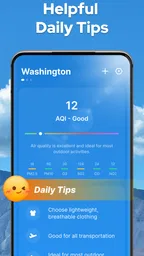
Weather Forecast - Local Radar review
 Analysis by Appsdrops
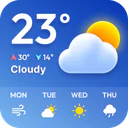
I like a weather app best when it helps me make a decision quickly, rather than giving me a screen full of numbers I have to interpret. Weather Forecast - Local Radar is aimed at that everyday job: checking conditions near home, getting a forecast, and having radar close at hand when the sky looks uncertain. It is a free weather app from ZANKHANA PTE LTD, and its focus makes sense for people who want a practical local check before heading out.
A straightforward place to check local conditions
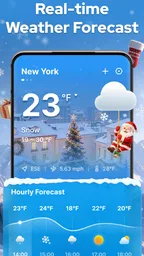
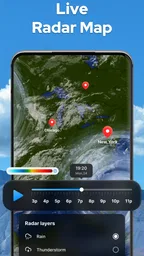
The app’s appeal is easy to understand: weather is most useful when it relates to where you are and what you plan to do next. I would reach for it before walking the dog, cycling to work, or deciding whether a grocery run can wait until after a shower passes. Its radar emphasis gives the forecast a visual angle, which can be more intuitive than scanning a list of hourly figures when rain is the main concern.
That emphasis also sets a reasonable expectation. A radar view can help me judge how weather is developing around an area, but it should not be treated as a promise that a particular street will stay dry. Local conditions can change quickly, and a visual map is most helpful as one input alongside the forecast and what I can see outside. I’d use it to inform a plan, not to make a high-stakes decision that depends on perfect timing.
The app is listed in the weather category, is rated for Everyone, and is free to install. It has a 4.7 average from around 21,000 ratings and more than a million installs. Those figures suggest that many people have found it worth trying, though they cannot tell me whether its radar presentation will suit my habits. What matters more is whether I can get from opening the app to a useful answer without extra effort.
Where the radar focus is useful
For a routine commute, I would check the app before leaving rather than assume that the morning forecast still applies later. If the radar view suggests rain is approaching, I can take a jacket or shift my departure. This is a small but practical workflow: check the broad forecast first, then use the map to get a sense of nearby weather movement. It avoids treating a single forecast symbol as the whole story.
Radar is also useful for outdoor plans with some flexibility. If I’m choosing between a short walk now and one later, a map can help me compare the immediate situation with the forecast. The key trade-off is that the visual detail may invite overconfidence. I’d still keep a backup plan for a picnic, a school pickup, or an outdoor appointment, especially when being caught in bad weather would be more than a minor inconvenience.
People who simply want a quick daily forecast may not need a radar-centered app at all. A built-in phone weather service can be enough for checking the temperature and deciding what to wear. This app makes more sense if seeing local weather on a map is part of how you make plans. If you mainly need specialist information for aviation, marine activity, or severe-weather response, I’d choose a service designed around those needs rather than assume a general weather app covers them.
What the current release tells me
The current version is 1.4.1, and the app was released on January 17, 2024. That gives the product a defined starting point and a current version to identify, but it does not by itself establish what changed between releases. I would not infer a redesigned radar, new alert system, or improved forecast model from a version number alone. Those details matter to existing users, so it is better to judge the app by what is available in the version they can actually install.
For someone opening it for the first time, the practical question is whether the current build makes the main task feel clear: find local conditions, understand the forecast, and use radar when it adds value. For someone already using it, a version update is worth checking for stability and any visible interface changes before relying on a familiar routine. I would keep the app updated, but I would also avoid assuming an update has changed forecast behavior unless the app itself makes that clear.
The minimum operating-system requirement is version 7.0. That makes compatibility an important first check for anyone using an older device; if the app store allows installation, that is a more reliable indicator for a specific phone than guessing from its age. The developer is ZANKHANA PTE LTD, and the app includes in-app purchases at $1.99 per item. The download is free, but I’d review any purchase prompt before confirming it, particularly if I only want basic weather checks.
How I would fit it into an existing routine
If I already rely on another weather service, I would not replace it immediately. I’d keep both available for a few days and compare the information I actually use: whether the local forecast is easy to find, whether the radar helps answer a real planning question, and whether I trust the app enough to check it again later. That is a more useful test than comparing screens feature by feature, because the best service is the one that supports my decisions without making me work for them.
A useful habit is to check the forecast before setting a plan and then return to the radar only when conditions look changeable. That keeps the map from becoming a distraction during an ordinary clear day. It also helps distinguish the app’s strengths: radar is most valuable when weather is moving or uncertain, while a simple forecast may be all I need for a routine day at home or in the office.
If the app offers optional paid items during use, I would first decide what specific problem I expect a purchase to solve. The stated price is $1.99 per item, but that does not tell me which items are available or whether any are necessary for my intended use. I would treat the free version as the sensible starting point and only spend money after checking the purchase description in the app store or app itself.
Limitations worth considering
The main limitation is not a single missing feature; it is the difficulty of judging forecast quality from a short description or a rating average. Weather varies by location, and a service that feels helpful in one place may be less convincing elsewhere. I’d give it a fair trial in my own area, checking whether the forecast and radar help me make better calls over several ordinary days rather than expecting certainty from the first glance.
There is also a difference between seeing radar and having every detail needed for a specialized decision. A map can show a useful picture of conditions, but people who need advanced warning workflows or highly specific environmental data should look for an app that explicitly supports those tasks. For casual planning, that distinction may not matter. For work or safety decisions, it matters a great deal.
Another possible friction is that free apps with in-app purchases require a little attention at the point of purchase. I would be comfortable trying the app at no cost, but I would not tap through a payment screen without checking exactly what it unlocks and whether it is a one-time item. That is ordinary purchase caution, not a reason to dismiss the app; it simply helps keep the free download and optional spending separate in my mind.
Who should try it—and who may prefer another option
I’d recommend giving Weather Forecast - Local Radar a try if you regularly check the sky before commuting, walking, exercising outdoors, or deciding when to run errands. Its local-weather and radar emphasis is especially relevant when conditions are changeable and a visual view helps more than a plain forecast line. The app’s 4.7 average and roughly 21,000 ratings make it a well-tried option, but my recommendation would still depend on whether it works clearly in your location.
I would skip it if I only need a basic temperature check and already have a built-in weather app that answers that question quickly. I’d also look elsewhere if my priority is a specialist forecasting tool, or if I need detailed confidence in a narrow, high-risk weather decision. A general-purpose app can be convenient without being the right instrument for every job.
For an everyday test, I’d use it during a week with a mix of clear and unsettled weather. Check it before one commute, use the radar to time one flexible outdoor plan, and see whether its forecast is easy to revisit when plans change. That gives a better sense of its actual value than opening it once on a sunny day. If it helps me make those small decisions with less guesswork, it earns a place on my phone.
My take after weighing the trade-offs
Weather Forecast - Local Radar has a clear purpose: make local conditions and a radar view handy for ordinary planning. I like that focus, and I would consider it for the moments when a map gives me more context than a temperature alone. Its current version is 1.4.1, while what future updates may bring remains something to watch rather than a reason to expect specific changes today.
Overall, I see it as a sensible free option to test, not a universal replacement for every weather tool. Start with the no-cost experience, judge it in your own area, and be deliberate about optional purchases. If its radar helps you decide whether to leave now, bring a coat, or reschedule a walk, it is doing a useful job. If you need only a simple daily forecast—or require specialist-grade detail—your usual phone app or a more focused service may be the better fit.
What we like
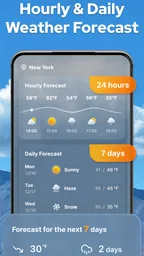
- Provides hourly and multi-day forecasts for planning ahead.
- Local radar makes nearby precipitation easier to track.
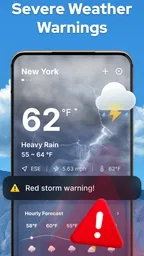
- Weather alerts can help users prepare for changing conditions.
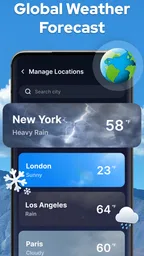
- Location support helps deliver forecasts for your current area.
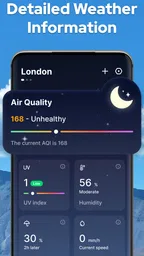
- A straightforward layout makes key weather details easy to find.
What could be better
- Forecast accuracy can vary by location and weather conditions.
- Some features may require an internet connection.
- Frequent alerts may feel distracting to some users.
- Location access may be needed for automatic local forecasts.
- Advertising may interrupt the browsing experience.





