
Weather data & microclimate : review
 Analysis by Appsdrops
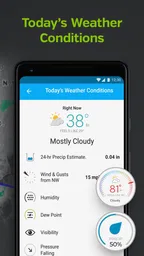
I find a weather app most useful when it helps a household make one practical decision together: whether to leave now, take a coat, or move an outdoor plan indoors. Weather Underground is built around local conditions, radar, maps, and nearby weather stations, so it has a different feel from a simple forecast screen. Its strongest appeal is the chance to check what is happening around a particular place rather than relying only on a broad city forecast. That focus can be valuable when the weather changes quickly, though it also asks users to interpret more than a single temperature and icon.
Weather decisions for a shared day
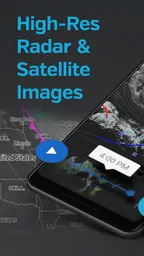
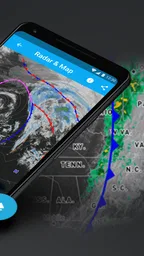
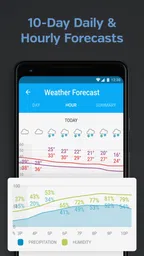
Picture a household deciding whether to walk to school, commute by bike, or eat outside later. One person can open the app and inspect the local forecast and radar, then share the practical takeaway with everyone else. I like this kind of use because weather information is only helpful when it changes a decision. A map showing rain approaching can be more useful than a generic prediction that says showers are possible sometime today.
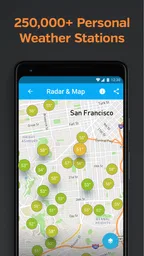
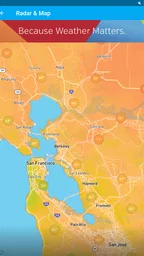
The app is a weather tool from Weather Underground, and its emphasis on hyperlocal tracking makes it particularly interesting for people whose plans depend on conditions close to home. A neighborhood can experience a shower while another part of the same city stays dry. Following a nearby weather station can help make that difference visible, although a station is still a measurement from a particular location, not a guarantee that every street nearby has identical conditions.
That distinction matters when several people rely on one household check. I would treat the app as a way to improve a decision, not as a promise that a forecast will be exact at the front door. For a quick answer before heading out, its maps and radar provide useful context; for a simple glance at the day’s broad outlook, a less detailed weather screen may be easier.
What the local view is good for
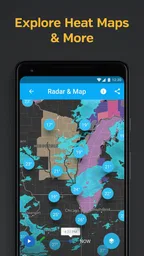
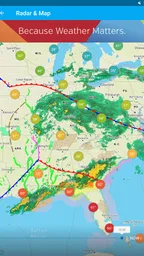
The most useful habit is to check the map at the same time as the forecast when timing matters. A rain symbol alone does not tell me whether a shower is already nearby or merely expected later. Radar can add that missing spatial context, while a local station offers another point of reference. I would use both before a dog walk, a school pickup, or setting out garden furniture, rather than treating any one display as the whole story.
There is a trade-off: more local detail can make the screen feel less immediately decisive. A person who wants one clear answer may find station readings and map layers more work than they need. I think the app is best for people willing to spend a moment checking context, especially when a small change in weather would disrupt their plans.
Getting a household onto the same page
On a shared phone or tablet, I would keep the routine simple: open the app, check the location relevant to the next plan, look at the radar if rain is the concern, and tell everyone the decision in plain language. That avoids turning a quick family check into a debate over every number on the screen. The app can inform coordination, but it should not be mistaken for a household messaging or scheduling system.
For example, if one person is leaving for an appointment while another is deciding whether to take children to a nearby park, the useful question is not simply “What is the weather?” It is “Is rain likely to affect this trip in this place and at this time?” Weather Underground’s local focus and mapping make that question easier to investigate. The household still needs to communicate the answer through whatever method it normally uses.
I would also avoid assuming that everyone looking at the same device should use the same location every time. A forecast relevant to home may not be the one needed for work, travel, or an outdoor activity elsewhere. Before acting on a map or station reading, check that the place being viewed matches the plan. This small step prevents a common shared-device mistake: carrying a useful forecast over to the wrong destination.
Setup, accounts, and expectations
Weather Underground is free to download, with in-app purchases listed from $1.99 to $19.99 per item. I would begin with the free experience and decide whether its day-to-day local information suits the household before considering any purchase. The existence of optional purchases does not mean every user needs them; for someone who mainly checks current conditions and radar, the sensible first test is whether those basics fit their routine.
On a device used by more than one person, be deliberate about whose account or preferences are in use. I would not treat a shared screen as a substitute for separate personal setup, especially if household members want different locations or have different habits. If the device is also used for other apps, basic device-level account and purchase practices remain important. The weather app itself should be judged on the information it presents, not assumed to provide family account boundaries or purchase controls.
The current version is 6.20.1, and the listed minimum operating system is version 8.0. That makes compatibility worth checking before installing on an older spare device intended for common household use. The app has been available since December 19, 2011, but a long history does not remove the need to see how it behaves on the particular phone or tablet people plan to share.
A practical setup tip is to make the first test in a familiar location and compare what the app shows with conditions outside. Then try a second place that matters to the household, such as a workplace or a relative’s neighborhood. This helps everyone understand the difference between a nearby station’s reading and a forecast for a broader area, rather than assuming the first number seen applies everywhere.
Trust, age, and who should use it
The app is rated for Everyone, so its subject matter is suitable for a broad range of ages. For younger users, I would still make the purpose clear: use the forecast to help plan, but ask an adult when weather could affect travel or safety. A map can support a conversation, but interpreting rapidly changing conditions is not the same as making a responsible decision about whether an activity should go ahead.
Weather Underground has an average rating of 4.7 from around 625,000 ratings, with roughly 162,000 written reviews and over 10 million installs. That suggests it has attracted a substantial audience, but popularity is not a substitute for checking whether its detailed approach suits a particular person. Someone who prefers a clean, one-screen summary may be happier with a standard phone weather app, while a weather enthusiast or an outdoor planner may appreciate being able to inspect maps and local station information.
My main trust-related caution is about precision. Hyperlocal does not mean perfectly predictive at every doorstep, and nearby readings can differ. If conditions look uncertain, I would check the radar again closer to departure and use sound judgment rather than treating a single forecast as a guarantee. For serious weather decisions, the app should be one useful source of context, not the only basis for action.
How it compares with simpler weather apps
Many built-in weather apps are designed for speed: open the screen, read the temperature, and move on. Weather Underground is more compelling when I want to explore how local conditions relate to a map or a nearby station. That extra detail is its clearest distinction, but it can also add friction. If all I need is a quick glance at whether the day looks warm, an uncomplicated forecast may be more convenient.
Compared with a general-purpose forecast app, I would choose this one when neighborhood variation or radar context matters. I would skip it if I rarely look beyond the daily outlook, dislike map-based information, or want a household tool that coordinates everyone’s plans automatically. It provides weather information; the family still has to decide who checks it and how the result is shared.
Another useful trade-off is that a detailed map invites exploration, which can be helpful but also distracting. I recommend starting with the question at hand—such as whether rain might interrupt a walk—then checking only the relevant view. That keeps the app useful rather than turning a simple plan into an extended scan of weather layers and station readings.
My household verdict
Weather Underground is a strong fit for households that want more local context than a basic forecast provides. Its radar, maps, and nearby-station perspective can help people coordinate everyday plans, especially when a shower or a localized change would matter. I would recommend it to curious users who are comfortable interpreting a little detail and willing to verify that they are looking at the right place.
I would not make it the default choice for someone who wants the simplest possible answer, nor would I expect it to manage family accounts, messages, or schedules. Its value is in helping people understand weather around a location; coordination remains a human task. Used that way, it can be a practical shared reference rather than an authority everyone follows without question.
Overall, I see it as a useful free weather app for a household that plans around local conditions. The 4.7 average and broad adoption indicate that many people find it worthwhile, while the detailed approach is not automatically right for every member of a family. Try it for the situations where maps and nearby observations can change a decision, and keep a simpler alternative in mind for the moments when all you want is a fast forecast.
What we like
- Clear forecasts make it easy to check upcoming weather.
- Microclimate details add useful local context.
- A focused layout helps users find conditions quickly.
- Weather data can support planning for outdoor activities.
- Useful for comparing conditions across nearby areas.
What could be better
- Forecast accuracy may vary by location.
- Some areas may have limited weather station coverage.
- Microclimate readings can change quickly.
- Weather information depends on an active internet connection.
- The app may not replace official severe weather alerts.





