
Weather app - Radar & Widget review
 Analysis by Appsdrops
I like a weather app best when it answers a practical question quickly: should I take a coat, change my route, or bring the washing in? Weather app - Radar & Widget is built around that everyday role, combining forecasts with radar and a home-screen widget. In my view, it is most appealing to people who want weather information close at hand and a way to check approaching conditions, rather than a complicated forecasting workspace.
A quick read on today’s weather
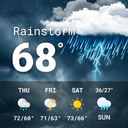
Fillog Studio’s app sits squarely in the weather category. Its focus on local forecasts, radar and widgets gives it a more visual, glanceable feel than a plain temperature-and-icon forecast. That can be useful when you are deciding whether a shower is likely to interrupt a walk or whether a storm seems close enough to affect an outdoor plan.
The app is free to install, with in-app purchases listed from $4.99 to $16.99 per item. It is rated for Everyone, which suits a straightforward utility people may check throughout the day. Its average rating is 4.5 from around 141,000 ratings, and it has passed 10 million installs. Those figures suggest broad uptake, though they do not guarantee that its forecasts will match every user’s location or expectations.
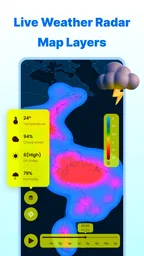
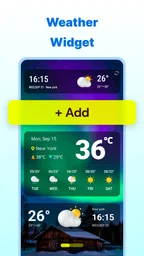
The main appeal is convenience: a widget can make a weather check part of the normal glance at your phone, while radar offers a visual complement to forecast text. Those are different jobs. A widget is useful for quick decisions; radar is better when you want to inspect the pattern of precipitation around you. I would treat neither as a substitute for judgment when timing matters, especially during unsettled weather.
Where the radar and widget fit into a routine
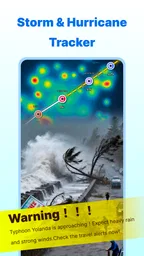
A realistic use is checking the app before leaving home, then looking at the radar again before setting off for a longer walk. If the forecast suggests rain later, the radar can help you decide whether to leave sooner or pick a route with shelter nearby. The important habit is to look for movement and context rather than assume that one radar snapshot tells you exactly what will happen at your doorstep.
Widgets are especially handy for people who check the weather repeatedly but do not want to open a full forecast each time. I would place one where it is easy to see, then use the app itself when the day’s plans depend on more than a quick glance. That division keeps the home screen useful without asking a small widget to answer every question.
For a commute, the useful workflow is to check conditions before leaving and then make a second decision close to departure if the weather looks changeable. For errands, a glance at the widget may be enough. For a trip that cannot easily be postponed, I would compare the app’s outlook with another trusted forecast source rather than relying on a single screen.
What its version history can—and cannot—tell you
The app was released on March 10, 2021, and its current version is 1.6.7. That gives it a history extending beyond a brand-new launch, but a version number alone does not reveal which features have changed, how often forecasts are refreshed, or whether the underlying weather sources have been adjusted. I would not read a particular improvement into the number without evidence for it.
For someone already using it, a current version can still matter in practical ways: keeping an app up to date is generally sensible for compatibility and maintenance. But users should judge the experience by what they can actually see on their own device—whether the widget remains useful, whether the forecast is understandable, and whether radar helps with their local decisions. Version numbers are context, not proof of better forecast accuracy.
If you are considering switching from another weather app, focus on the things you use every day rather than on the release history. Compare how quickly each app gets you to the forecast you need, whether its radar is easy to interpret, and whether its widget shows information that genuinely changes your plans. The right choice is the one that makes those checks clearer, not simply the one with the longer feature list.
How it compares with familiar weather apps
Many people already have a built-in weather app or use a service that emphasizes hourly forecasts, severe-weather notices, or detailed maps. Compared with a basic built-in forecast, this app’s combination of radar and a widget may feel more useful if you like visual context and quick access. Compared with specialist weather tools, it may be less suited to someone who needs extensive mapping or highly detailed planning. The best comparison is not which app has the most screens; it is which one answers your particular weather question with the least effort.
There is also a trade-off between a clean glance and a complete picture. A widget can save time, but it necessarily compresses information. Radar can add detail, but a map is only helpful if you can interpret it and if you check it at the right moment. I would use the widget for routine awareness and open the full app when precipitation or a changing forecast could affect a specific plan.
One practical tip is to avoid making an all-day decision based on a single check early in the morning. If the day is unsettled, check again before the activity that matters. Another is to use radar to refine timing, not to promise certainty: local conditions can change, and a colored map should not be treated as an exact schedule for your street.
Where I would be cautious
Weather apps are only as useful as their local relevance. If forecasts regularly feel off in your area, a polished widget cannot make them dependable for you. I would compare its predictions with observed conditions over several ordinary days before relying on it for a recurring outdoor commitment. That is a more meaningful test than judging it after one memorable storm.
There is a learning curve to any radar view, even when the app is easy to open. Users who only want a simple high and low temperature may find radar unnecessary, while users who want deep meteorological detail may prefer a specialist alternative. If you dislike widgets, or do not want a visual map in your weather routine, the app’s central strengths may not add much to your day.
The purchase range is worth keeping in mind before exploring paid options. Since the app is free to install but includes in-app purchases, I would first see whether the free experience already covers your routine. Pay only if an item offers a specific benefit you know you want; there is little reason to spend simply because an upgrade is available.
Who is likely to get the most from it
I would recommend giving it a try if you check local weather often, like having information on your home screen, or want radar alongside a familiar forecast. It is a plausible fit for commuters, dog walkers, people planning outdoor errands, and anyone who wants a fast way to reassess plans as conditions shift. The combination is most useful when you actually use both parts: quick widget checks for awareness, and radar when timing matters.
I would skip it in favor of a simpler option if all you need is a basic daily forecast, or choose a more specialized service if your decisions depend on detailed weather analysis. People who need confidence for safety-critical work should not treat any consumer forecast as their only source. For an ordinary picnic or walk, it can help with planning; for decisions where weather risk has serious consequences, consult appropriate local guidance as well.
My take after weighing the trade-offs
Overall, Weather app - Radar & Widget makes sense as a practical, visual weather companion rather than an all-purpose forecasting authority. Fillog Studio has kept the idea focused: make local conditions easy to check and give users radar when a simple icon is not enough. Its popularity is notable, but the real test is whether it earns a place in your own routine by being clear and useful where you live.
I would start with the free version, add the widget only if it improves your daily checks, and test the radar on a few days when rain might affect your plans. Watch whether the information helps you make better-timed decisions, not just whether the screen looks informative. If it does, the app offers a convenient way to stay weather-aware; if you need deeper forecasting or a simpler interface, another weather tool may suit you better.
What we like
- The radar view makes approaching weather easy to check.
- Home screen widgets show forecasts without opening the app.
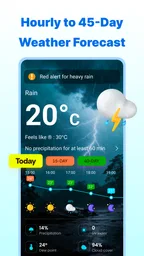
- Hourly forecasts help with planning outings.
- Location-based updates keep local conditions relevant.
- The interface is straightforward for quick checks.
What could be better
- Radar images may lag behind changing conditions.
- Some features may require an internet connection.
- Forecast accuracy can vary by location and weather.
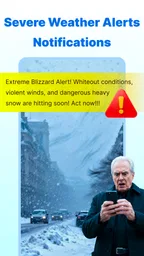
- Frequent alerts may feel distracting.
- Some options may be limited to a paid version.





