
Waze Navigation & Live Traffic review
 Analysis by Appsdrops
Choosing a navigation app sounds simple until you are already running late, traffic is building, and the route on your screen no longer looks sensible. I find Waze most useful in exactly that kind of drive: it is built around responding to changing road conditions, not just drawing a line from one address to another. That focus makes it a strong everyday option for drivers who value timely rerouting and on-road alerts, though it is not automatically the best fit for every trip or travel style.
What matters when choosing a driving app
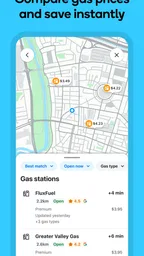
For me, the key question is not whether an app can find a route. Most navigation tools can do that. The difference is how well one helps me adapt when the trip changes: a queue appears, a road is blocked, or the usual way across town slows down. Waze is a maps and navigation app from Waze, with its attention firmly on driving, live traffic and safety alerts.
That emphasis can be especially useful on familiar journeys. If I already know the broad route, I do not need a map to explain every turn; I want to know when taking a different road could save frustration. On an unfamiliar journey, the turn-by-turn guidance still matters, but the live picture of the drive is what gives Waze its particular appeal.
Its broad adoption is part of the practical picture: the app has over 500 million installs, and its average rating is 4.4 from around 8.9 million ratings. Those figures suggest many people have made it part of their driving routine, but they do not guarantee that its suggestions will suit every local road or every driver. I treat an offered shortcut as useful information, not an instruction that overrides common sense.
How it earns a place in a daily routine
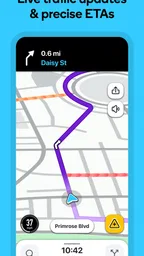
A realistic example is the drive home when the main road becomes slow shortly before a turn I use every day. Rather than waiting until I am stuck to rethink the route, I can use Waze to follow the current traffic picture and consider a reroute while there is still a meaningful choice. The app’s value is less about making every journey effortless and more about helping me react before a delay becomes the whole story.
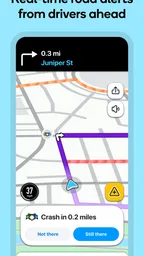
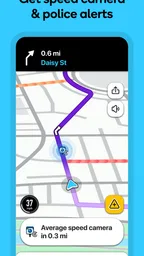
Alerts can also make a drive feel less predictable in a good way: I am not relying only on what I remember from yesterday’s traffic. But alerts are most useful when I can glance at them safely and act only when the road situation allows. No navigation prompt is worth a sudden lane change or a distracted look at the screen.
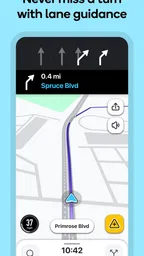
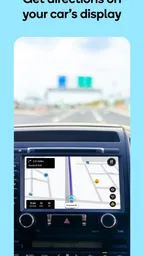
One practical habit I recommend is setting the destination before moving and letting spoken guidance do most of the work once underway. That matters especially when a route changes: repeatedly checking the map can turn a helpful reroute into a distraction. I also avoid treating a shorter-looking side road as automatically better. A detour can be technically reasonable but awkward for the type of driving I want to do.
Where Waze stands out
The strongest case for Waze is driving in places where conditions change often and a standard, static plan quickly feels stale. Its focus on real-time traffic and safety alerts gives it a clear job: keep the route responsive as the road environment changes. For commuters, regular errand runs and drivers crossing busy urban areas, that can be more useful than a navigation app whose main strength is simply showing a route clearly.
There is a trade-off to that responsiveness. A changing route can mean the app asks me to leave a road I know for streets I do not. I may prefer the suggested alternative when I am in a hurry, but choose a more familiar route if I am driving somewhere complicated or want fewer last-minute decisions. The best use of Waze is not blind obedience; it is using its live guidance alongside my own judgement.
Another useful distinction is the kind of trip. Waze makes the most sense when I am driving and care about the current road situation. If I am planning a trip around exploring a city on foot, comparing several stops, or figuring out public transport, a broader mapping tool may be a more natural starting point. Waze is not weakened by having a clear focus, but that focus does mean it should not be expected to answer every travel question.
When a different kind of app may suit you better
Compared with the usual alternatives in navigation, Waze is the choice I would consider when live driving conditions are central. A general-purpose map app may suit someone who wants one place to explore businesses, plan a walk, and get directions for different ways of travelling. A dedicated navigation option that emphasizes familiar routes or a calmer interface may suit a driver who dislikes frequent route changes. Those are differences in priority, not a claim that one app is universally more accurate.
Waze may also be a poor match if you strongly prefer a fixed route. Its willingness to respond to traffic can be helpful, yet that same quality may feel like nagging if you would rather stay on the road you chose. If you often drive in areas where the suggested alternatives are unfamiliar or inconvenient, test it on a journey where you have time to assess its choices rather than relying on it for an important first trip.
For drivers who rarely need navigation, installing another app may not change much. If your routes are short, predictable and easy to remember, the benefit of traffic-aware guidance may not justify adding another tool to your routine. On the other hand, people who regularly cross a busy city or travel at variable times are more likely to notice what Waze contributes.
The adjustment involved in switching
Waze is free and rated for Everyone, so trying it does not require paying for the app or choosing a product aimed at a restricted age group. It supports Android 10 and later. Those details make it approachable for many phone owners, though the device still needs to meet that minimum operating-system requirement.
The bigger cost of switching is not money; it is getting used to a different style of guidance. If another app has become part of your routine, you may already know where its controls are and how it presents directions. With Waze, give yourself a low-pressure drive to learn how you react to its prompts and reroutes. That first test is also a sensible way to judge whether its approach feels helpful rather than intrusive.
I would not switch every journey over at once. Start with a familiar commute or errand route, where you can compare its suggestions with roads you already understand. Notice whether the alerts and route changes actually improve the drive for you, rather than assuming that more updates always mean a better outcome. If the app regularly sends you onto roads you dislike, that is a meaningful reason to prefer another option for those trips.
My recommendation
Waze Navigation & Live Traffic is the driving app I would recommend to someone who wants a route to respond to traffic as the journey unfolds. It is particularly well suited to frequent drivers who deal with changing conditions and are comfortable weighing a suggested detour against what they can see and what they know. With 641,000 reviews alongside its large rating base, it has clearly become a familiar choice for many drivers, though popularity is not a substitute for testing it on your own routes.
I would choose a broader map app instead if my main need were exploring places, planning trips across several transport types, or keeping to a calm and predictable route. I would also skip Waze if frequent rerouting would make me anxious or distract me. A navigation app should support attention to the road, not compete with it.
My practical advice is to try Waze on a routine drive, set the destination before setting off, and treat its live guidance as a decision aid. If its traffic awareness helps you avoid uncertainty without pulling your attention away from driving, it earns a spot in your everyday setup. If you value route stability or wider travel planning more, another category of map app may fit better.
What we like
- Live reports can help drivers avoid sudden hazards and road closures.
- Route options update when traffic conditions change.
- Drivers can share useful road alerts with the Waze community.
- Arrival time estimates adjust to current traffic conditions.
- Voice guidance lets drivers follow routes without watching the screen.
What could be better
- Crowdsourced reports may be inaccurate or out of date.
- Frequent alerts can distract from driving if not configured carefully.
- Navigation can use substantial mobile data on longer trips.
- Some routes may favor speed over simpler or more comfortable roads.
- The app depends on an internet connection for many live features.




