



Vidix-AI Photo Video Generator review
 Analysis by Appsdrops
I tried Vidix as a creative tool for turning ordinary photos into more stylized images and short-form visual ideas. Its appeal is immediate: rather than asking you to learn a full editing workflow, it puts AI-driven looks, effects and video creation at the center. I found it most useful when I wanted something expressive to share, not when I needed precise, production-ready control over every detail.
What Vidix is like to use now
Vidix is an Art & Design app from Supercool Labs, aimed at people who want to experiment with AI images and video on a phone. It is free to install, rated for Everyone, and has an average rating of 4.2 from around 116,000 ratings. More than 10 million installs suggest it has found a broad audience, though popularity alone does not tell you whether its particular creative style suits you.
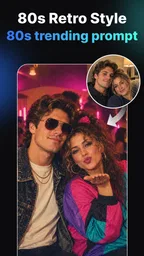
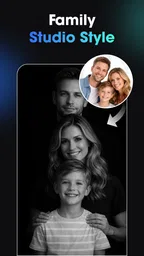
The basic idea is straightforward: start with a photo or a visual prompt, then explore treatments that can push the result toward a more dramatic, illustrated or dimensional look. The app’s strongest use is quick transformation. A casual portrait, pet photo or travel snapshot can become a starting point for a visual that feels more considered than a basic filter pass.
I would approach it as a source of creative variations rather than a replacement for a conventional photo editor. Traditional editing apps tend to reward careful adjustments to exposure, color, cropping and retouching. Vidix is more appealing when you want the software to reinterpret an image and surprise you. That difference matters: if your goal is faithful correction, a manual editor is usually the better first choice; if you want a striking concept without building it from scratch, Vidix makes more sense.
A useful workflow for getting better results
One practical way to use an AI visual app is to begin with a photo that already has a clear subject. I would choose a well-lit image with the face, object or silhouette easy to read, then try a small number of styles that support that subject. A crowded background or a tiny face gives the transformation more to guess at, and the result can feel less intentional. This is not a guarantee of a perfect output; it is a way to give the creative process a cleaner starting point.
For a profile picture, I would first decide whether I want the result to still look recognizably like me or whether I am happy with a looser artistic interpretation. That single choice helps narrow the experiment. For a social post, I might instead pick a style that creates a clear mood, then crop the finished image for the intended platform. Thinking about the destination before generating saves time and avoids making a visually appealing image that does not fit the space where I plan to use it.
Video is a different decision from still-image styling. A moving result can be more eye-catching in a feed, but it also asks more of the viewer and is less convenient when someone wants a quick, quiet glance. I would use the video side for a short visual accent or a playful post, while keeping a still image for an avatar, invitation or graphic that needs to remain readable at a glance. That distinction helps make the app useful without treating every idea as a video project.
Where the creative tools earn their place
The most interesting part of AI styling is not simply applying a dramatic effect; it is comparing interpretations. A single source image can suggest several different directions, and the useful question is which one communicates what you intended. I recommend saving the original separately before experimenting. It gives you a clean fallback and makes it easier to compare whether an AI treatment improved the picture or merely made it more elaborate.
There is also a helpful distinction between an image made for personal amusement and one meant to carry information. A surreal portrait can work well as a playful post, while a product photo for a small business usually needs accurate color, shape and detail. AI transformations can alter those qualities, so I would not rely on a stylized result when customers need to judge the real appearance of an item. For that job, careful photography and restrained editing are safer.
Another good use is creating a mood board from familiar images. If I were planning a birthday invitation, for example, I could test a few visual directions using a photo connected to the occasion, then use the strongest result as inspiration for the overall look. I would still check that the final design remains legible and that important details have not been distorted. Vidix can help with the visual spark; it should not be assumed to handle every design decision on its own.
Version and product development
The current version is 1.3.0, and the app was released on November 27, 2025. Those facts establish a relatively early point in its public life, but they do not by themselves show which tools have changed between versions or how existing projects behave after an update. I would treat the version number as a useful marker for checking compatibility and update notes, not as proof of a particular feature history.
For someone already using Vidix, a new version is worth approaching with a simple habit: keep important originals and finished exports somewhere you can find them outside the editing session. That is sensible for any creative app, especially one built around transformations where a generated result may be hard to reproduce exactly. If you rely on a particular workflow, check whether it still behaves as expected after updating before beginning a time-sensitive project.
People considering a first install should also think about device compatibility. The minimum operating system is 7.0, so the stated baseline is broad, but a minimum requirement does not promise that every device will feel equally responsive with AI-oriented creative work. I would test a small project before committing to a larger batch of images or making Vidix part of a regular publishing routine.
Costs, trade-offs and who should choose another tool
Vidix is free to download, with in-app purchases ranging from $0.99 to $79.99 per item. That spread makes it important to distinguish trying the app from paying for continued use. I would explore what is available at no cost first and only consider a purchase once I knew which creative workflow I actually wanted. Before confirming anything, check the purchase screen for the item’s terms and whether it fits your expected use; a one-off experiment and frequent creation are very different needs.
The main trade-off is creative freedom versus predictability. AI styling can produce an appealing result quickly, but it may not preserve every small detail from the source. If you need exact brand colors, clean typography, layered composition or careful retouching, a dedicated design or photo-editing app is likely a better fit. Vidix is more suitable when the transformation itself is the point, and when a little variation is part of the fun rather than a problem.
I would also skip it if I wanted a simple camera, a straightforward crop-and-adjust editor, or a tool for precise graphic layout. Those jobs are easier with apps designed around direct controls. Conversely, someone who enjoys testing visual styles, making playful portraits or turning a snapshot into a more imaginative post may find Vidix more engaging than a conventional editor. Its value depends less on how many effects it offers than on whether its AI-led approach matches the result you want.
What I would watch before making it a regular tool
As the app develops, I would look for clearer evidence about how updates affect saved work, how consistently styles handle different subjects, and whether the balance between free use and paid items feels fair for my own habits. Those are practical questions for anyone who plans to use an app repeatedly. They are also areas where personal testing matters more than assumptions drawn from a version number or a popularity figure.
I would test several kinds of source images rather than judging the app from one flattering portrait. Try a close-up, a full-body image and a non-person subject, then compare whether the outcomes remain useful. This reveals whether Vidix fits your actual creative routine and helps you spot when an effect changes key details too much. If one style works beautifully on a face but muddles a pet or object, that is a real limitation for a mixed-use workflow.
For everyday use, imagine getting a group photo after a weekend outing and wanting a fun visual to share that evening. I would keep the original, try a couple of different treatments, and choose the version that still reads clearly on a small screen. If the app produces a look that feels too artificial, I would stop there rather than repeatedly pushing the same image through more effects. The best result is not necessarily the most elaborate one.
My recommendation
I recommend Vidix to people who want an approachable way to explore AI-generated visual styles and who are comfortable treating the output as creative interpretation rather than exact photo editing. Its combination of image and video creation gives casual creators room to test different formats, while its free starting point makes it possible to see whether the approach clicks before deciding whether paid items are worthwhile.
I would not make it my only creative app. For dependable retouching, accurate product imagery or finely controlled layouts, I would reach for a more traditional editor. But when I want a quick visual idea, a stylized portrait or a shareable experiment from an everyday photo, Vidix is a reasonable tool to have on hand. The best way to judge it is to try a few representative images, preserve the originals, and decide whether its distinctive reinterpretations are an advantage for the work you actually do.
What we like
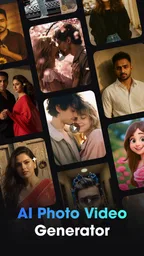
- Turns text prompts into short visual clips.
- Offers a simple way to create AI-generated content.
- Can help bring static photo concepts to life.
- Useful for making shareable social media visuals.
- Lets users explore creative ideas without video editing skills.
What could be better
- AI results may not match the prompt exactly.
- Generated faces and details can look inconsistent.
- Processing may take longer for complex requests.
- Some features or generations may require payment.
- Output quality can vary depending on the input.




