

FlipaClip: Draw 2D Animation review
 Analysis by Appsdrops
When I want to make a drawing move, I find the most satisfying part is not adding detail; it is getting a sequence of small changes to read as one clear action. FlipaClip is built around that frame-by-frame approach. It is an animation app in the art and design category, made by Visual Blasters LLC, and its appeal is easy to understand: you draw each moment, then play the frames together to see whether the idea works. That gives beginners a direct way into animation, while still asking for patience and a little planning.
Why drawing frame by frame feels approachable
Instead of asking you to learn a complicated production pipeline before making anything, the app puts the core creative task first: create drawings that change slightly from one frame to the next. For a bouncing ball, that might mean moving the ball down, squashing its shape at the impact, then stretching it as it rises. The result depends on your drawings, so the process teaches timing and movement through practice rather than hiding them behind automation.
That hands-on quality is the app’s strongest point. I can sketch a rough motion, play it back, notice where it feels too fast or stiff, and adjust the drawings. A simple test can be useful even when it is never meant to become a polished video. The loop from drawing to playback makes animation feel less abstract: an idea either reads clearly when the frames run, or it needs another pass.
The trade-off is that frame-by-frame work asks you to supply the movement yourself. If you expect a still drawing to animate automatically, this is not the right kind of tool. You need to decide what changes between poses and create enough in-between moments for the action to feel smooth. That can be rewarding, but it is more deliberate than applying a ready-made effect to an image.
A workflow built around visible changes
I would start with a small action rather than a full story: a face turning, a hand waving, or a character taking one step. Keep the first drawings loose and focus on the major poses. When playback shows the action clearly, add intermediate drawings where the motion jumps. This order helps avoid spending time polishing frames that later need to be redrawn because the timing or direction does not work.
A useful habit is to make the change between neighboring frames easy to judge. If a character shifts position, keep the rest of the drawing consistent enough to see the movement. If the whole design changes at once, it becomes harder to tell whether the action is intentional or simply uneven. I find that restraint makes rough animation easier to read and makes revisions less frustrating.
Playback is not just a final preview; it is part of the drawing process. A pose that looks convincing on its own may feel abrupt in sequence, while a sketch that seems unfinished can communicate perfectly once it moves. I would review the animation often, especially after adding a run of frames, rather than waiting until the end. That catches timing problems while they are still easy to fix.
For a short loop, it also helps to think about the ending before drawing every frame. If the final pose needs to lead back into the first, plan those positions together. Otherwise, the loop may have a visible hitch even if each drawing looks fine. This is a practical way to make a small animation feel intentional without turning a simple exercise into a large project.
Where a phone-sized animation fits into everyday life
A realistic use is making a quick birthday greeting or a playful reaction for a friend. I might sketch a character lifting a sign, add a few frames for the movement, then watch the sequence to see if the message appears at the right moment. The appeal is that the drawing can feel personal and handmade. It is a better fit for a small expressive idea than for a long, carefully produced film.
It can also work as a learning space for someone curious about cartoons. Repeating a simple motion—such as a blink or a bouncing object—shows why spacing matters: large changes between frames create a faster, sharper movement, while smaller changes can make it feel more gradual. That observation is useful even if the user later moves to a desktop animation program. The app makes the basic relationship between drawings and motion tangible.
For a classroom or family activity, I would choose a short, achievable prompt and encourage rough drafts. A student can animate a shape changing expression or a character waving without needing to invent a complicated plot. The Everyone content rating makes the app broadly suitable by age classification, though a parent or teacher should still decide whether its creative workflow is appropriate for the particular child and setting.
Another good scenario is planning a character’s movement before committing to detailed artwork elsewhere. A rough sequence can reveal whether a pose transition makes sense and where the motion needs emphasis. I would treat that as a visual sketchbook for movement, not necessarily as a replacement for every stage of a larger production. Its value is in quickly testing the idea by drawing it.
The patience required, and when another tool is better
The main limitation is the amount of repetitive work inherent in the method. Every change has to be represented in the sequence, and a longer action means more drawings to manage. If you are after a fast social post built from an existing photo, a video editor with templates or motion effects will usually be quicker. If you need a complex production with detailed asset management, a desktop animation package may offer a more suitable environment.
There is also a difference between making a motion readable and making it polished. A short sequence can look charming because of its rough, hand-drawn feel, but consistent character proportions and smooth transitions take attention. I would not choose this as my first stop for a deadline-heavy project where every frame must match a strict visual specification. The manual process is the point, and it can become the bottleneck.
Small screens are convenient for sketching wherever I have a spare moment, but they are not ideal for every drawing task. Fine details can be harder to judge when the working area is compact, and drawing many similar frames takes concentration. A simple design with bold shapes is often a smarter choice than intricate linework. Starting with a clear silhouette gives the movement room to communicate without relying on tiny details.
Free access makes it easy to try the workflow, while in-app purchases range from $2.99 to $39.99 per item. I would first decide whether I enjoy drawing frame by frame before spending money on anything. The core question is not whether animation sounds appealing in theory; it is whether I am willing to make and revise successive drawings. That distinction can save a new user from paying for extras before knowing how they work.
There is a similar choice between this approach and animation tools that rely on keyframes or automated movement. Those alternatives can be more efficient when a graphic needs to slide, scale, or follow a repeatable path. Here, the advantage is direct control over the drawing at each moment. For expressive hand-drawn characters, that control can matter more than speed; for routine motion graphics, it may be unnecessary labor.
Who will get the most from it
I would recommend FlipaClip to curious beginners, doodlers who want to bring characters to life, and anyone who enjoys learning by making small experiments. It suits people who are happy to begin with a rough loop, watch it back, and improve it one drawing at a time. The app is free to start, and its 4.3 average rating reflects a well-established audience, with over 50 million installs.
Its scale is reassuring, but popularity does not guarantee that the workflow will suit everyone. Someone who prefers polished results with minimal manual effort may find the frame-by-frame routine slow. Likewise, an experienced animator seeking a full studio setup may want a more expansive tool. I see this as a practical entry point and a useful place for quick ideas, not a promise that every kind of animation project belongs on a phone.
The current version is 5.1.0, and the app supports operating systems from version 7.0. It is listed as free, with optional in-app purchases, so the sensible approach is to try a modest animation first and judge the drawing experience for yourself. I would make a few rough poses, play them back, and see whether adjusting the sequence feels fun or tedious. That small test tells you more than a long feature checklist.
Ultimately, the app’s best quality is also its clearest demand: it makes you responsible for the motion. That can teach useful animation instincts and give a personal sketch a lively character, but it takes time and repeated drawing. If you want to understand how movement is built, or simply enjoy seeing your own doodles come alive, I think it is worth trying. If your priority is speed, automation, or a large production workspace, a different kind of animation tool will likely be a better match.
What we like
- Onion-skin overlays help align drawings between frames.
- A timeline makes frame timing easy to adjust.
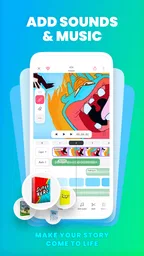
- Supports audio tracks for syncing animation to sound.
- Layers help separate characters from backgrounds.
- Projects can be exported as videos or animated GIFs.
What could be better
- The free version includes ads.
- Some tools and features require a paid upgrade.
- Detailed animations can take up substantial storage.
- Small touch controls may feel cramped on phones.
- Complex projects can be demanding on older devices.





