






Nexus - AI Video Generator review
 Analysis by Appsdrops
Nexus - AI Video Generator is best approached as a quick creative tool for turning an idea into AI-made visual content, not as a full editing studio. I like that focus: when I want something eye-catching for a social post and don’t want to build it frame by frame, a generator can get me to a starting point faster than a traditional design app. The trade-off is that generated work still needs a human eye. If you expect precise control over every detail, this is not the kind of app I’d choose first.
Quick visual ideas, with a hands-on finish
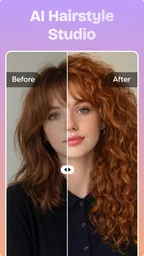
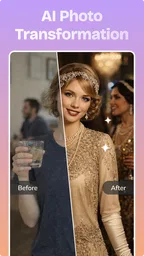
Nexus is an Art & Design app from DQL TechLab, aimed at people who want AI-generated videos and photos without beginning with a blank canvas. Its appeal is less about replacing a camera or a professional editing workflow and more about making visual experimentation accessible. I’d treat it as a way to explore a look, produce a draft, or create an unusual post when ordinary photos feel too familiar.
That distinction matters. A generator can help you move past the “I have an idea but no image” stage, but it doesn’t automatically solve composition, tone, or whether the result suits its intended audience. I’d plan to review the output and make a deliberate choice about where to use it. The strongest reason to try Nexus is speed of exploration; the weakest reason would be expecting a finished, carefully art-directed campaign at the tap of a button.
The app is free to install, with in-app purchases ranging from $9.99 to $89.99 per item. That makes it sensible to begin with the free experience and decide whether the available creative process fits your needs before spending. I would not treat a purchase as a guarantee of a particular result: the value depends on how often you create, how much you like the outputs, and whether the available controls give you enough influence.
Where the generator earns its place
The most useful way to approach AI image and video creation is to arrive with a specific brief rather than a vague wish for something “viral.” For example, if I were preparing a post about a weekend craft project, I’d decide whether I need a playful portrait, a dramatic visual, or a short scene that sets a mood. A clear intention makes it easier to judge whether a generated result is actually usable instead of merely surprising.
A practical workflow is to generate for exploration first, then narrow down. I’d keep a small set of distinct ideas rather than repeatedly requesting tiny variations on one prompt. That makes comparison easier: I can see which direction has the right energy before investing time in polishing or sharing anything. It also helps avoid the common trap of choosing the most striking result even when it doesn’t communicate the point of the post.
For a small business owner, Nexus could be useful for brainstorming social visuals when there is no time or budget to arrange a full photo shoot. I’d use generated material to test concepts, create a mood board, or add variety to informal content, then check carefully that the result represents the product honestly. For a personal account, the same approach can make a birthday announcement, hobby update, or themed post feel more distinctive than a plain snapshot.
There is also a useful distinction between a visual that is fun to generate and one that is ready to publish. I’d inspect details that can look odd or misleading, especially when the image is meant to depict a real item, person, or place. AI-made visuals are a better fit for imaginative presentation than for proof of how something looks in real life. That is not a flaw unique to Nexus, but it is an important limit of this kind of tool.
What to expect from the experience
Nexus has reached more than ten million installs, and its average rating is 3.7 from around 8,600 ratings, with about 349 written reviews. Those figures suggest that plenty of people have tried it, while opinions are not uniformly enthusiastic. I read that as a reason to keep expectations measured: popularity makes it worth exploring, but it does not mean every prompt or output will suit every user.
The current version is 3.3.0, and the app was released on March 24, 2026. It is rated for Everyone and requires Android 8.0 or later. The age rating is about the app’s store classification, not a promise that every generated image will suit every setting; I would still use common sense when creating or sharing content, particularly if children may see it.
One practical question is whether Nexus is a replacement for a conventional photo editor. I wouldn’t use it that way. A standard editor is usually the better choice when I already have an image and need reliable cropping, color correction, or exact text placement. Nexus makes more sense when the starting point is a concept and I want an AI-generated visual to explore. The two approaches can complement each other: generate an idea here, then use a familiar editor if the final composition needs careful adjustments.
Another question is whether it suits someone who wants predictable, repeatable branding. I’d be cautious. If a business depends on consistent typography, exact product appearance, or a recognizable visual identity across many posts, a template-based design tool or a professional workflow is easier to control. Nexus is more appealing when variation and experimentation are welcome. I would not make it the sole source of images for a product catalogue or a document where accuracy matters.
The friction that comes with AI creation
The main limitation is inherent in generative work: the result may not match the idea closely enough on the first try. Even when a visual looks polished at a glance, small details can undermine it. That means the real task is not simply generating; it is deciding what to keep, what to discard, and whether the image tells the right story. If you want a dependable, exact outcome with minimal review, this style of app can feel less efficient than it first appears.
There is a creative trade-off, too. AI can offer unexpected directions, but that surprise is not always useful. A person who already knows the composition, colors, and details they need may find a drawing app or layered editor more satisfying because those tools give direct control. Nexus is better for someone willing to adapt an idea to what the generator produces rather than insisting that every element land exactly as imagined.
Cost is another point to consider before building a routine around it. The app is free, but optional purchases span a substantial range, so I’d check what is included in the experience before committing to paid items. If you only need an occasional visual, the free option may be enough to decide whether the workflow clicks. If you create frequently, compare the expense with tools you already use and ask whether Nexus saves meaningful time or simply adds another step.
I would also avoid assuming that a generated image is automatically suitable for public use just because it can be created in an app. Before posting, check that it does not imply a real event or product detail that is untrue, and consider whether the audience should know the visual is AI-made. That bit of judgment is especially important for promotional content. The tool can help with creative presentation; responsibility for how the result is represented stays with the person sharing it.
Who will get the most from it
I’d recommend Nexus to casual creators, social-media users, and visual brainstormers who enjoy trying different directions without needing professional editing skills. It can be a good fit when the goal is a fresh concept, an imaginative portrait, or a striking draft for a post. It is also worth considering for someone who often has ideas but gets stuck because they lack a suitable image to begin with.
Imagine you have a quiet evening and want to share a post about a new baking project. You could use the app to explore a more playful visual treatment instead of uploading another straightforward kitchen photo. I’d generate a few different concepts, choose one that still feels connected to the real project, and check the image closely before sharing. That turns the app into a creative prompt as well as a production tool: even an imperfect result can suggest a better direction for a photo you take yourself.
By contrast, I’d steer photographers who want detailed retouching toward a dedicated image editor, and I’d point illustrators who need exact brushwork toward a drawing app. People producing commercial assets with strict brand rules should favor tools built around templates and precise layout. Nexus can contribute ideas in those workflows, but I wouldn’t rely on generated output as the final answer when accuracy, repeatability, or fine control is essential.
It is also not ideal for someone who dislikes trial and error. Generative tools reward a little patience: you need to judge results rather than accept the first one automatically. If you find that process enjoyable, the variation is part of the appeal. If you prefer to make every choice yourself, conventional design software will likely feel more direct and less frustrating.
My verdict on Nexus
Nexus - AI Video Generator makes the most sense as an accessible creative companion for people who want to explore AI-generated photos and videos, not as a substitute for careful editing. Its biggest strength is giving a visual idea somewhere to go when you don’t have a ready-made image. Its main weakness is the need to review results critically and accept that creative control may not be as exact as it is in a traditional editor.
I’d start with a small, low-stakes project: make a visual for a personal post, compare a couple of distinct concepts, and see whether the output feels worth refining. That gives you a much better sense of the app’s value than judging it by novelty alone. If it helps you move from an empty canvas to a usable idea, it has a place in your creative routine. If you need reliable precision or polished brand consistency, choose a more controlled design tool instead.
Overall, I see Nexus as a worthwhile experiment for curious creators who are comfortable combining AI with their own judgment. The free entry point makes it easy to test, while the optional purchases mean frequent users should weigh the cost against how often they genuinely use it. Go in expecting inspiration and drafts rather than guaranteed perfection, and you’re more likely to find the app useful.
What we like
- Turns text prompts into short AI-generated videos.
- Offers a simple way to experiment with visual ideas.
- Can help create social media clips without filming.
- AI generation makes each result feel distinctive.
- Useful for exploring video concepts before production.
What could be better
- Generated scenes may not match the prompt precisely.
- Video creation can take time depending on server demand.
- Results may need several prompt revisions.
- Output quality can vary between generations.
- Some features may require a paid plan or credits.




