
Draw Anime - AR Tracing App review
 Analysis by Appsdrops
I find AR tracing most useful when I already know what I want to draw but struggle to get the proportions right. Draw Anime - AR Tracing App is built around that specific job: it helps you follow an anime image while drawing on paper, rather than trying to replace a sketchbook with a full digital art studio. That makes it approachable for beginners, but it also means the results depend on setup and a little patience. When I treat it as a guide instead of an automatic drawing machine, the idea makes much more sense.
Turning a reference into a paper sketch
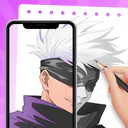
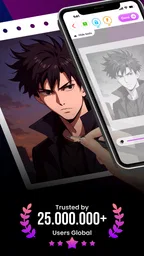
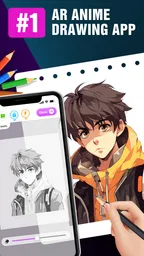
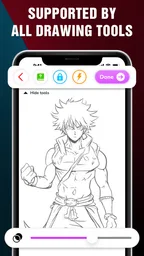
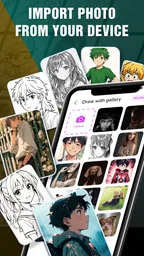
The basic workflow is straightforward in concept. You choose an image to trace, position your phone so the image appears over your drawing surface through the camera, and follow the visible lines on paper. The screen becomes a reference layer; your pencil, pen, and hand still do the actual drawing. For a first attempt, I would pick a simple anime face or a clean character outline rather than a crowded action scene. Fewer lines make it easier to see where the image ends and your own marks begin.
The practical challenge is keeping the projected reference steady while you draw. A phone held in one hand can shift as you reach across the page, so a stable stand or another way to keep the device still can make a noticeable difference. I would also clear the drawing area before starting and test the framing with a few light construction marks. If the image is too large for the paper, or the camera angle is awkward, correcting that before committing to dark lines saves frustration.
Lighting and contrast matter in a hands-on way. A bright, even workspace makes it easier to distinguish the reference from the page, while glare or a dim room can make following fine details harder. I would begin with a basic outline, then add eyes, hair sections, and clothing details only after the main proportions feel right. This staged approach is more forgiving than trying to reproduce every line at once, especially if you are learning how anime features fit together.
A repeatable setup beats a rushed start
My most useful habit would be to settle the phone position, paper orientation, and image size before drawing. Once those are comfortable, avoid nudging the setup mid-sketch. Even a small change in position can make the visible guide stop lining up with marks already on the page. If the image needs adjustment, it is better to pause, reset deliberately, and check the alignment again than to keep drawing against a reference that has drifted.
For a realistic everyday use, imagine having a short break and wanting to sketch a favorite character without spending the whole time measuring a face from scratch. I would use a simple reference, lightly trace the larger shapes, and leave intricate hair or costume patterns for another session. That gives the exercise a clear endpoint and makes the app useful as a practice aid rather than a promise of a finished illustration in minutes.
Settings to check before you commit
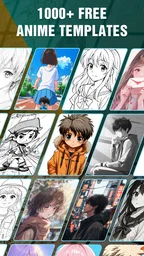
Because the central task depends on seeing and aligning an image, the settings that matter most are the ones that help you make the reference manageable. Check whether the chosen picture is framed sensibly for your sheet of paper, and whether its lines are clear enough to follow. A tightly cropped image may be easier for a portrait, while a full-body pose needs more room and benefits from simpler contours. I would favor a clean, high-contrast reference over a beautiful but visually busy image.
It is also worth taking a moment to understand the app’s available controls before starting a careful drawing. Rather than assuming every adjustment is obvious, make a quick test sketch and see how the displayed guide behaves when you change its placement or scale. This is a low-cost way to learn the interface without risking a page you care about. I would not build a workflow around controls I have not personally checked; the sensible principle is to use the options visible in your version and verify their effect on scrap paper first.
The app is free to download, with in-app purchases listed from $0.99 to $24.99 per item. That makes it easy to try the core idea before deciding whether any optional purchase is worthwhile for your use. I would first complete a few short sketches and identify a specific limitation you want to solve before spending money. If the free experience already suits occasional practice, there is no reason to buy something simply because it is offered.
Draw Anime - AR Tracing App is an art and design app from Braly JSC. It is rated for Everyone, which makes its intended audience broad, though younger users may still benefit from an adult helping position the phone and choose a comfortable workspace. It has a 4.5 average from around 153,000 ratings, and has passed 50 million installs. Those figures suggest wide interest, but they do not guarantee that the camera-based workflow will suit every device, drawing style, or workspace.
Small habits that make tracing smoother
Experienced users can get more consistent results through routine rather than secret tools. I would keep a few sheets of inexpensive paper nearby, use light pencil strokes for the first pass, and check the overall silhouette before adding details. If the eyes or jaw seem off, compare their position with the major shapes rather than repeatedly darkening individual lines. The app can help with placement, but a quick visual check still matters because the angle of the phone and the way you hold your pencil affect what you see.
Another helpful pattern is to separate copying from learning. On one attempt, focus on following the reference closely. On the next, use the same kind of image as a guide but pause to notice how the head, neck, and shoulders relate. Tracing can build confidence with line placement, but it does not automatically teach anatomy or make every pose easy to draw freehand. Treating each session as a small exercise keeps the tool useful after the novelty wears off.
For designs with many overlapping details, simplify the job. Start with the outer contour and the largest internal shapes, then decide which small marks are essential to the character’s expression. Anime hair can contain many sharp strands, and clothing folds can become cluttered when copied line by line. I would leave some details out rather than crowd the page. A readable sketch often looks better than a literal trace that tries to preserve every mark in a complicated reference.
Where the AR approach helps—and where it doesn’t
Compared with a standard drawing app, this approach is better suited to someone who wants to make marks on physical paper. A conventional digital canvas usually gives you direct control over brushes, layers, undo, and color, so it is a stronger choice for polished digital illustrations or extensive editing. A printed reference is another simple alternative, especially if you prefer to work without a phone beside your page. The AR method occupies a middle ground: it offers an on-screen guide while keeping the drawing experience tactile.
That middle ground has trade-offs. The phone is both the reference display and part of the drawing setup, so screen visibility and stable positioning are important. It is also possible to focus so much on matching the overlay that you stop making independent decisions about line quality and expression. I would use the guide to establish proportions, then make deliberate choices about which lines to strengthen, soften, or omit. The best result is not necessarily the one that follows every visible edge.
This is not the right choice if you want a complete digital painting workspace, a tool that teaches drawing fundamentals step by step, or a way to produce a complex illustration without practicing. Someone who already draws confidently may find a normal reference image more flexible, since it does not tie the work to a camera-based alignment. On the other hand, a beginner who finds blank paper intimidating may appreciate having a visible structure to follow and a concrete starting point.
What to expect from the app over time
The app’s current version is 1.1.42, and it runs on Android 7.0 or later. If you are deciding whether to use it on an older device, the operating-system requirement is useful to check before downloading. In day-to-day use, though, compatibility is only part of the equation: the drawing area, camera view, and phone position need to work together comfortably. I would try a quick, low-stakes sketch first rather than planning a long project before learning how the setup feels.
The biggest limitation is inherent to the format: an overlay can guide your hand, but it cannot make the pencil pressure, line confidence, or paper handling decisions for you. If the reference is poorly chosen, the sketch may still feel confusing. If the phone moves, alignment becomes less reliable. And if you expect tracing alone to make every drawing look professional, disappointment is likely. These are not reasons to dismiss the app; they are reasons to use it for what it does best—making a reference easier to transfer onto paper.
I would recommend it to anime fans who want a low-pressure way to start sketching, parents looking for a simple creative activity, and learners who benefit from seeing proportions while they draw. It is also handy for someone who wants to practice a character portrait without first mastering freehand construction. I would skip it if you mainly want digital painting, prefer printed references, or need a structured art course rather than a tracing aid.
A useful guide, not a substitute for practice
My verdict is that Draw Anime - AR Tracing App makes sense when its camera-guided approach matches the way you want to work: phone nearby, paper in front of you, and a reference you can follow at your own pace. I would start with a simple image, secure the device, test the framing, and build the drawing from broad shapes to smaller details. Those habits do more for a clean result than rushing into a complicated character.
For a free starting point in anime tracing, it is easy to justify trying, particularly if you are curious about drawing but unsure where to begin. Keep your expectations grounded: it can reduce the difficulty of placing a reference on paper, but the satisfying part still comes from your own choices and practice. If that balance sounds appealing, this is a practical tool to explore; if you want complete artistic control on-screen, a dedicated digital drawing app will be a better fit.
What we like
- AR overlays help users trace references onto paper.
- The tracing format can make drawing practice more approachable.
- Users can work with physical paper and drawing tools.
- The app may suit beginners learning basic shapes and outlines.
- A phone stand can keep the reference steady while drawing.
What could be better
- AR tracking may shift if lighting is poor.
- A compatible device with AR support may be required.
- The phone camera must remain pointed at the drawing surface.
- Tracing can limit practice in drawing from imagination.
- Some features or artwork may require in-app purchases.





