

UMR | Health review
 Analysis by Appsdrops
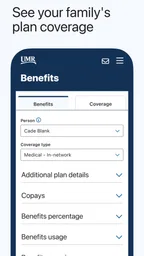
I see UMR | Health as a practical starting point for handling health-benefit tasks on a phone, not as a replacement for medical care or a complete record of someone’s health. Its value depends on whether your coverage is through UMR and whether the details you need are available in your account. When that fits, keeping benefit-related tasks close at hand can be more convenient than searching through paperwork or switching between several general-purpose apps.
Making benefit checks part of the routine
UMR is a free medical app from UNITED HEALTHCARE SERVICES, INC. The basic idea is straightforward: use it to reach your health-benefit information while away from a computer. I would start by treating it as a companion to your plan rather than assuming it works like a universal insurance wallet. The experience is most relevant to people whose employer or coverage arrangements use UMR; another insurer’s app may be the better home for someone with unrelated coverage.
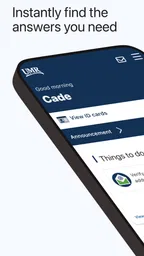
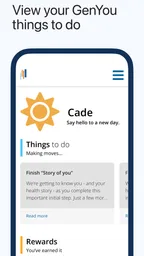
A sensible first visit is a quiet one: install the app, sign in using the account associated with your benefits, and take time to understand what appears on your own home screen. Health coverage varies, so the screens and actions available to one member may not match another member’s. Instead of planning a whole insurance workflow around a feature you have not checked, confirm which useful account details are actually present for you.
That first check matters because benefits are easy to confuse with care itself. An app can help you consult coverage information, but it does not decide what treatment is medically appropriate. If you have symptoms, need urgent help, or are unsure what a clinician recommends, contact a healthcare professional. I find that distinction useful: use UMR for the administrative side of being covered, and use medical professionals for decisions about health.
The app sits in the medical category and is suitable for Everyone. That age label is not a promise that every child can independently manage an adult’s insurance account; account access and the way a family handles coverage still matter. If you are helping a relative, agree on who will sign in and manage sensitive information rather than sharing credentials casually.
Build a repeatable check-in
For everyday use, I would make the app part of a small routine instead of opening it only during a stressful appointment. Before arranging a service, review the relevant benefit information available in your account. Before a call about coverage, sign in first and keep the question you need answered in mind. This reduces the familiar back-and-forth of trying to recall plan details while speaking with a provider or customer-service representative.
For example, imagine you are booking a visit during a lunch break and want to check how your coverage applies. A useful sequence is to open UMR, locate the information your account provides, and note any wording you need to clarify. If the app does not resolve the question, you can then contact the appropriate benefits support channel with a more specific query. The practical gain is not that every issue disappears; it is that you can avoid starting the conversation from memory alone.
I would also keep a simple personal note of questions that remain unresolved, without copying sensitive account details into an unsecured notes app. That turns a one-off glance into a repeatable workflow: check what is available, identify the uncertainty, and follow up through a suitable official channel. It is a modest habit, but it can prevent a rushed guess about whether a service is covered.
Settings and account details worth checking
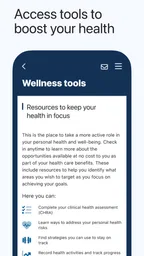
Once signed in, I recommend checking the account and device settings that are actually offered, especially how you access the account and whether the displayed details look current. I would not assume that a phone notification, shortcut, or particular sign-in method exists until I see it in the installed version. This is a useful distinction with benefit apps: a feature that sounds standard may depend on a member’s plan, account setup, or the current app release.
If the app offers a convenient sign-in option on your device, weigh speed against the privacy of that phone. A device used by family members or left unlocked at work deserves more caution than a personal phone you keep secured. Likewise, be deliberate about notifications if they could reveal sensitive information on a lock screen. These are ordinary device-level choices, but they matter when an app connects to personal health-benefit information.
Before relying on information for a time-sensitive decision, check that you are looking at the right member and the relevant plan details. This is especially important when you help manage coverage for a household or have more than one plan context. If something seems inconsistent, do not treat an old screenshot or remembered figure as definitive; return to the current account view or ask the plan contact to clarify it.
UMR is currently at version 2.34.0 and requires Android 9 or later. That gives Android users a clear compatibility check before they plan to make the app part of their routine. If your phone runs an older system, the app may not be an option on that device; checking the app store’s compatibility information before relying on mobile access is more sensible than discovering the issue on appointment day.
Faster habits without relying on hidden tools
Experienced users often get more from a straightforward app by preparing around it. I would keep the app easy to find on my phone, sign in before a planned benefits call, and write down the exact question I need answered. Those habits do not depend on undocumented shortcuts, and they reduce the time spent navigating while someone is waiting for a response.
A second useful pattern is to separate routine checks from exceptions. For a familiar appointment, consult the relevant information in your account and move on if everything is clear. For a new service, an unexpected bill, or a detail that affects a booking, pause and verify rather than assuming that a previous answer applies. Coverage rules can depend on the circumstances, and a familiar workflow should not become an excuse to skip a fresh check.
It also helps to know when the phone is not the right tool. If a question requires a detailed explanation, you may be better served by calling the plan’s support contact or using another official member-service channel. The app can help you prepare for that conversation, but a compact mobile screen is not always the easiest place to compare complicated benefit terms. I would use mobile access for quick orientation and a direct conversation for unresolved, consequential questions.
For travel or a day packed with appointments, I would check important benefit information before leaving home rather than waiting until a weak connection or a busy reception desk. This is not a claim that the app works offline; it is simply a reliable planning habit for any account-based service. If an urgent issue arises, contact the provider or appropriate support channel instead of assuming the app is the fastest route in every circumstance.
Where the app’s limits matter
The largest limitation is that usefulness is tied to UMR coverage and the information connected to a particular account. Someone insured through another company should look to that insurer’s own tools. Even among people who use UMR, plan-specific details mean the app should not be treated as a single, identical experience for everyone. I would judge it by whether it helps with the tasks I personally need, not by an imagined list of universal features.
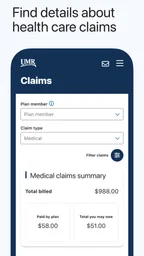
There is also a difference between seeing benefit information and getting a definitive answer to every claim or coverage question. A brief screen can be enough for a quick check, but it may not explain every condition behind a decision. If a large bill, a denied service, or a disagreement is involved, gather the relevant information and ask for clarification through the appropriate member-support process. The app is a convenient entry point, not a substitute for a careful review of a complicated case.
People who prefer to manage everything on a desktop may find a phone app less comfortable for longer reading or administrative work. Likewise, anyone who cannot sign in, does not have UMR coverage, or needs a specialist explanation should not expect the app alone to solve the problem. In those situations, a provider’s office, a plan representative, or the account’s established support route may be more useful.
Still, the app has a meaningful audience. It has a 4.4 average from around 2.7 thousand ratings, and it has passed 100 thousand installs. Those figures suggest that many users have tried it, but they cannot tell me whether it will fit a specific plan or account. I would use them as background, then make the decision based on coverage and the practical tasks I need to handle.
My verdict after weighing the workflow
UMR | Health makes the most sense for a member who wants a phone-based way to check their UMR-related benefits and prepare for routine coverage questions. I like the potential for a calmer, more organized interaction: look at the account first, identify what is unclear, then follow up with the right person. That approach is more useful than opening an app in a rush and expecting it to answer every insurance question instantly.
The app is free, and it was released on December 1, 2022. Its current version is 2.34.0, so Android users should also keep the operating-system requirement in mind. I would install it if my benefits were administered through UMR and I wanted mobile access; I would skip it if my plan belongs to another insurer or if I mainly need medical guidance rather than benefit administration.
Overall, my recommendation is conditional but positive: use UMR as a focused companion for your own benefits, verify the account details that matter, and keep a direct support option in reserve for complex questions. The strongest result comes from pairing the app with a repeatable habit—check before you book, prepare before you call, and confirm anything consequential—rather than expecting a mobile tool to replace the people and processes behind your coverage.
What we like
- Offers access to health services through a dedicated mobile app.
- Can help users keep health information close at hand.
- May make it easier to find relevant care resources.
- Useful for members who prefer managing health tasks on a phone.
- Provides a mobile option alongside other UMR resources.
What could be better
- Available features may depend on a user's plan and eligibility.
- Some tasks may still require contacting UMR directly.
- Access to personal information requires account sign-in.
- The app may be less useful to people outside the UMR network.
- App performance and availability can vary by device and connection.





