
Trinity Health MyChart review
 Analysis by Appsdrops
I tend to judge a health app by a practical question: does it make a routine task easier without making me worry about where my information is going? Trinity Health MyChart is a medical app for people who use a Trinity Health MyChart account, and its value is in providing a mobile route to managing personal health information. It is not a general-purpose health tracker or a substitute for care. If your healthcare is connected to Trinity Health, it may be a useful companion; if it is not, the app is unlikely to fit your needs.
What using it is really for
The app is developed by Trinity Information Services Web Development. I see its strongest role as a convenient access point for people who already rely on a Trinity Health MyChart account, rather than a place to discover a new provider or organize health information from unrelated services. That distinction matters: the app’s usefulness depends on your existing connection to the health system.
Medical apps can be frustrating when a quick errand turns into a trip through desktop pages, saved messages, and scattered records. A dedicated mobile app can make it more natural to check in on health information as part of an ordinary day. I would use it for account-related health tasks when I have a few minutes and want to handle them from my phone, rather than treating it as an emergency tool or expecting it to replace a conversation with a clinician.
The app is free, which makes trying it a relatively low-commitment choice for an eligible patient. It is rated for Everyone, but that age label should not be mistaken for a recommendation that children manage their own medical accounts. In practice, account access and a suitable level of adult guidance matter more than the general content rating.
Speed expectations: convenient, not a shortcut around care
I would set ordinary expectations for speed. A health app’s usefulness is not just whether it opens quickly; it also depends on whether the information or task you need is available in your account and whether you can find the right place without second-guessing yourself. I would not choose it expecting a rapid answer to a medical question or a way to bypass the clinic’s normal process.
A realistic use case is noticing that you need to take care of a health-related account task while waiting for a ride or sitting at home after work. Instead of postponing it until you have a computer, you can open the app and see whether the relevant information is available through your Trinity Health account. That convenience is meaningful even if the app cannot make the underlying healthcare process instant.
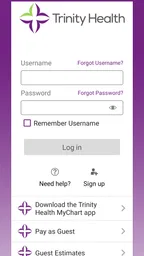
One useful habit is to open the app before you are under time pressure. Confirm that you can sign in and orient yourself while things are calm, rather than discovering an account-access problem when you are about to leave for an appointment. I also recommend checking that you are using the right account if you help a family member with healthcare tasks; a phone can make switching between people’s information feel deceptively casual, while the records themselves are personal.
When several health tasks compete for attention
Heavy use is a different test from opening an app for a quick check. If you are dealing with several appointments, ongoing care, or multiple family responsibilities, the challenge is often keeping the right task connected to the right person and provider. This app’s purpose is tied to Trinity Health MyChart, so I would use it for that relationship and keep other providers’ processes separate unless those providers have their own compatible route.
A practical workflow is to make one short visit to the app when you have a clear goal, such as checking your account before you make a call or preparing for a visit. Then make a note of anything that still needs a clinician’s attention, rather than repeatedly reopening the app hoping that it will resolve a question that calls for human advice. That approach keeps a digital record from becoming a substitute for a conversation.
If you are supporting a relative, agree on who is responsible for each account task and avoid treating a shared phone as permission to browse freely. The less obvious trade-off with any personal health account is that convenience can blur boundaries: a helper may be able to assist with a practical task, but the patient should remain involved in decisions and in understanding what is being handled. I would be especially careful not to assume that access to one person’s account also covers another family member’s records.
Reliability and what to do when access is interrupted
I would treat a mobile health account as a useful route, not the only route. Phones lose connectivity, apps can need attention, and account sign-in can become a hurdle at an inconvenient moment. For that reason, I would not rely on the app as the sole place to keep information needed urgently. If a question is time-sensitive, contact the appropriate healthcare service directly rather than waiting for an app session to sort itself out.
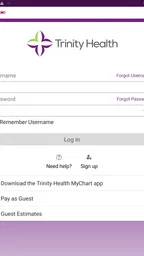
If the app does not behave as expected, I would start with simple checks: confirm that the phone has a working connection, close and reopen the app, and make sure I am entering the correct account details. If the issue concerns access to the account itself or information that appears wrong, contacting the relevant Trinity Health support or care team is more sensible than repeatedly trying different routes. Repeated sign-in attempts can waste time without clarifying whether the problem is the device, the credentials, or the account.
For peace of mind, I would keep essential appointment details or instructions in whatever form the care team has provided, rather than assuming I can always retrieve them on demand. That is not a criticism unique to this app; it is a sensible backup for any digital health service. The app can make routine access more convenient, while direct contact and any instructions given by your care team remain important when something needs urgent attention.
Device fit and account expectations
The current version is 11.5.2, and the minimum operating-system requirement is version 9. Before installing, I would check the phone’s software version and leave enough room for normal updates. A device that is no longer receiving system support may also be a poor choice for managing sensitive account access, regardless of whether an app can be installed on it.
As a medical app, it is most useful when you already have a Trinity Health MyChart account. If you are comparing it with a general health organizer, the difference is the specific healthcare connection: a general organizer may suit someone who wants to collect notes from many sources, while this app is the more relevant choice for someone whose care is managed through Trinity Health MyChart. I would not install it just to track habits or store unrelated records.
The app has a 4.2 average from around 4,400 ratings, with about 2,300 written reviews and over 500,000 installs. Those figures suggest that many people have tried it, but they do not tell me whether it will work smoothly with a particular phone, account, or care situation. I would use them as background, not as a substitute for checking whether the app matches your provider relationship.
Who should choose it—and who should look elsewhere
I would recommend Trinity Health MyChart to someone who already uses the corresponding Trinity Health account and wants a phone-based way to manage health information. It is especially sensible if you prefer handling routine account tasks in small moments instead of waiting until you are at a computer. Since it is free, trying it is reasonable if the account relationship applies to you.
I would skip it if your care is not connected to Trinity Health, if you mainly want a cross-provider record organizer, or if you expect a medical app to diagnose symptoms or provide emergency help. In those situations, a provider’s own service, a broader record-keeping option, or direct contact with a healthcare professional may be a better fit. The important choice is not which app has the most appealing label; it is whether it serves the provider and task you actually need.
My overall view is that this is a focused convenience tool, not an all-purpose health companion. Its best case is straightforward: you have the relevant account, your phone meets the software requirement, and you want a mobile way to deal with account-related health information. Keep a backup plan for urgent needs, protect the privacy of anyone whose account you help manage, and judge its usefulness by whether it makes your own Trinity Health routine easier.
What we like
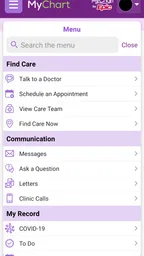
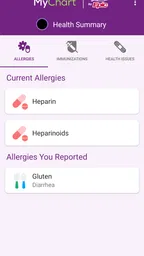
- View test results and visit summaries in one place.
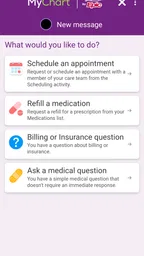
- Request prescription refills without calling the clinic.
- Send secure messages to your care team.
- Manage appointments through the app.
- Access billing details and make payments online.
What could be better
- Some features depend on your provider's participation.
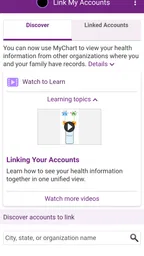
- You may need a separate account for each health system.
- Not all test results appear immediately.
- Online appointment options can be limited.
- The app requires an internet connection for most features.





