




Telehealth by SimplePractice review
 Analysis by Appsdrops
I see Telehealth by SimplePractice as a focused way to attend appointments remotely, not as a complete health-management hub. That distinction matters: if a practitioner has arranged a video appointment through SimplePractice, the app may make joining from a phone feel more straightforward than juggling a video-call link and other tools. It is less compelling if you want one app to organize every part of your medical life.
Developed by SimplePractice, this free medical app is built around a narrow but useful need: connecting with a provider by video. I would consider it when a clinician asks me to use it for a scheduled visit, rather than downloading it in the hope that it will help me find care or replace a regular appointment system. The experience depends on that provider relationship; the app is a meeting point, not a source of treatment on its own.
A video visit works best when the appointment is already arranged
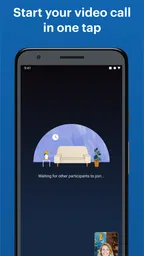
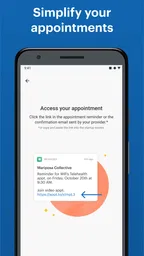
The practical strength here is reducing the small hurdles that can make a remote appointment stressful. When I have a visit coming up, I want to know which app to open, where the appointment link is, and whether I can get settled before the conversation begins. A dedicated app for a SimplePractice video appointment gives the visit a clear destination, instead of leaving me to search through messages for a generic call link.
That clarity is especially valuable for appointments where privacy and attention matter. A therapy session, for example, is easier to approach when I can set up in a familiar room, silence other distractions, and join from my phone rather than travel across town. Remote access can also be useful when getting to an office is inconvenient. It does not make every appointment suitable for video, but it can remove travel from visits that a provider is able to conduct remotely.
A realistic use case is a person who has a session after work and is still away from home when it begins. They can find a quiet place, check the appointment details they were given, and use the app to join rather than trying to coordinate a last-minute alternative. I would still plan a few minutes ahead: locate the app, check that the phone is ready, and choose a spot where the conversation will not be overheard. Those simple preparations matter more than searching for advanced controls that may not be needed.
For a video appointment, the setting around the phone is part of the experience. I would use a stable surface or hold the device securely, make sure the room is reasonably quiet, and avoid relying on a weak or unpredictable connection if another option is available. These are practical precautions, not special app features. They help prevent ordinary distractions from taking over a visit that is supposed to be about the conversation.
Less link-chasing, but not a replacement for your clinician
Compared with a general-purpose video-call app, a healthcare-focused appointment app has a clearer purpose: it is tied to care arranged through a provider who uses SimplePractice. A generic calling tool may be more familiar to friends and family, but it can leave the patient managing meeting details across separate messages and apps. Telehealth by SimplePractice is the more natural choice when the practitioner directs the patient there; a familiar video messenger is not automatically an equivalent substitute.
That does not mean the app should be treated as a full patient portal. Its public description centers on video appointments, so I would not assume it handles prescriptions, records, billing, appointment discovery, or every kind of follow-up. The useful question before installing it is simple: did my provider ask me to use this for our visit? If yes, it has a clear role. If not, installing it may not solve anything.
That boundary is also important for urgent care. A scheduled video conversation is not a dependable substitute for immediate emergency help or an in-person examination when symptoms need hands-on assessment. I would follow the clinician’s guidance about whether a remote appointment is appropriate, and use local urgent or emergency services when the situation calls for them.
What the app’s track record can—and cannot—tell you
The app has an average rating of 4.4 from around 36,000 ratings, with about 14,000 written reviews and over 1 million installs. Those figures suggest that many people have used it, but they do not tell me whether a particular appointment will run smoothly. A video visit is shaped by the patient’s device and connection as well as the provider’s setup, so I would judge the app by whether it helps me reach the appointment I was given, not by popularity alone.
It is free to download and is rated Everyone, which makes it accessible to a broad range of users. The age label does not mean every child should manage a healthcare appointment independently; a parent or guardian may still need to help with scheduling, setup, or the conversation. The app first appeared on May 3, 2018, and its current version is 4.2.4. It requires Android 7.0 or later, a practical detail to check before relying on an older device for a scheduled visit.
One useful preparation tip is to distinguish an app problem from an appointment problem. If you cannot find the visit or are unsure how your provider expects you to join, contact the practice using the instructions you already received rather than repeatedly reinstalling the app. If the app opens but the video experience is difficult, check the basics first: device readiness, your surroundings, and whether your connection is stable. That keeps troubleshooting proportionate and avoids turning a simple appointment into a long technical exercise.
The trade-off: focus is helpful, but dependence is real
The same narrow scope that makes the app easy to understand also limits its usefulness. It is tied to appointments arranged through a SimplePractice provider, so it is not a universal telehealth service where I can browse clinicians and book any available consultation. If my provider does not use SimplePractice, this app is unlikely to be the right route. In that case, the provider’s own system or a general video option they recommend will be more useful.
There is also a practical dependency on having the appointment details and device ready. A dedicated app can simplify joining, but it cannot guarantee that the patient remembers the time, has a private place, or can connect reliably. For someone who finds smartphone setup difficult, a phone call or an in-person visit may be less stressful if the clinician offers that choice. I would not choose video solely because an app is available.
Another trade-off is that remote conversation changes how care feels. Some people appreciate being able to speak from home; others find it harder to focus on a screen or feel comfortable discussing personal matters without being in the same room as a provider. I would treat that as a genuine preference rather than a technical failing. If a screen makes it harder to communicate, asking the clinician about an in-person alternative is sensible.
Who will get the most from it
I would recommend Telehealth by SimplePractice to patients whose practitioner has arranged a video visit through SimplePractice and who are comfortable using a smartphone for a private conversation. It is particularly appealing when travel is inconvenient, the visit is already scheduled, and the patient wants a dedicated place to join rather than a generic call link. For routine remote check-ins or therapy appointments that the provider considers appropriate for video, that focused role can be enough.
I would be more cautious about recommending it to someone who expects a broad medical organizer, wants to find a new clinician inside the app, or needs a tool that works independently of a particular practice. I would also suggest considering another format if the patient has unreliable connectivity, lacks a private place to speak, or struggles with mobile video calls. Those are not reasons to dismiss telehealth in general; they are reasons to match the appointment method to the person.
For a family member helping someone else prepare, the most useful support may be simple: confirm the visit time with the practice, make sure the person knows which app to open, and help them find a comfortable, private spot before the call. The app’s role is to support the connection, while the provider remains the person responsible for the appointment and clinical guidance. Keeping that division clear prevents unrealistic expectations.
My verdict for patients deciding whether to install it
My overall view is positive, with a clear condition: Telehealth by SimplePractice makes the most sense when a provider has already chosen it for a video appointment. Its purpose is easy to understand, and a dedicated route into a scheduled remote visit can be more convenient than managing a generic call link. I would install it for that reason, not because I expect it to replace a clinic, a patient portal, or an emergency service.
SimplePractice has built an app aimed at one practical moment in healthcare: getting a patient and provider into a video appointment. That focus is a strength for people who need exactly that, and a limitation for everyone expecting more. If your clinician uses it and video suits the visit, it is a reasonable tool to have ready. If you need appointment discovery, comprehensive records, or an alternative to a provider-specific system, I would look to the service your clinician actually supports instead.
My recommendation is straightforward: use it when it is part of your provider’s appointment process, prepare your space and device ahead of time, and choose another care format when video is not comfortable or appropriate for you.
What we like
- Book appointments with providers through the app.
- Join video sessions without traveling to a clinic.
- Message your provider securely between appointments.
- Manage appointments from a mobile device.
- Access therapy resources shared by your provider.
What could be better
- Features depend on your provider's SimplePractice setup.
- You need an internet connection for video sessions.
- The app does not replace emergency or crisis care.
- Some providers may not offer messaging or online booking.
- Video quality can suffer with a weak connection.





